Mine surveying software built for the entire mine.
Bring mine surveys, preliminary earthworks design, and progress tracking together on one 3D map. Measure material movement, explore site-planning options, and give every department a shared view of the mine.
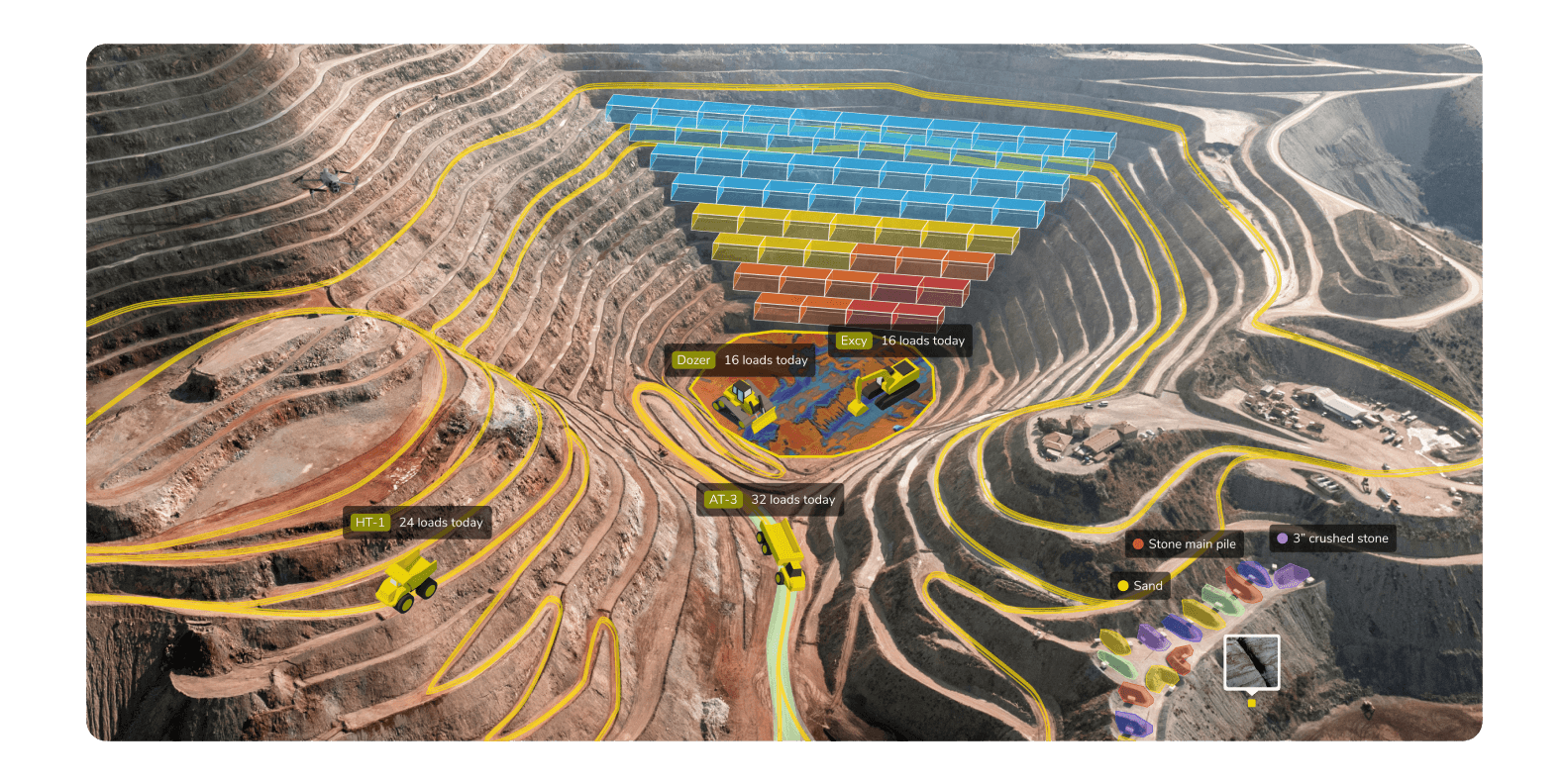
Core workflows: How we solve mining problems
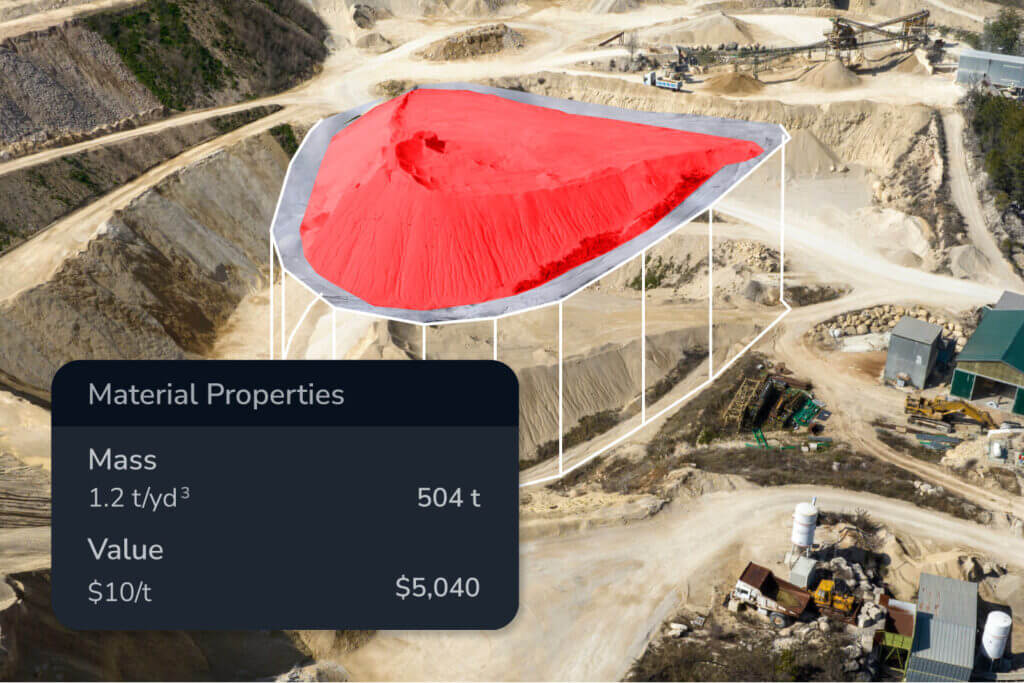
Production tracking and reconciliation
Stop waiting for end-of-month surveys. Reconcile daily and catch deviations early.
- Accurate volume tracking
Automate volumetric reporting for faster decisions. Calculate volumes and areas surface to track exactly where material has been moved across the site. - Seamless reconciliation
Compare surveys over time or against design surfaces for accurate and timely EOM reconciliation. - Stockpile management
Automate repetitive tasks with AI-assisted feature detection that detects stockpiles automatically. - Shrink and swell precision
Refine volumes to reflect real-world material behavior by applying shrinkage or swelling factors directly to your cut/fill calculations.
Safety and haul road analytics
Automate compliance checks and keep boots off the ground.
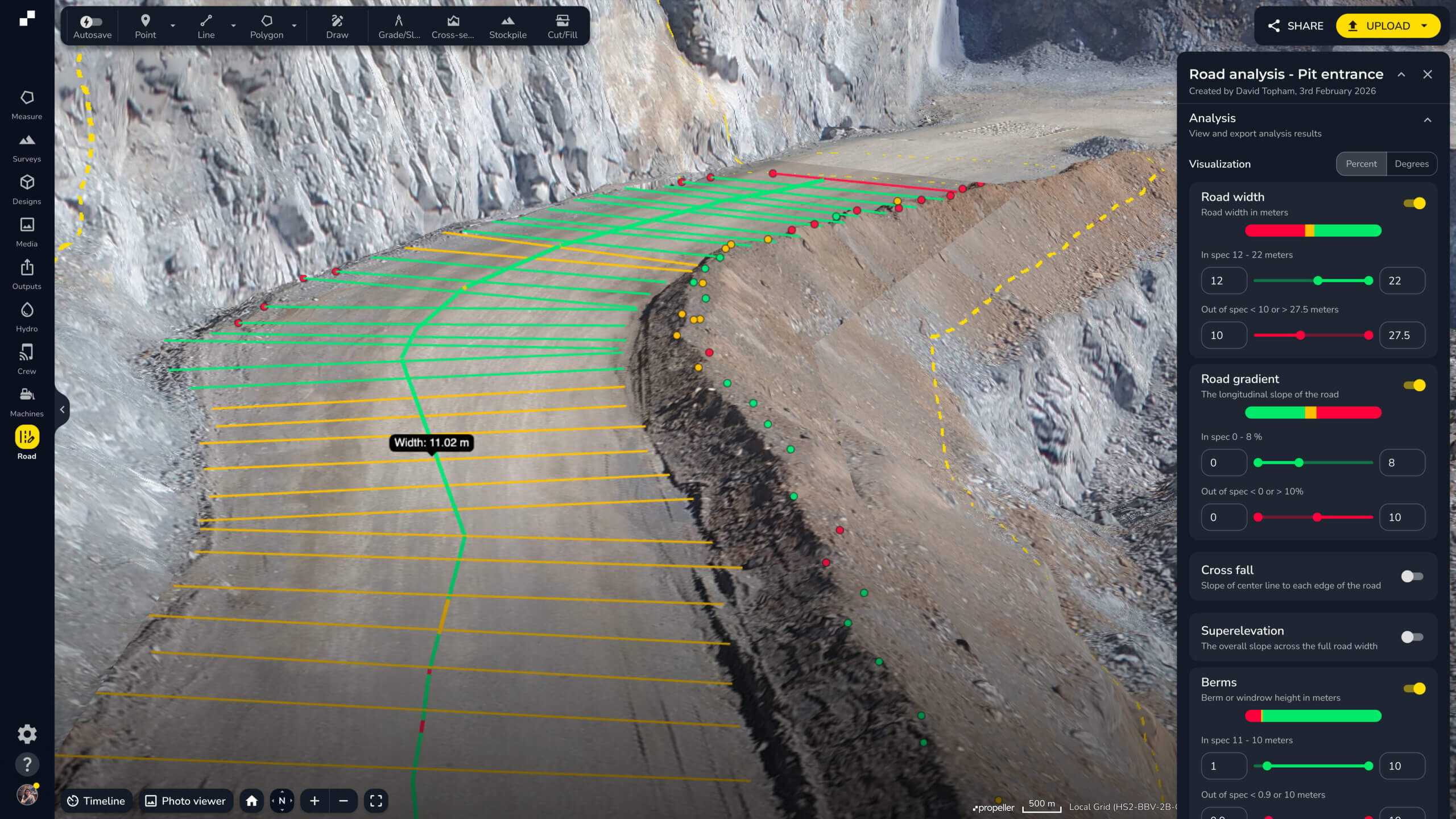
- Automated road inspection
Ensure road widths, crossfalls, and berm heights meet specs. Map haul routes and grades to ensure operators follow safe speeds on steep terrain. - Virtual site visits
Inspect highwalls and steep faces remotely. Use high-resolution vertical face imagery to identify faults without sending crews into hazardous environments. - Proactive risk management
Prevent incidents before they happen. Visualize potential risks like highwall stability or water accumulation to maintain a safer operating license.
Planning a new route or exploring a change? Use Propeller CAD to develop a preliminary haul-road or ramp concept on your survey terrain, then take it through the appropriate engineering and safety review.
Geotechnical and environmental compliance reporting
Meet your Environmental, Social, and Governance (ESG) targets to maintain your license to operate.
- Tailings compliance
Detect changes in your tailings storage facility (TSF) early to reduce environmental risk. Keep an eye on fill rates and containment volumes from anywhere using interactive heat maps. - Water management and hydrology reporting
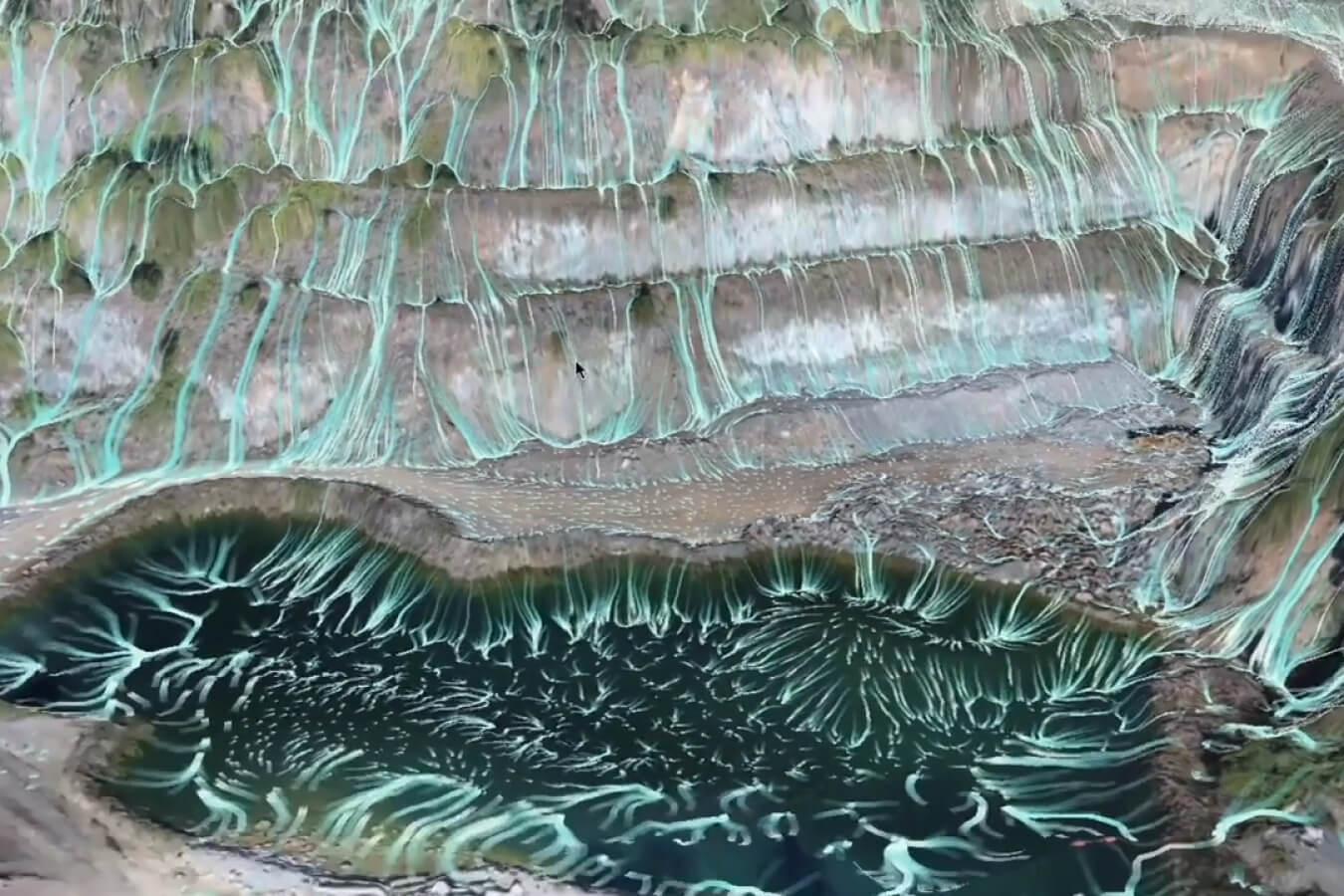
Model runoff and drainage paths to prevent contamination. Visualize potential flooding at defined water levels to track site disturbance with confidence. - Slope stability (Governance)
Provide auditable proof of site safety. Visualize slope angles on your waste rock dumps, tailings storage facilities and high walls and identify high-risk areas with customizable gradient mapping to satisfy regulatory audit.
Drill and blast optimization
Close the loop between design and extraction.
- Pre-blast precision
Use drone surveys before every blast to design with precision using pre-blast data. Estimate blast volumes before drilling. - Post-blast analysis
Measure material movement after detonation. Measure fragmentation and muckpile shape with post-blast insights to improve future planning.
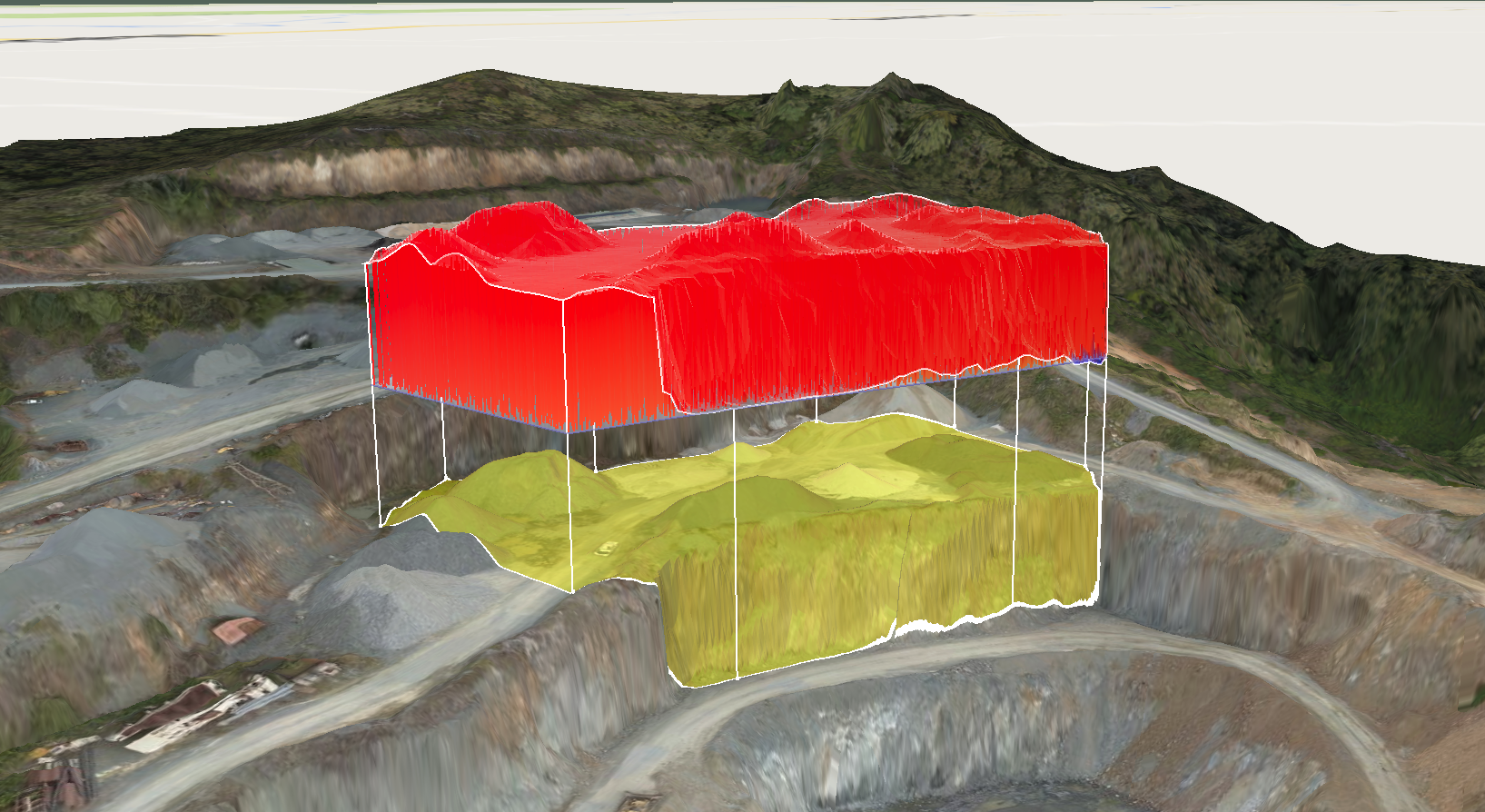
The technology powering your site
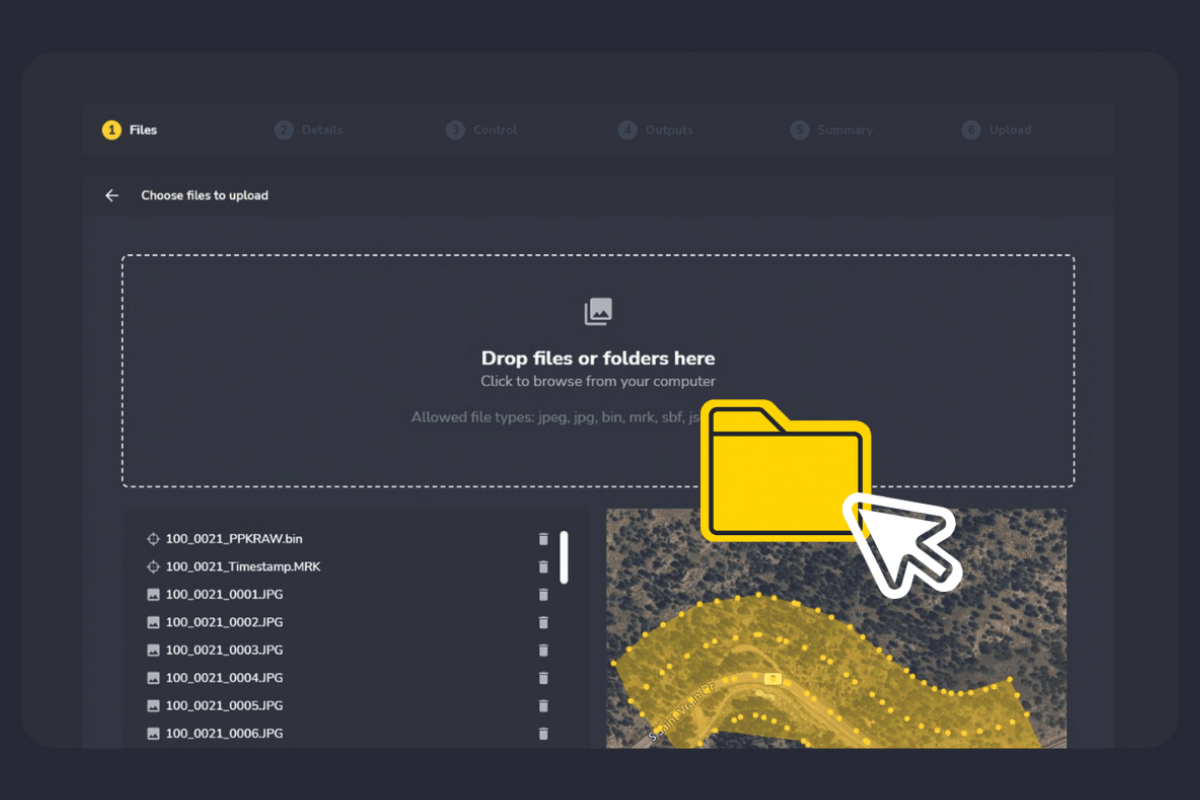
The engine: high-precision photogrammetry processing
Don’t let data bottlenecks slow you down. We handle the heavy lifting.
- Rapid turnaround
Upload your drone data and get fully processed 3D site maps back in hours, not days, so your team can act on data while it’s still relevant. - High-precision accuracy
Trust your measurements. We support PPK, RTK, and AeroPoint workflows to deliver centimetre-level accuracy for as-built verification and disputes. - A “done-for-you” service
Your team are experts in mining, not file management. We clean, process, and host your data, eliminating the need for expensive local servers.
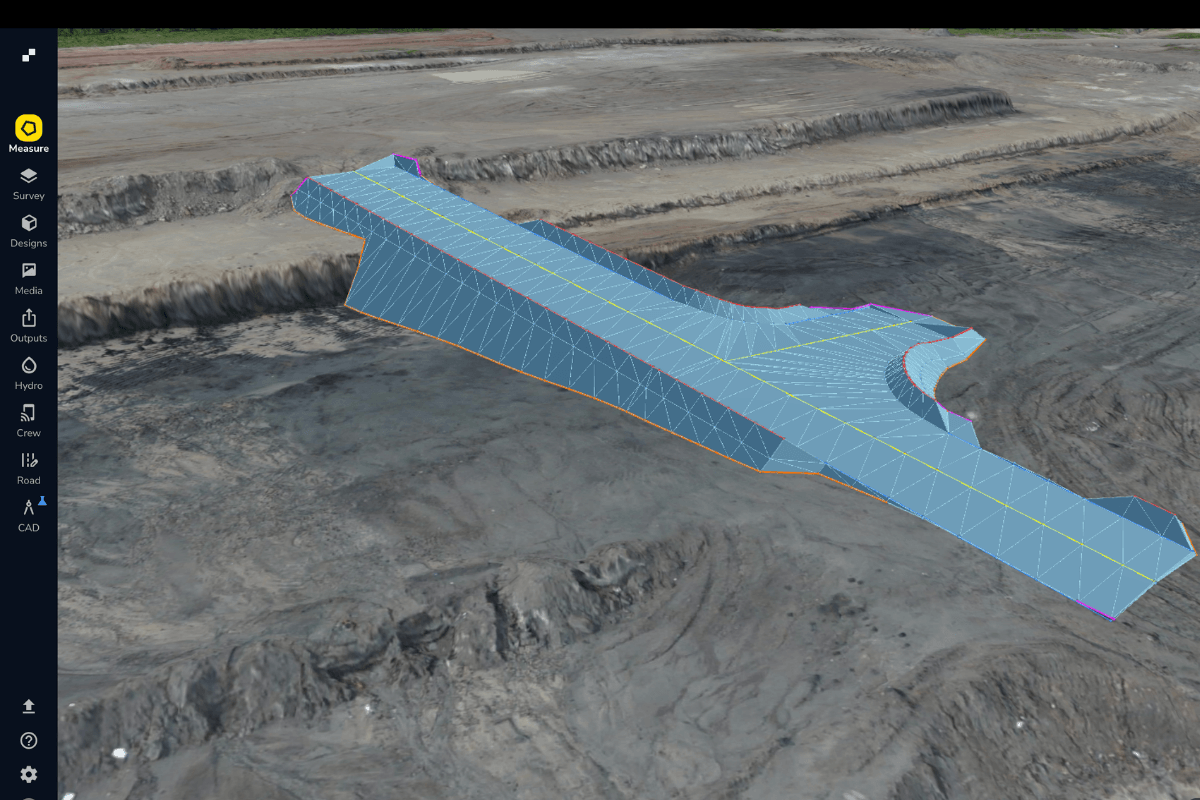
Propeller CAD: explore your next move on real terrain
Turn your mine survey into a starting point for preliminary earthworks design. Describe a haul road, ramp, or pad in plain language, then refine the concept to explore how it fits your site.
- Explore roads and ramps
Test preliminary routes using width, grade, and slope constraints. - Plan pads and work areas
Explore layouts and elevations for equipment pads, laydown areas, and temporary works. - Refine and hand off
Review concepts, adjust constraints, and export DXF or TTM files for further development in specialist tools.
Built for the entire mine

For technical teams
Surveyors, Engineers, Geotechs
- Stop the data chase
Stop juggling datasets and chasing approvals. Share large files instantly and give the team real-time access to survey data. - Work safer
Identify, measure, and monitor geotechnical hazards remotely with zero exposure to highwall risks. - Automated processing
Reduce time spent on manual modeling and use “done-for-you” templates for fast, ongoing monitoring. - Move from survey to concept
Explore preliminary earthworks options on current terrain before continuing into detailed design.

For leadership
Managers, Superintendents, HSE
- Total site visibility
Bring surveys, design files, and progress measurements together to support planning across departments. - Operational clarity
Compare survey captures and share measured progress so teams can identify changes and coordinate next steps. - Regulatory compliance
Mine managers and HSE teams receive auditable records of road safety and tailings compliance to share with regulators.
Your geospatial analysis toolbox
Meet the tools and features behind the map.
Distance
Measure point-to-point distances.
Elevation
Track height changes across various captures or at a specific point.
Elevation difference
Calculate height differences between points.
Cross section
Generate cross section charts of designs and surveys.
Surface area
Measure surface areas within any polygon.
Stockpile
Quickly measure stockpile volumes and create reports.
Shrink/swell calculator
Account for the shrink and swell of soil for more accurate load calculation.
Survey explorer
Combine survey data to plan and review.
Composite builder
Merge multiple survey captures into a single measureable map.
Timeline
Visualize how your site has changed over time, between survey captures.
3D + 2D viewing
Explore a digital twin of your site in 3D or 2D.
Crop and cleanups
Easily crop maps and remove obstructions.
Map layers
Toggle between your terrain model, orthophoto, camera positions, and point cloud.
Base map
Designate any surface as your base map to begin measuring and tracking site activity.
User permissions
Securely share projects and surveys with adjustable access levels.
Workspaces
Easily organize your design and measurement files for quick access.
Custom homepage
Group sites or star favorites for faster access.
Folders
Organize measurements into folders via drag-and-drop.
Read-only public API
Query site and survey data to pull terrain files into CAD and GIS platforms.
Web Map Tile Service (WMTS)
Stream orthophotos from your site directly to your GIS software.
Imports/exports
Import and export surveys, surfaces, and reports.
Propeller CAD
Create and refine preliminary road, ramp, and pad concepts on real survey terrain.
Flood level
Visualize flood impacts at specific levels.
Surface ruined
Map water flow directions across your site.
Watershed analysis
Identify water catchment areas quickly.
Direct rainfall simulator
Simulate runoff from rainfall events.
Media
Pin images and 360 photos to an exact location on the map from the field.
Crew
Share your map via a unique URL on any device.
PDF map
Export plotter-ready map printouts.
Measurement report
Create customizable PDF reports of your site data.
Timelapse
Export progress videos showing site changes over time.
Flythrough
Create dynamic flythrough videos of your site.
Takeoff map
Generate reports comparing surveys with design surfaces.
Markup
Add, style, and share labeled points and freehand scribbles on the map in real-time.
Platform analytics
Monitor Propeller usage across your organization.
Propeller mobile
Visualize your live location against designs, perform critical site checks, and share real-time updates—all from your mobile device.
Point of interest
Drop points on the map and add contextual details.
Hazard
Mark safety hazards and assign severity levels.
Grade check
Assess grades as degrees, percentages, or ratios.
Cut-fill
Compare any two surfaces to track progress or changes in volume over time.
Area progress
Compare site progress against previous surveys or designs.
Material properties
Track materials with tonnage and cost reports.
Surface comparison
Compares surfaces, design-to-design, survey-to-survey, or survey-to-design, to track progress or plan ahead.
Frequently asked questions
Propeller CAD supports preliminary earthworks concepts such as haul roads, ramps, and pads on real survey terrain. Use it to explore options before specialist review and detailed engineering. It is not a tool for production blast design, tailings-dam engineering, or geotechnical certification.
Yes. Our Composite Builder lets you merge multiple smaller surveys into a single, comprehensive site map. This keeps your view of the mine up to date without needing to fly the entire site every time you want to track progress. You can read more here.
You can find our trust center here.
Yes. Propeller mobile puts the platform in your pocket. It gives field teams, superintendents, and foremen a reliable source of high-precision data right on the worksite. This allows them to track location and perform critical grade checks from the cab or the pit floor.
Yes. You can upload your own LiDAR point clouds or we can process and classify raw LiDAR scans for you. This is ideal for capturing existing ground through vegetation before clearing begins.
We believe in connecting your entire team. Because every site is different, we work with you to build a plan that fits your specific sensor, data, and usage needs. This ensures everyone from the office to the field has access to the same map.
Propeller is designed to be intuitive, but we don’t leave you hanging. Our team of customer success engineers, GIS specialists, and hardware experts will set you up for success from day one.
We accept data from all major drones, sensors, and GPS systems. While we are hardware agnostic, we can also recommend specific drones that fit your accuracy and workflow requirements.
Absolutely. You can manage access using our people and teams structure. This allows you to limit permissions for contractors or external stakeholders while giving your internal team full access.
Yes. Propeller is not a data silo. You can download data in numerous file formats such as .DXF, .XML, or .TTM for seamless use in third party software like Vulcan, Deswik, or CAD.
Drones capture hundreds of millions of data points across a site in a single flight, compared to hundreds or low thousands from a ground crew. Combined with PPK or RTK positioning and ground control like AeroPoints, drone surveys deliver centimeter-level accuracy across entire pits — and they do it in hours instead of days, without putting surveyors near highwalls or active equipment.
Traditional GNSS surveying samples discrete points on the ground, then interpolates between them. A surveyor walks the site with a rover and records readings. Drone mine surveying captures the entire surface as a dense 3D model, so volumes, slopes, and changes are measured from continuous data instead of sampled points. The result is faster turnaround, far better stockpile and reconciliation accuracy, and the ability to inspect hazardous areas without sending people in.
Drones don’t replace formal geotechnical engineering review, but they remove the need to put crews next to high-risk faces for routine inspections. Propeller lets you capture vertical face imagery, monitor tailings storage facility fill rates with heat maps, and visualize slope angles and water accumulation remotely. The result is more frequent, auditable inspections with less personnel exposure.
Drone surveys give you precise pre-blast surface models for accurate blast volume estimates and drill pattern design. Post-blast, the same workflow measures muckpile shape, fragmentation, and material movement. Comparing pre- and post-blast surfaces closes the loop between blast design and actual outcome, which feeds better designs the next time around.