
Cross section survey in a matter of minutes using drone data
With the power of drone-captured data and the Propeller Platform, surveying cross sections becomes as…
DirtMate Centimeter-level machine guidance and fleet telematics for earthmoving
AeroPoints High-accuracy ground points for faster, reliable surveys
Propeller CAD AI-powered earthworks design built directly on your real survey terrain
Drone & hardware integrations Connect Propeller with your existing tools seamlessly
High-precision stockpile and cut-fill volumes, measured in minutes and audit-ready every time.
Point-and-click volumes from any device. Measure what’s on the ground, track how it moved, and reconcile it against your plan.
Quickly calculate stockpile volumes, cut-fill quantities, and material movement from any device with speed and confidence.
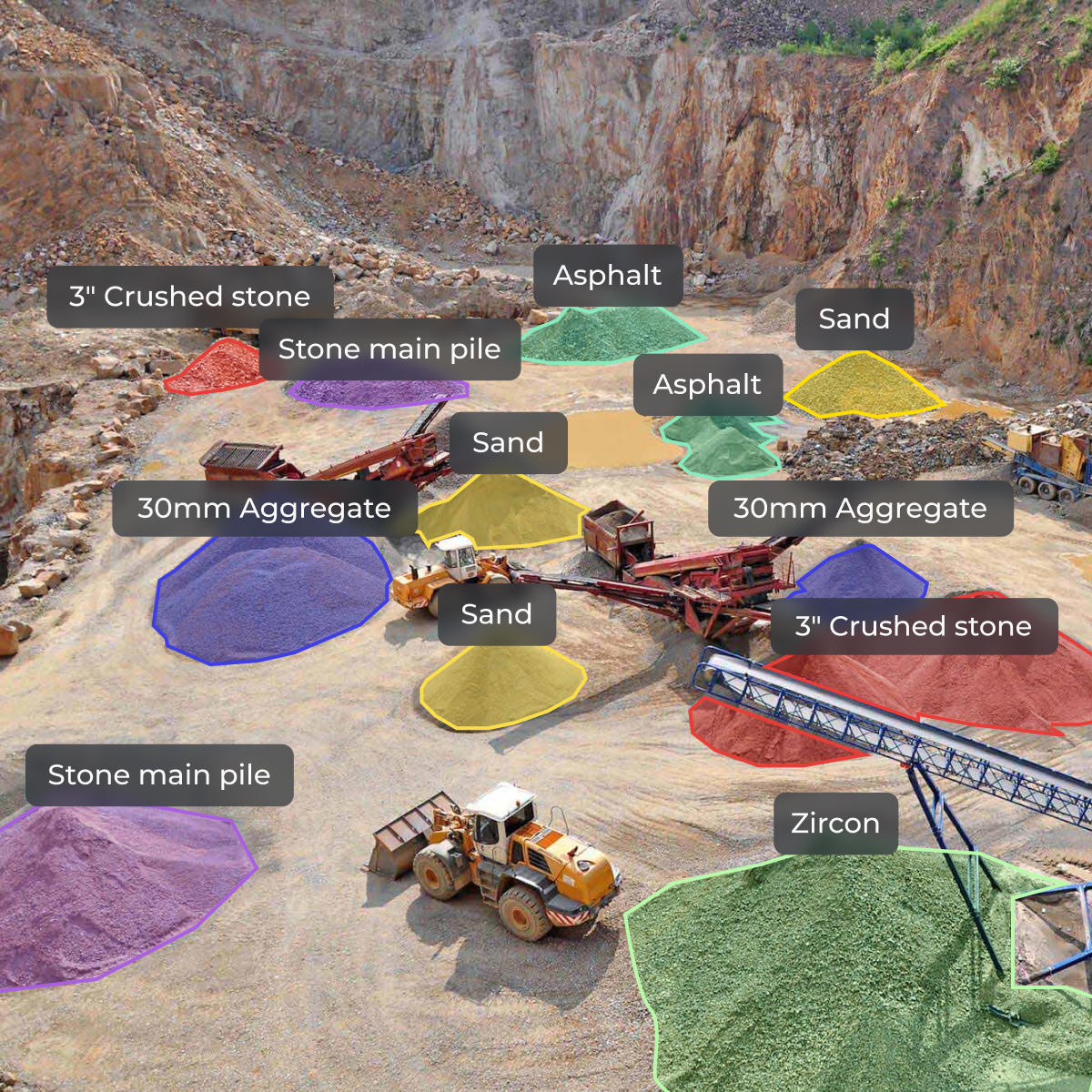
Eliminate manual volume measurement and get the most reliable data available, instantly.

Understand how much material you have on hand and how much you’re moving with machine tracking, earthworks progress tracking, and real-time surface data generated through drone survey data outputs.

Calculate stockpile volume measurement with 3cm drone volume calculation accuracy to stay on top of shrink/swell, verify billing quantities, and minimize waste.

Compare wall and bench volumes against designs to make sure you’re building to the right specs using earthworks volume measurement software.
Volume calculations are performed by comparing surface data captured from drone surveys. By measuring elevation differences between surfaces, teams can calculate stockpile volumes, cut-fill quantities, and material movement across a site with high accuracy.
Point-and-click volumes from any device. Accurate enough for inventory reporting, pay apps, and audit-ready reconciliation every time.
Every measurement is backed by 1–3cm vertical accuracy with AeroPoints ground control.

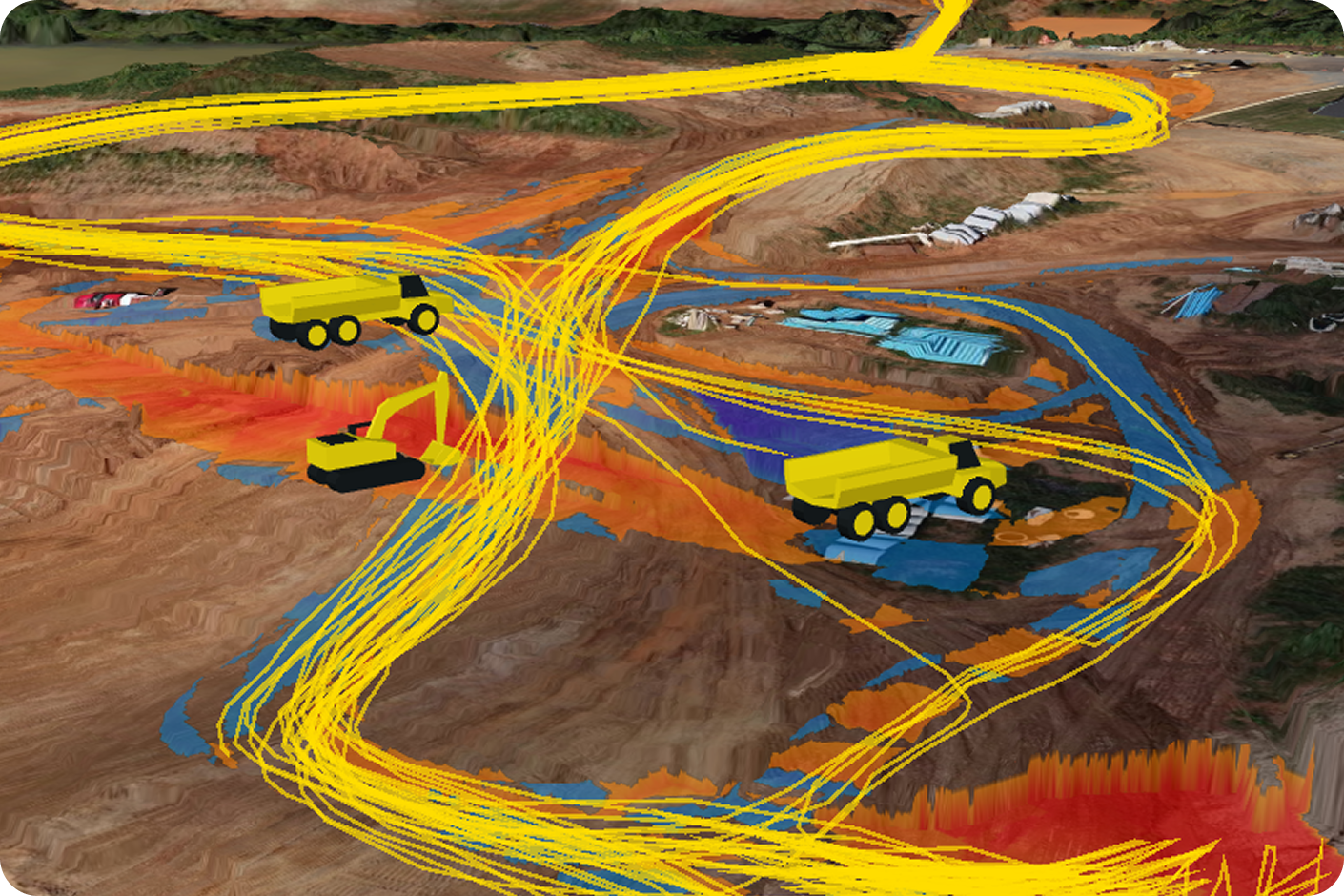
Keep tabs on material movement over time, so monthly reconciliations actually line up and disputes have an answer.
Turn survey volumes into the numbers that go on the invoice. Set your material properties once and convert consistently every time.
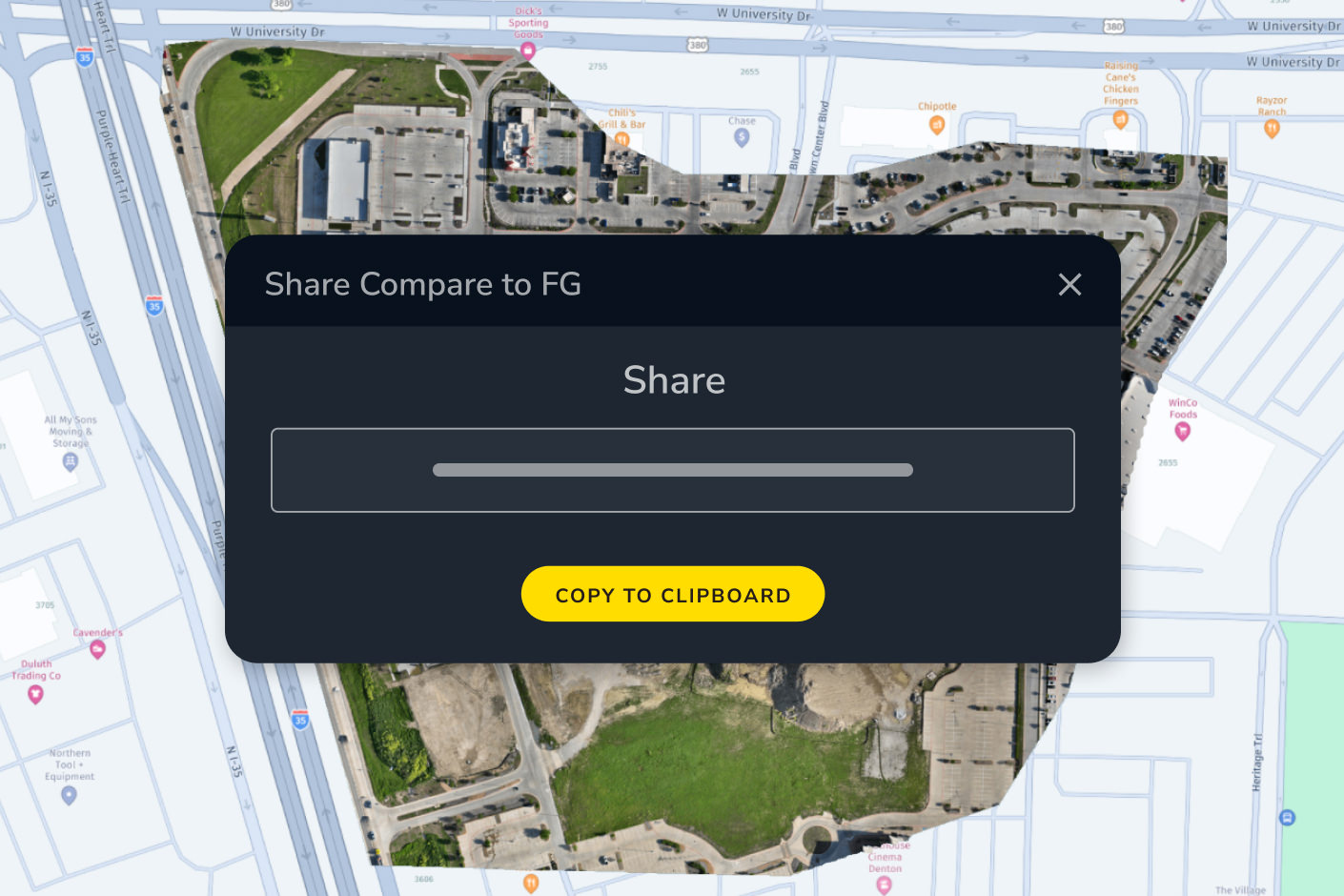
From drone flight to signed-off monthly inventory report, close the loop without rebuilding numbers by hand.
From drone flight to a signed-off monthly inventory report, close the loop for royalty and sales reporting without rebuilding the numbers by hand.

“Propeller is very effective for what we use it for, primarily earthworks quantity tracking.”
– Brian Rinehart, Survey Manager at George J. Igel & Co., Inc
Measure material across benches, bunkers, bins, and landfill cells, with results your team can validate against the desktop tools they already trust.
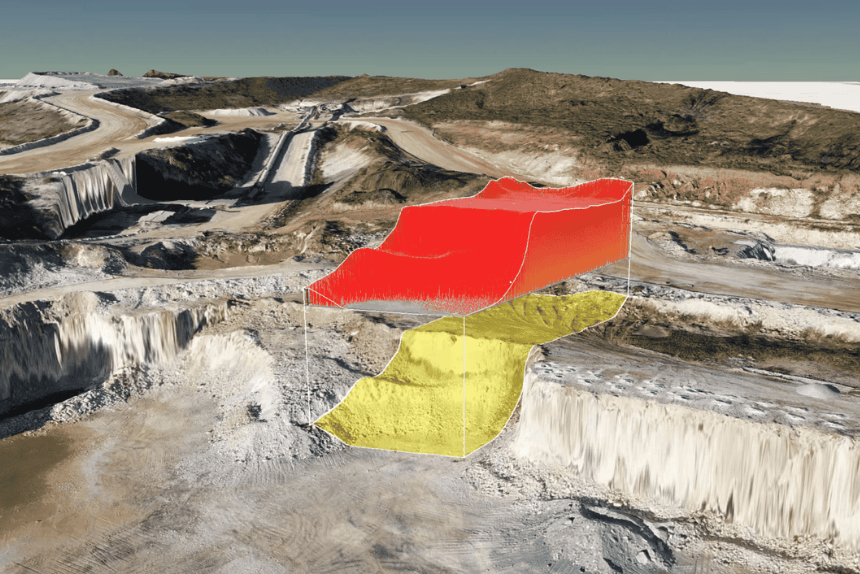
Bench volume for quarry and mining lift levels. Bunker and bin measurement for covered and indoor piles. Cell tracking for landfill airspace.
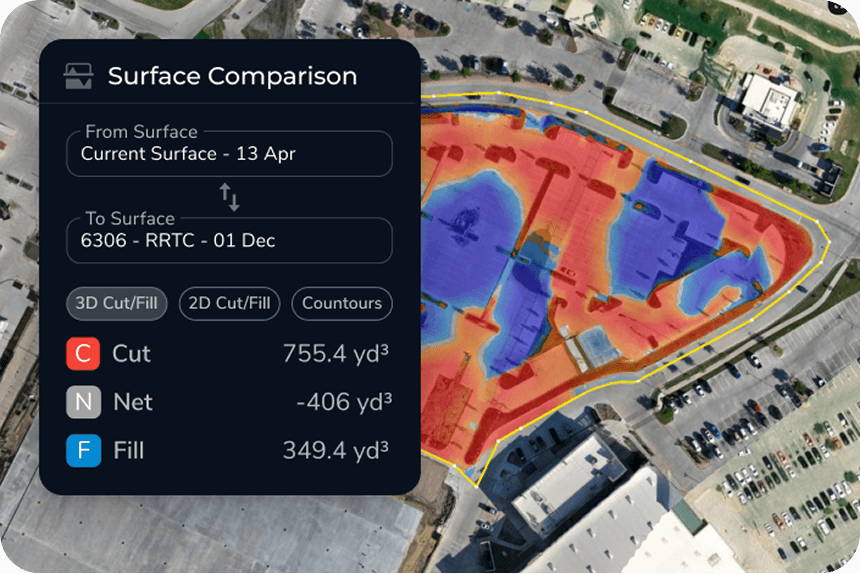
Propeller volumes line up with the desktop tools your team uses to validate quantities, so the numbers hold up under audit.
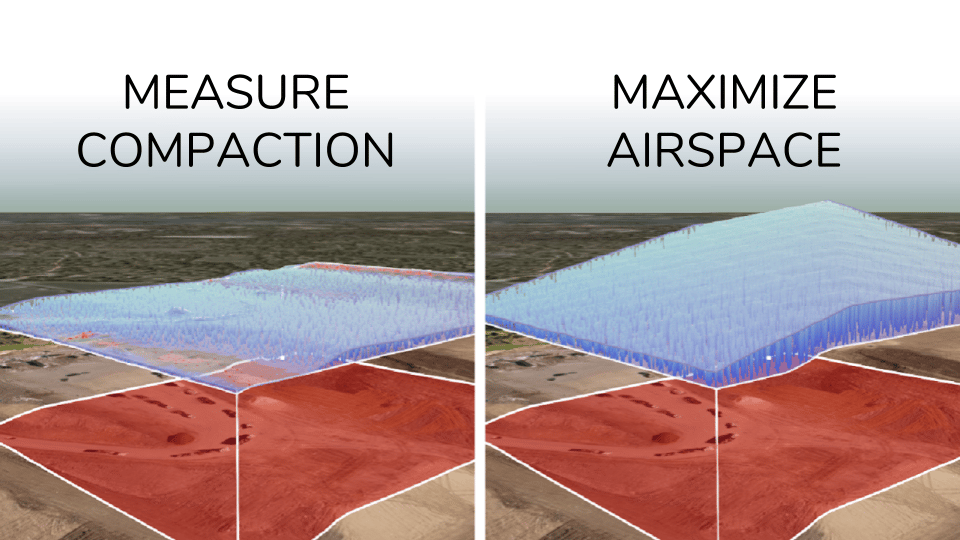

Track material movement, verify subcontractor work, and avoid costly miscalculations with precise volume calculations.
Propeller delivers 3cm drone volume calculation accuracy for stockpile and cut-fill measurements. This accuracy is achieved through high-precision drone data combined with AeroPoints ground control points, giving you results you can trust for billing verification, subcontractor sign-off, and design conformance, not just progress tracking.
Stockpile measurement calculates the volume of material piled on a surface. This is useful for inventory tracking, billing verification, and material management on aggregates, mining, and construction sites. Cut-fill volume calculation measures the difference between existing ground and a design surface, showing how much material needs to be excavated or filled to reach grade. Propeller supports both in the same platform with the same point-and-click workflow.
Propeller generates automated volume reports that can be exported as PDFs or shared as interactive 3D maps via browser link, with no software install required for the recipient. You can also use the read-only public API to feed volume data into external project management or billing systems.
Shrink/swell refers to the change in material volume when soil or aggregate is excavated, transported, and compacted. A cubic meter of in-ground material doesn’t equal a cubic meter of fill. Propeller’s shrink/swell calculator lets you apply material-specific factors to your volume measurements so your cut-fill estimates reflect actual material quantities, not just geometric differences.
A stockpile calculator is a tool used to measure the volume of material in a pile using survey data. It helps construction and mining teams track inventory, verify quantities, and manage material movement.