As-Built vs Design Verification Software for Site Engineers
Site engineers live in the gap between design intent and field reality. Propeller gives you the data to close that gap with timestamped, high-precision maps that prove exactly what was built, catch discrepancies early, and keep every stakeholder working from the same truth.
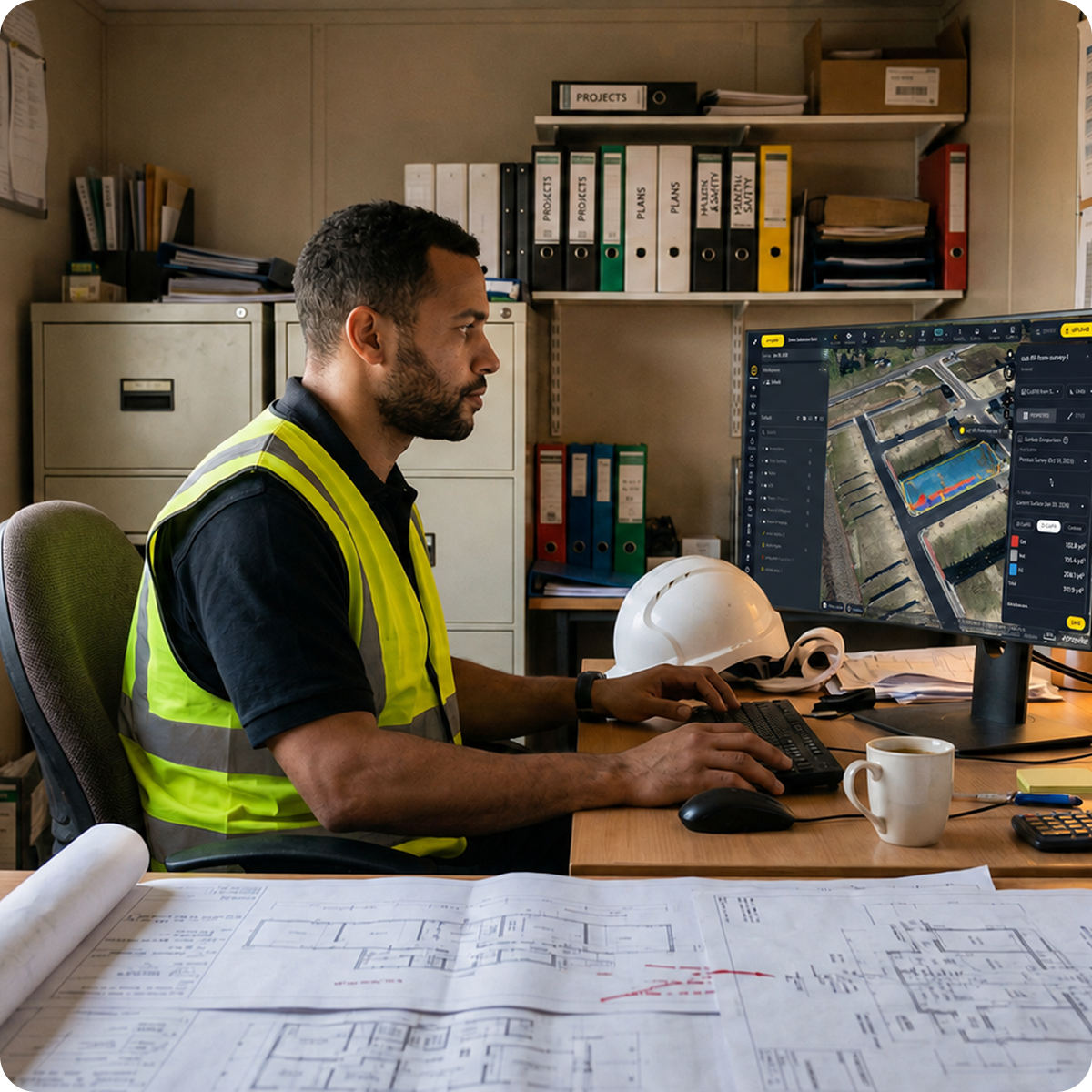












Data you can put your name on
When you’re the one signing off on contractor data, independent verification isn’t optional, it’s the job. Propeller gives site engineers a high-precision, independent view of the site they can fly themselves, so every sign-off is backed by data they actually trust, not someone else’s numbers.
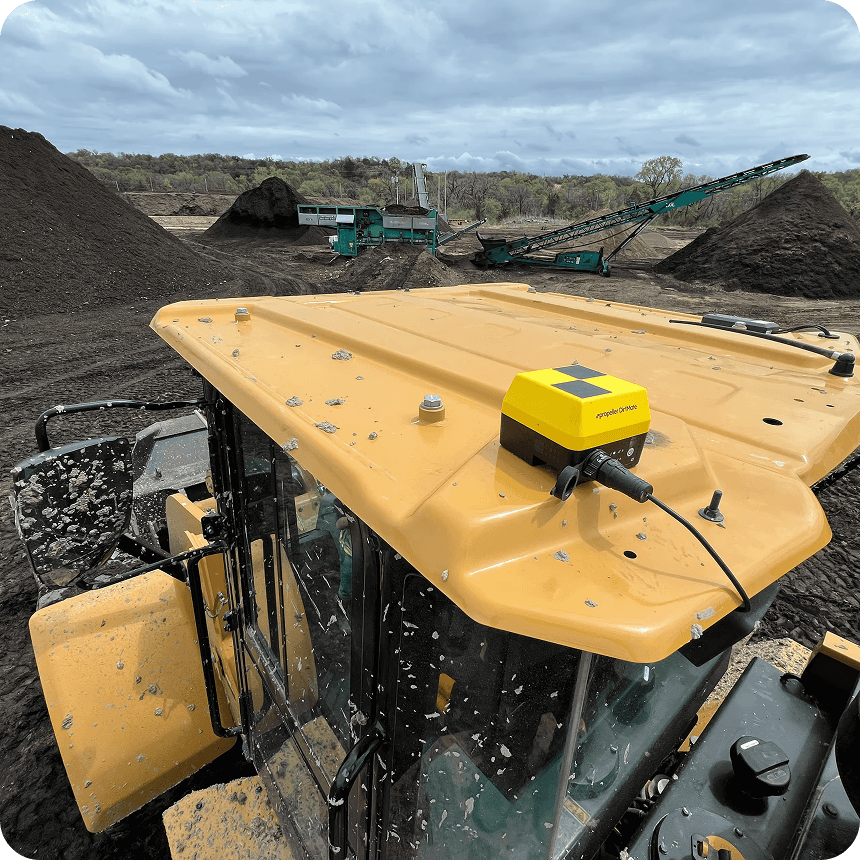
“DirtMate justified the purchase of a new front-end loader within one month. The data made the case.”
– CEO / Site Planner at Silver Creek Materials
Where design meets reality
Engineering confidence starts with knowing your site data is right.
Propeller connects aerial capture, high-precision processing, and cloud-based collaboration into one platform built for teams who need to verify, document, and communicate with certainty. Whether you’re confirming a subgrade elevation, tracking grading conformance, or reporting a trench completion, Propeller puts the proof in your hands before the question gets asked.
How Propeller supports site engineers
Propeller is built around the workflows that matter most to engineering teams: verifying work, communicating clearly, and keeping a defensible record of every stage.
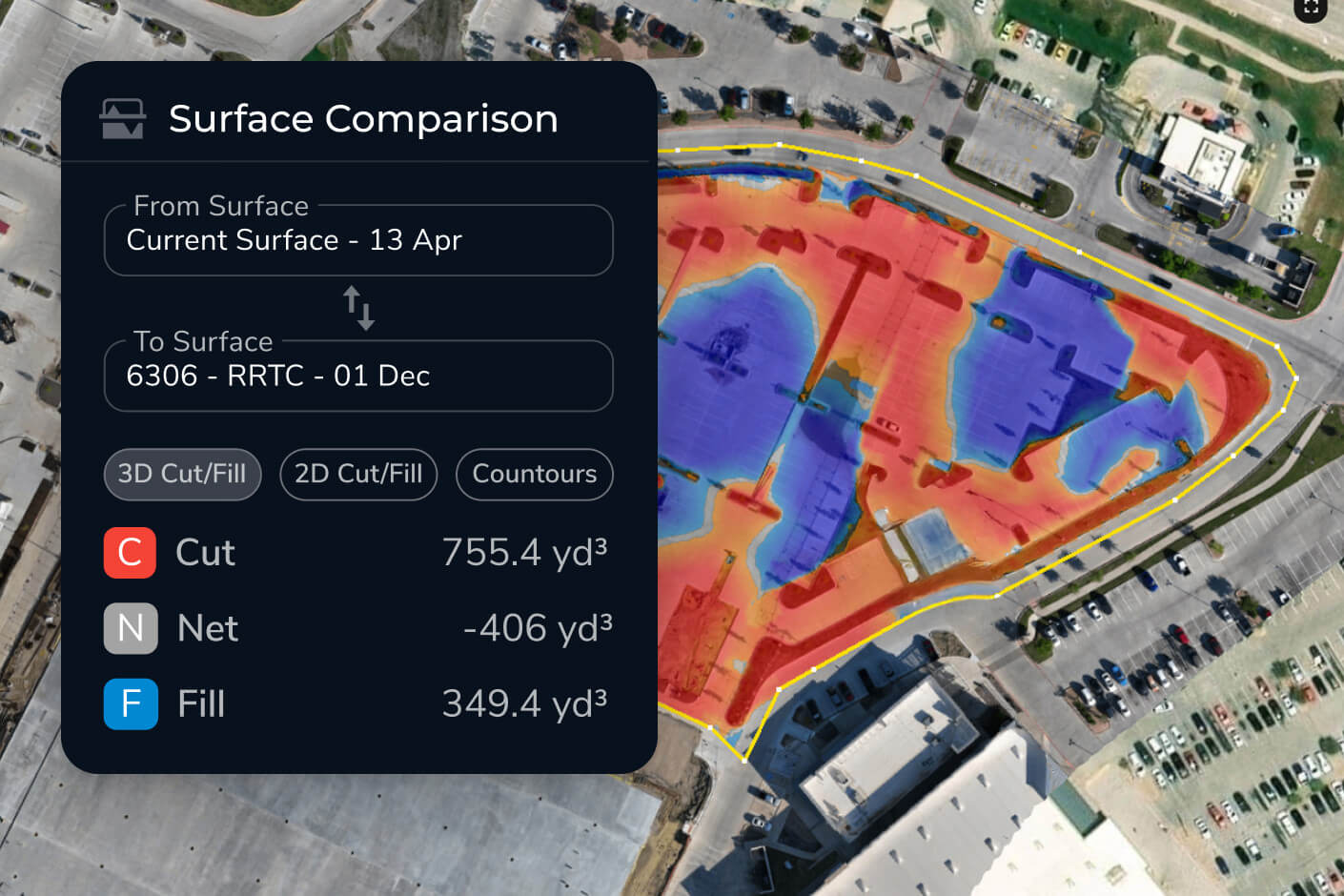
How as-built verification software compares against design
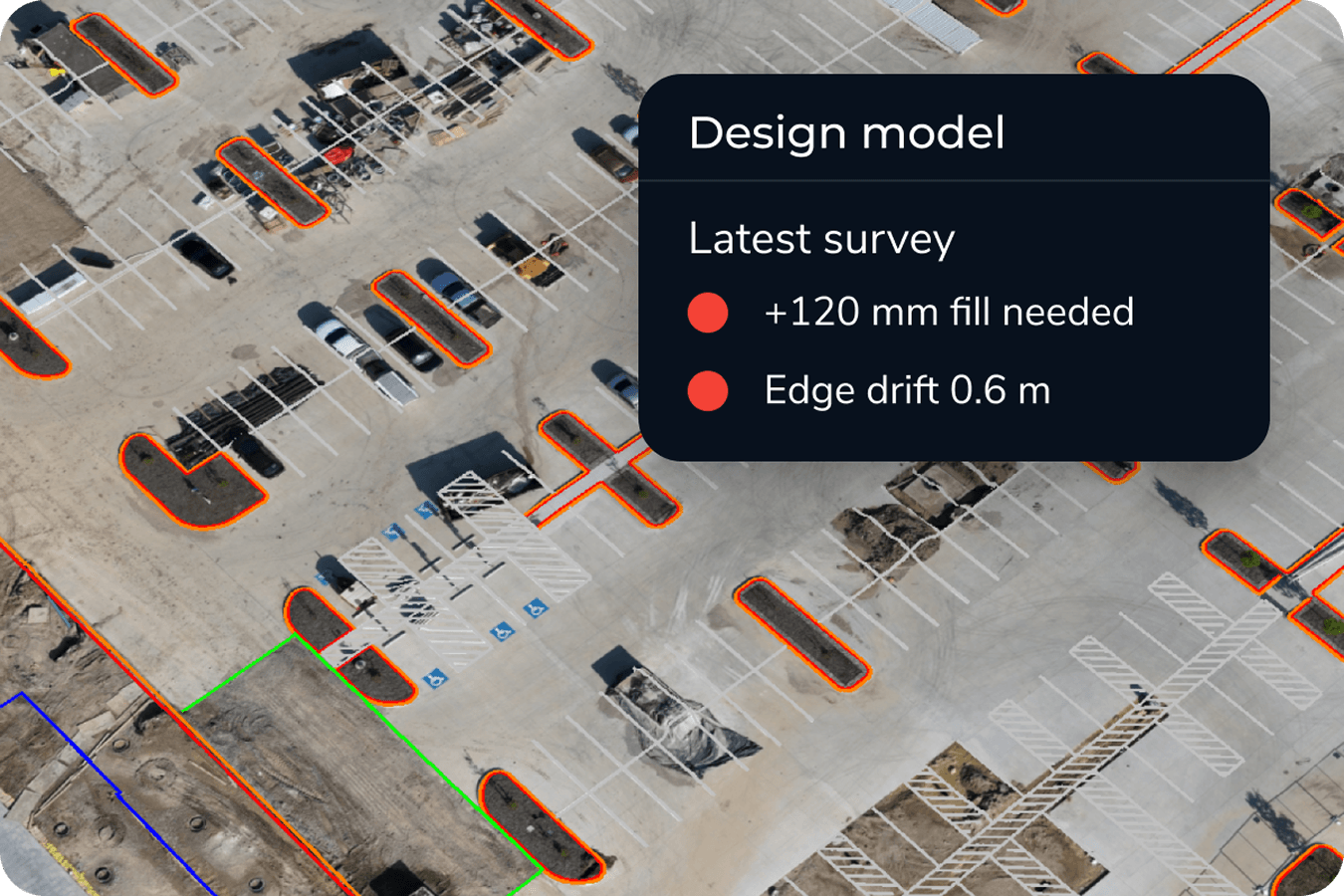
Upload your design surfaces and compare them directly against your latest drone survey. Propeller generates clear cut/fill heatmaps and cross-section comparisons that show exactly where work conforms to design and where it doesn’t.
Site engineers use this to:
- Confirm elevations before concrete or liner placement
- Spot discrepancies early, before they become costly rework
- Produce documentation that protects you, your team, and your client
Construction design conformance tracking software
Propeller connects your CAD and design files directly to your 3D site map, so every new survey is automatically compared against your approved surfaces. Teams can track conformance over time, not just at milestones.
With Propeller, engineering teams can:
- Overlay CAD and design files on live survey data
- Compare surfaces against subgrade, finish grade, or mine plan
- Generate cross-section charts and heatmaps ready for reporting
No manual comparison. No version confusion. Just a clear picture of where things stand.

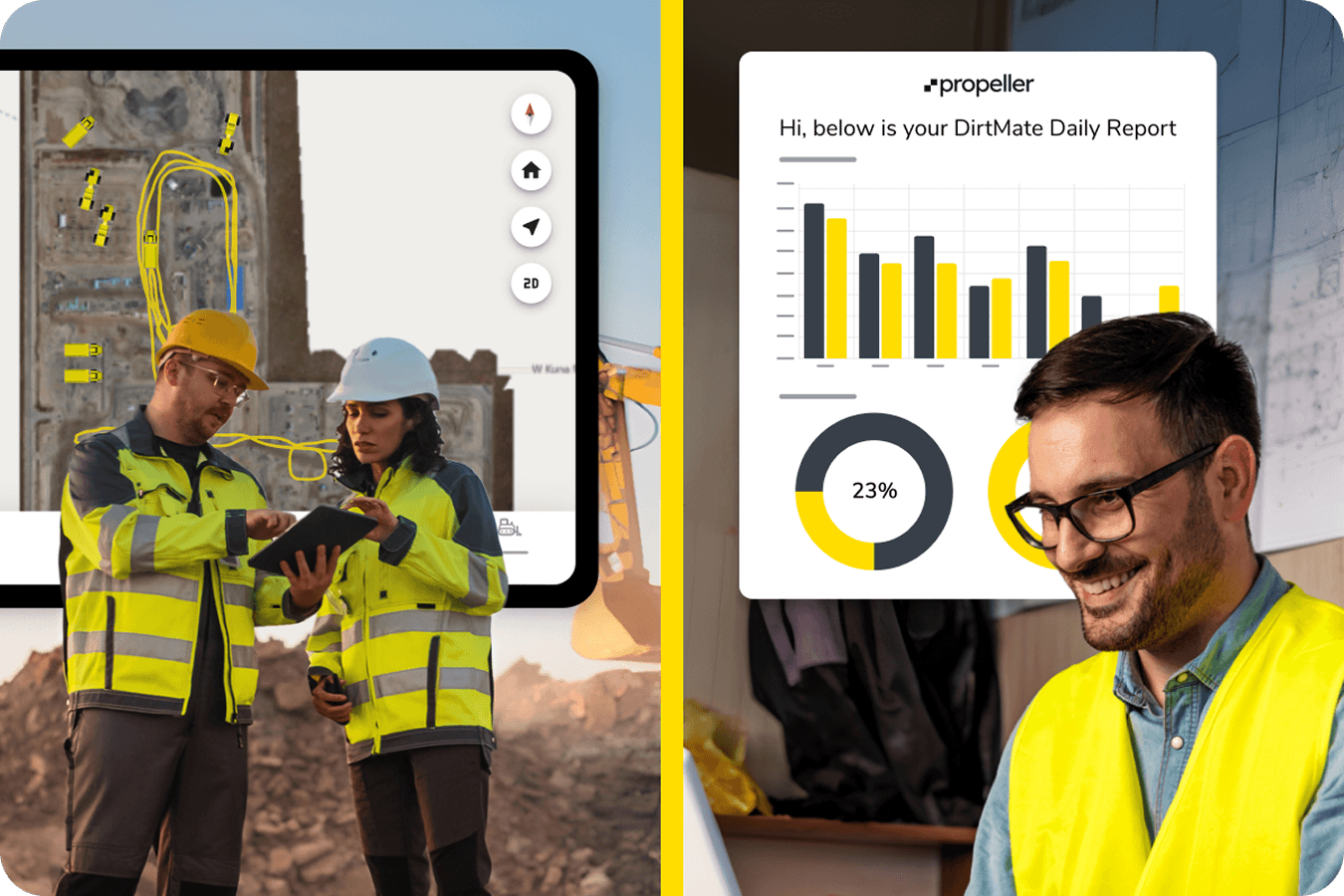
Fast, reliable communication between field and office
Site engineers are often the bridge between what’s happening on the ground and what the PM and GC need to know. Propeller makes that communication precise and instant. Consider pinning media, markups, and measurements directly on the map, so nothing gets lost in translation.
Teams use Propeller to:
- Share live site conditions with project managers and engineers of record
- Pin 360-degree photos and images to exact locations on the map
- Flag utility strikes, trench completions, and subgrade changes in real time
One shared map replaces the phone call, the clipboard, and the follow-up email.
Engineering applications across every site phase
Propeller supports site engineers across the full project lifecycle, from pre-construction verification through final closeout.
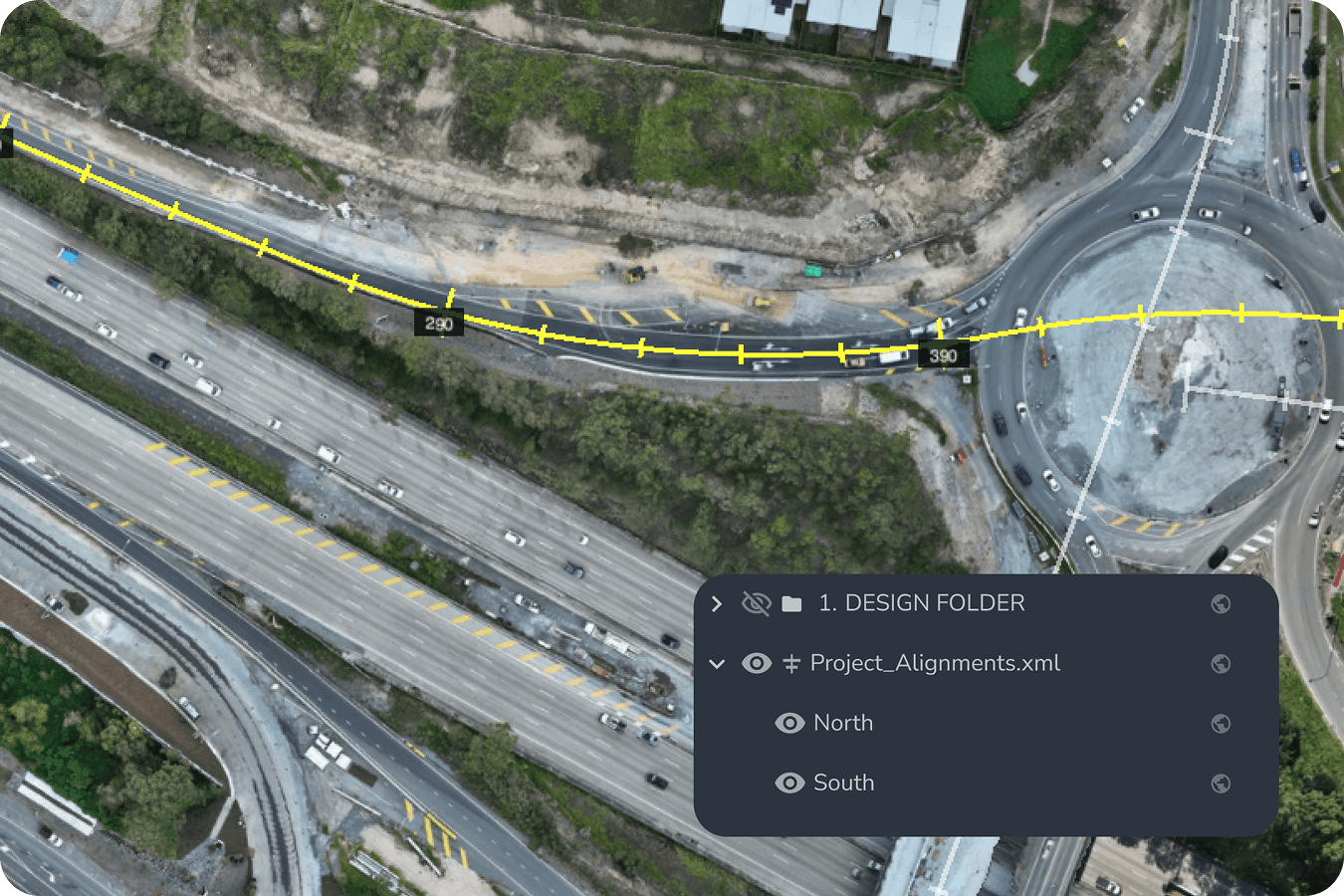
Existing ground capture and bid verification
Before the first machine turns on, you need a defensible baseline. High-precision drone surveys capture existing ground conditions and generate topo data that feeds directly into your bidding and planning workflows.
Use drone data to:
- Verify bid quantities against actual site conditions
- Establish an undisputed baseline for cut/fill tracking
- Feed accurate surfaces into Civil 3D, AutoCAD, and Trimble workflows
Grade checks and design conformance
Stop relying on manual grade checks for critical decisions. Propeller lets you compare any survey against your design surface in minutes, with heatmaps and cross-sections that make conformance visible at a glance.
With this in place, teams can:
- Identify where elevations deviate from plan before they compound
- Verify machine work is hitting design targets across the full site
- Build a timestamped record of conformance for every phase
Environmental stewardship and hydrology
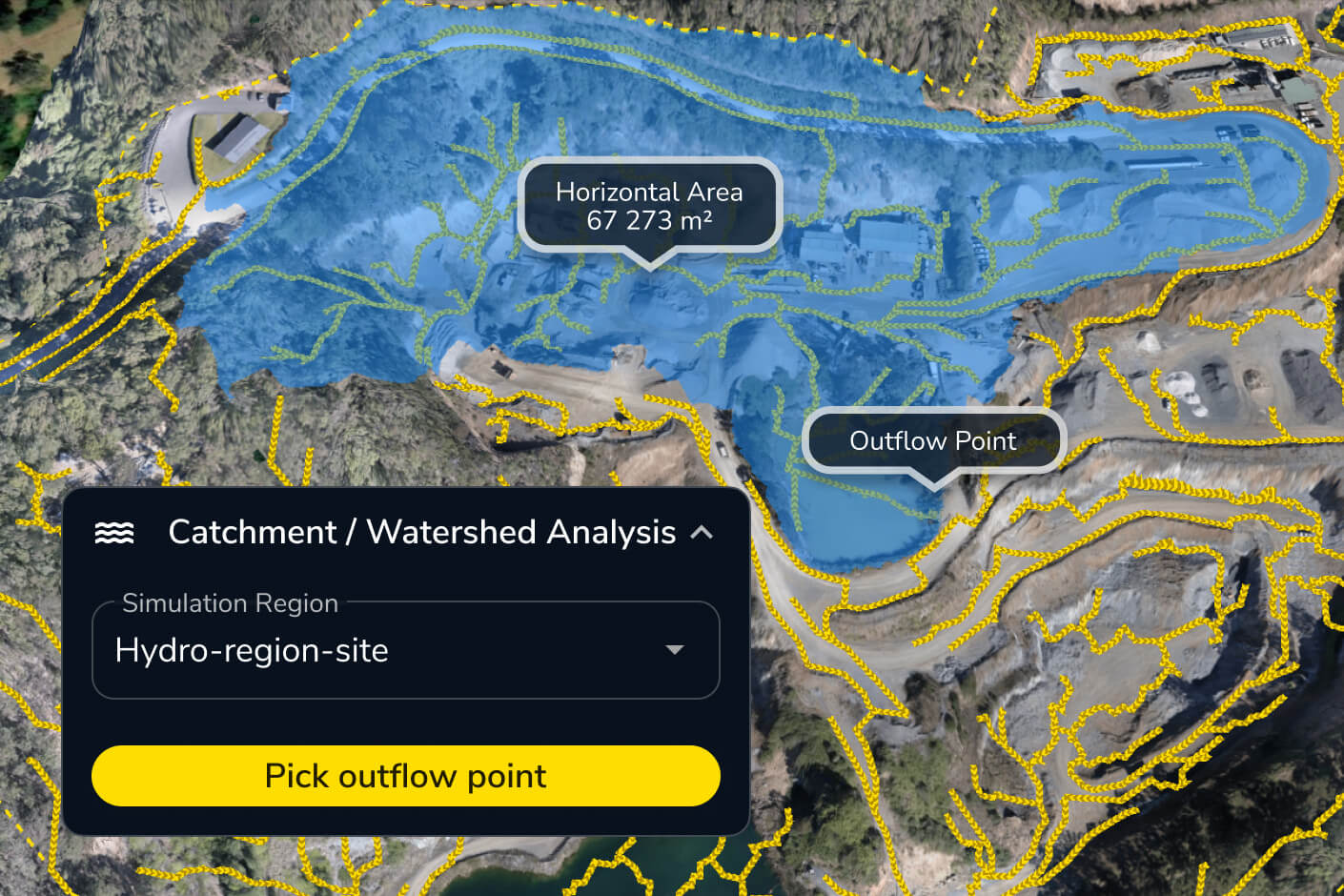
Regulatory compliance and environmental risk don’t stop at the site boundary. Propeller’s hydrology tools give engineering teams the data to model surface runoff, map watershed areas, and demonstrate compliance before auditors ask for it.
Engineering teams rely on these tools to:
- Simulate runoff from rainfall events before they happen
- Map water flow across the site to identify risk areas
- Provide documented evidence of environmental conformance
Phase closeout and as-built documentation
When a phase ends, the record has to be right. Propeller gives site engineers everything needed for a clean handover, exportable as-built reports, timestamped survey comparisons, and a full visual record of work completed.
Closeout packages include:
- Exportable PDF and CSV measurement reports
- Surface comparisons between as-built and design
- Timestamped data exports for engineer of record sign-off
Why site engineers choose Propeller
Site engineers choose Propeller because being right isn’t enough. You need to be able to prove it. Propeller gives engineering teams the data, the documentation, and the communication tools to stay ahead of every question before it becomes a problem.
With Propeller, site engineers get
- High-precision as-built data that matches what actually happened on site
- Design overlays and conformance tracking built directly into the platform
- A shared map that keeps field, office, and client teams aligned
- A complete, exportable record for every phase of the project
- Hydrology and environmental tools that support agency compliance, not just internal checks
Propeller is the platform that turns field data into engineering confidence.
Get started with high-precision site data
Whether you’re managing a single site or coordinating across multiple phases, Propeller gives site engineers a faster, more reliable way to verify work, communicate progress, and close out projects with confidence.
See how Propeller supports site engineering teams from first capture to final handover.
Frequently asked questions
No. With AeroPoints and automated PPK processing, your team can capture high-precision site data without a dedicated survey crew. Propeller handles the processing and delivers outputs your team can work with immediately.
Yes. Propeller supports uploads of design surfaces in a range of formats, including DXF, LandXML, and DWG. Once uploaded, any survey can be compared directly against your design to generate heatmaps, cross-sections, and volume reports.
Fly in the morning and your processed 3D map is typically ready the same day. Most teams have updated site data before end of shift.
Yes. Propeller exports surfaces, point clouds, and reports into Civil 3D, AutoCAD, Trimble, and Bentley workflows, so your site data moves cleanly into your engineering deliverables.
Every survey is timestamped and stored. You can compare any two surfaces, generate PDF or CSV measurement reports, and export data packages ready for engineer of record review — all from within the platform.
As-built verification software compares what was actually built on site against the original design surfaces to confirm work conforms to plan. It overlays drone or survey data onto CAD and design files, generating cut/fill heatmaps and cross-sections that show exactly where elevations match the design and where they deviate—giving engineers documented proof for every sign-off.
Construction design conformance software continuously checks in-progress site work against approved design surfaces to verify it meets specification. It automatically compares each new survey to your CAD files, tracking conformance over time rather than at milestones alone, so engineering teams can catch grading and elevation deviations early and maintain a timestamped record of compliance.