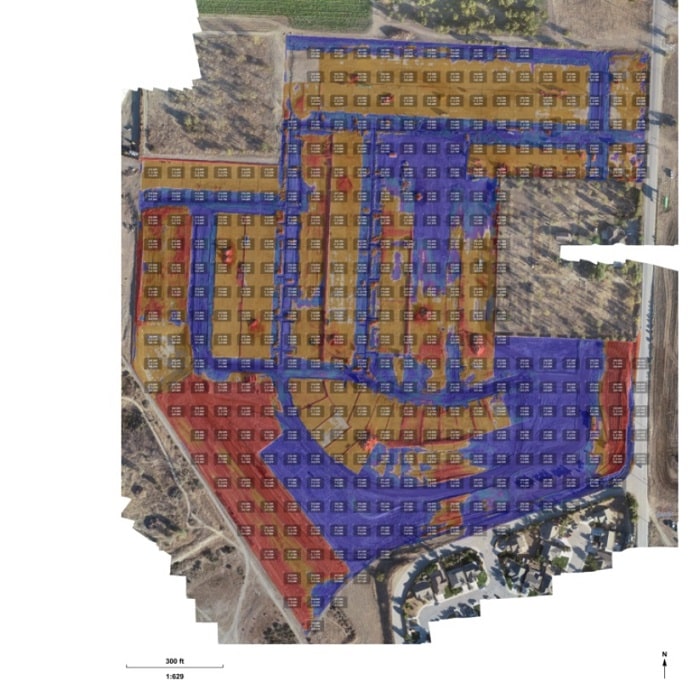
Quality earthwork takeoff reports provide an easy-to-read, accurate summary of the difference between your project design and the existing cut/fill conditions of the worksite. That’s why we’re excited to announce new upgrades to the Propeller Platform’s takeoff reporting. Now, you can view even more detail and have more flexibility with the ability to further customize your worksite map. Plus, you can now view your map either on screen or via a PDF file up to size A0.
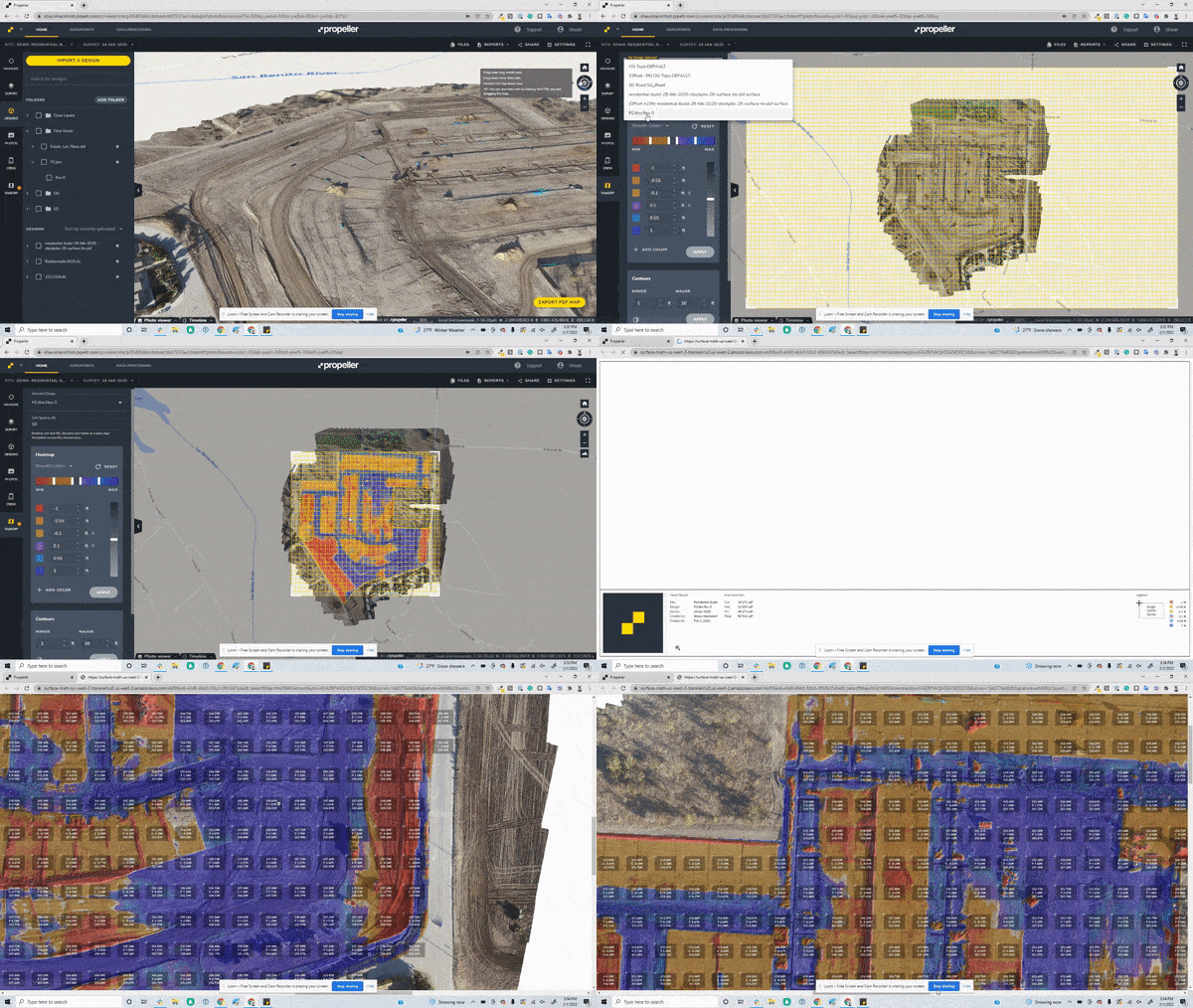
Here’s a look at the new features designed to provide you with more detailed maps:
- Grid and page orientation: You can now customize grid spacing and positioning to ensure your grid layout fits your entire worksite map. With the ability to rotate your map to any angle, you can change your design model’s orientation at the top of the drawing area to either project north or true north. Project north is based on the predominant axis of the structure or building geometry, and it affects how you create views of the site. True north is the real-world north direction based on site location. With this orientation flexibility, you can represent your site conditions more accurately.
- Heat map grading: Efficiency and clarity are vital on a worksite, so knowing exactly what volume of cut/fill is required in each section of your map is important. The heat map grading helps you more accurately understand how your cut/fill volumes have changed by allowing you to assign different colors based on the cut/fill amounts required for the project. Using these clear visual indicators on your sitemap aids in project planning and makes communication with your team and other project stakeholders easier.
- Contour lines: Propeller’s updated contour line functionality helps to better display the different granularity between the minor and major contours of your site. Now being able to clearly draw and visualize the cut/fill requirements means your map is easier to interpret and understand for all project stakeholders when reviewing on screen or within a PDF file.

Accurate earthwork takeoff reports can improve your customer and project team communication, leading to more successful projects. Are you an existing customer who wants to learn more about Propeller’s new takeoff reporting features? Find out how.