No matter which area of earthworks or civil construction you work in, we understand that maintaining constant, clear lines of communication among all stakeholders is key to successful projects. Office-based personnel need to be able to share the most accurate, up-to-date information with field teams to allow them to make project decisions on the worksite and perform critical workflows from their mobile devices.
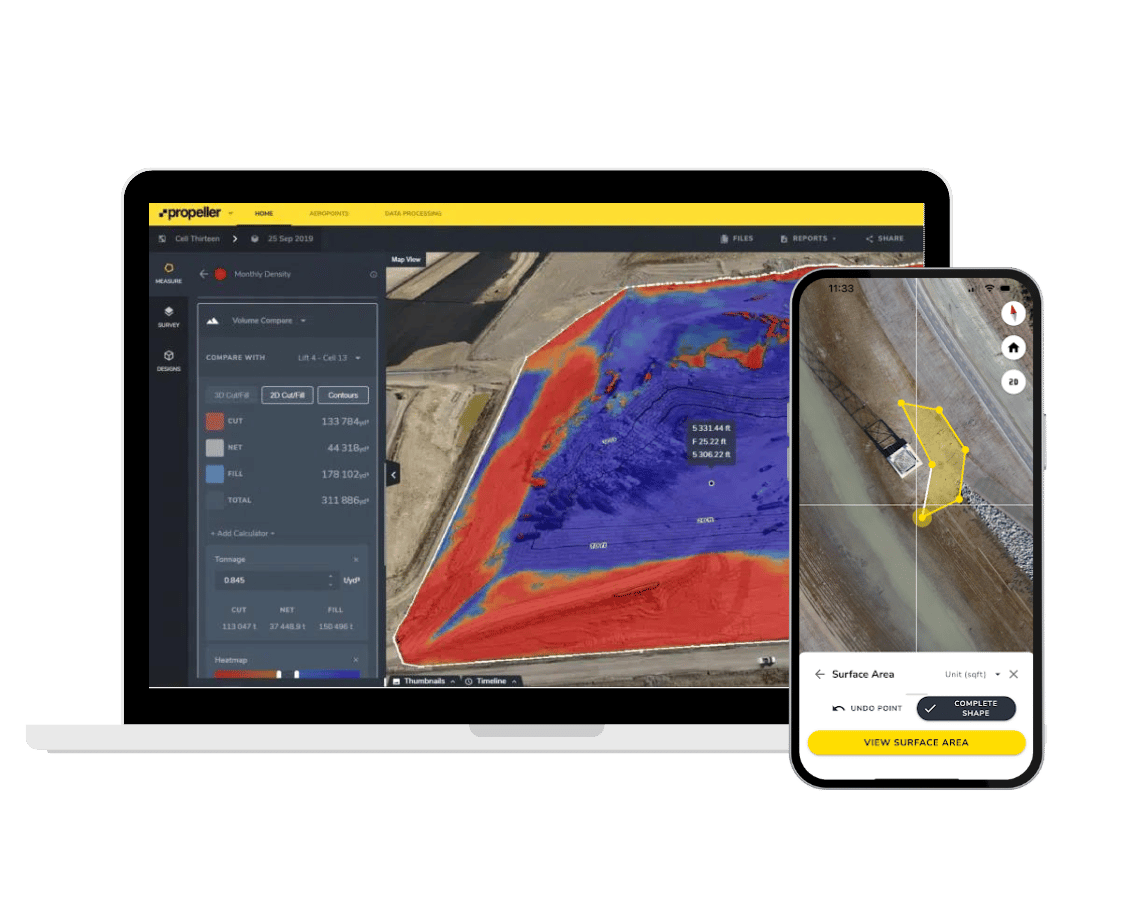
With Propeller Mobile, we’re making that easier. This new app is an extension of the Propeller Platform and can help you solve problems in the field by using your Propeller data. Key features include:
- Viewing your maps in high quality 3D
- Viewing DXF files on your phone that also show your location
- Measuring distance, area, and elevation with cut/fill to a design surface
- Full support for custom coordinate systems

On a live worksite, data becomes outdated quickly. New surveys are completed, design specs are updated, and earthwork progress changes. Field workers often miss out on current, crucial data simply because they can’t carry around heavy laptops on site. This can lead to inefficiencies and mistakes. Now, with Propeller Mobile, workers in the field have actionable data at their fingertips, rather than waiting to get back to the office or obtaining access to a laptop to review maps, terrain changes, and other data.
Propeller Mobile key benefits
Communicate and share information in real-time: Save time by only viewing what’s relevant to you in the field. Teams can access any folder or design on the app that’s loaded into the Propeller Platform, meaning they can add layers on their map for further analysis. This improves collaboration and reduces guesswork between the worksite and the office.
Perform key jobs in the field: Plan better and make more informed decisions by being able to create quick measurements right on site. Save time by quickly viewing the latest designs relevant to your location and filter them by map view.
Track your location on site anywhere, anytime: Avoid delays trying to navigate on site. Quickly and easily orient yourself on the site map and pinpoint your location in the field against the latest design.

Easy to use and very accessible, Propeller Mobile is an essential part of your work process when you’re on site and have to make important decisions in the moment. When teams on site aren’t working off the most relevant information available to them, they aren’t able to confidently make decisions. Uncertainty can lead to project delays or costly rework.
And because the app uses your mobile device’s GPS to show you where you are on the worksite, checking a nearby feature is simple. With Propeller Mobile, we’re putting the power of the Propeller Platform into the hands of everyone on your team, whether in the office or in the field.
If you’re an existing customer who wants to take advantage of Propeller Mobile, contact Propeller Assist to learn more.