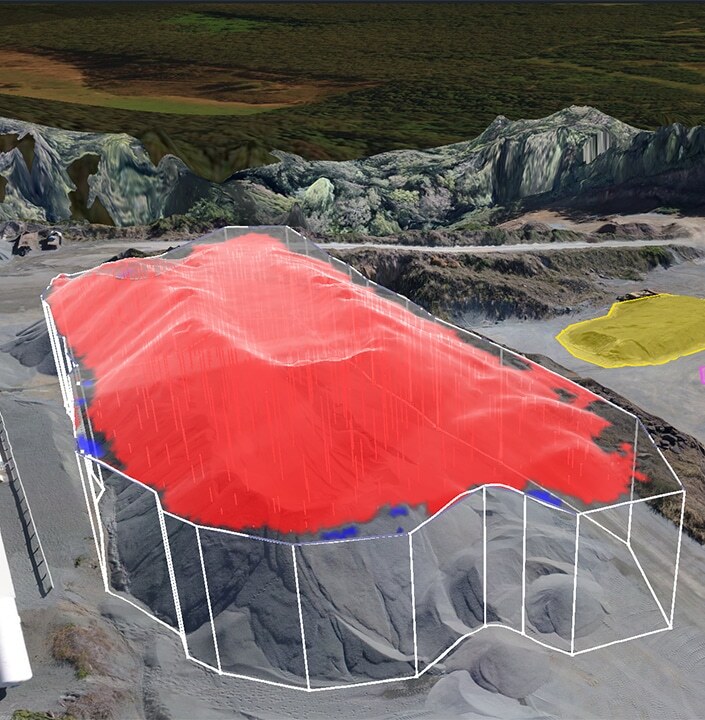
Reports generated from Propeller can help project teams plan their projects, track material inventories, and monitor progress. In this post, we’ll share with you some common reports companies use to share site data both internally and with external project stakeholders.
Volume comparison reports
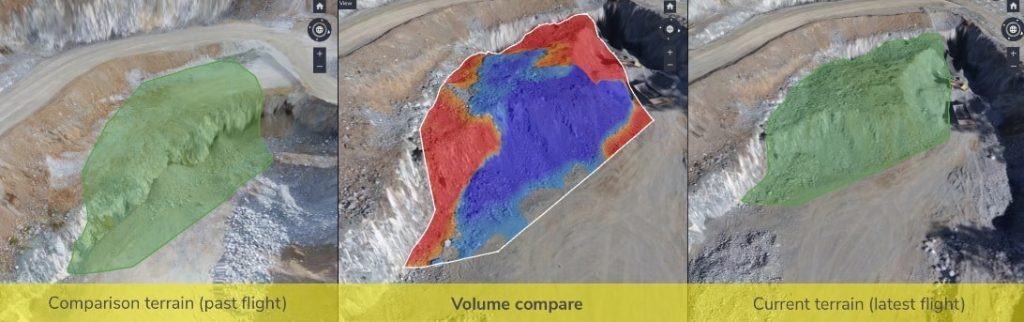
You can calculate how much work you’ve completed and how much is left to do in a variety of ways within Propeller using the volume comparison tool, which compares two surfaces to each other (more here). Check out what you can do:
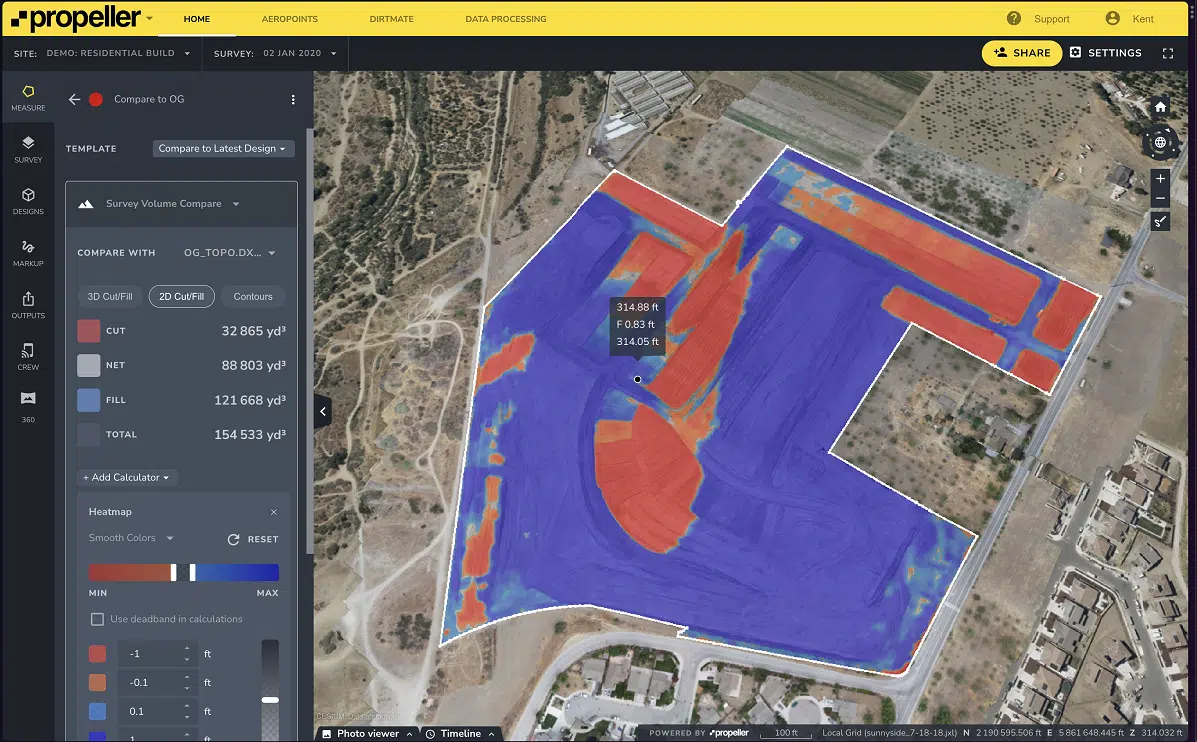
- Compare current surface to the original surface – Use this way of reporting to determine how much material you’ve moved from the worksite since the beginning of your job, and if you are tracking correctly against your project timelines.
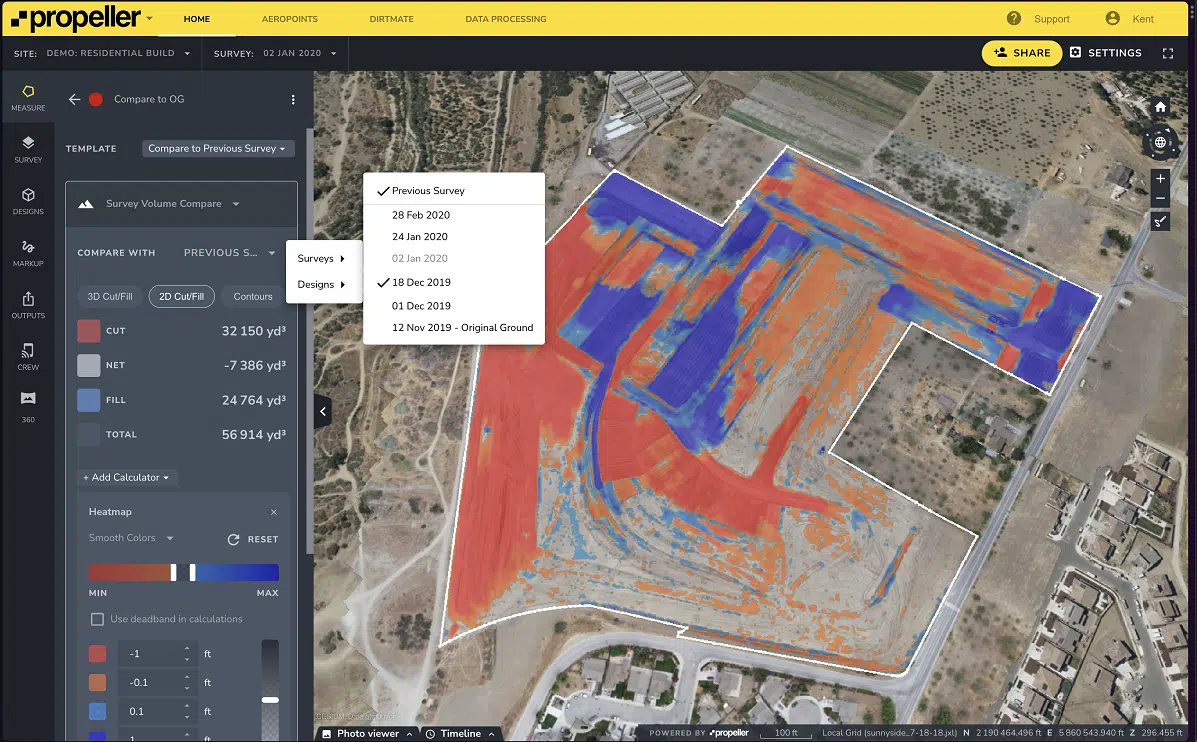
- Compare current surface to the last surveyed surface – This comparison is generally done in weekly, bi-monthly, or monthly intervals to learn how your site has changed since the last report. Project managers or superintendents use this information to understand how quickly/slowly a site is progressing and to determine if re-deploying people or equipment might be a smart move. They also use this tool to determine how much they should bill for the material they’ve moved or what they need to pay a contractor.
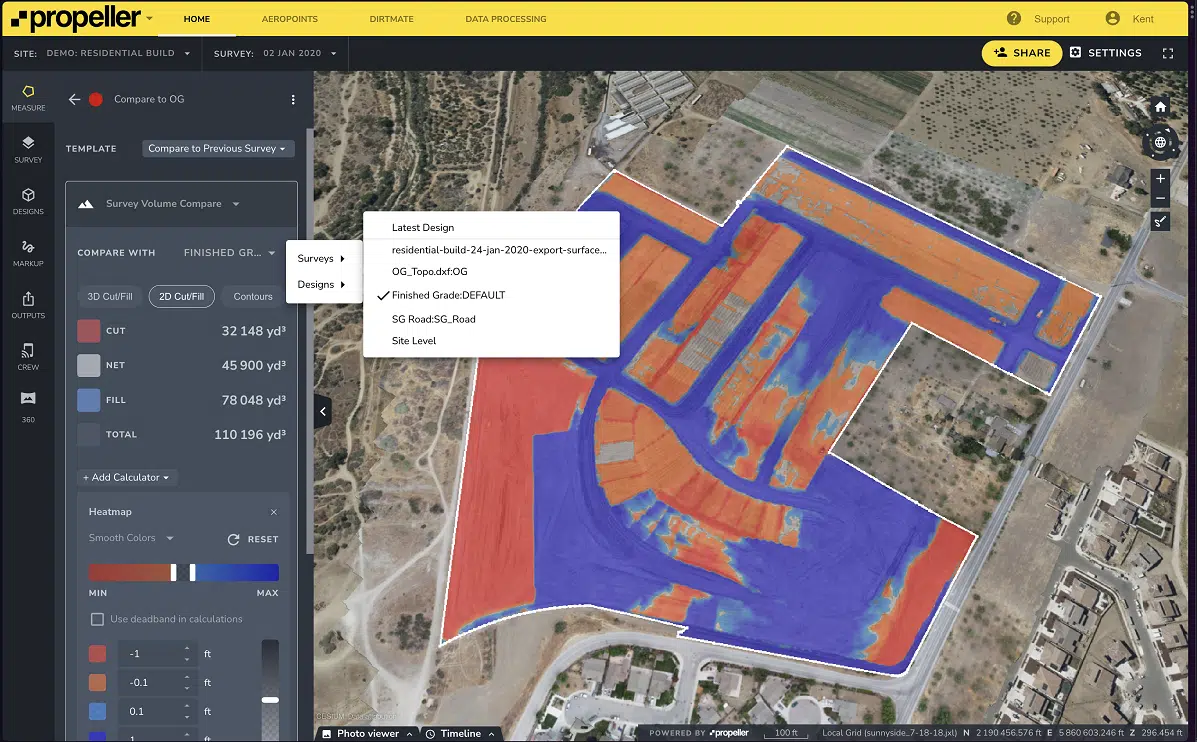
- Compare current surface to the final design – When the final project design surface is achieved, excavation ends and material, such as asphalt or concrete is laid. This tool allows you to track how close you are to reaching that final design surface and monitor if you’re pacing correctly to completion…a great way to keep your clients informed of how the work is going.
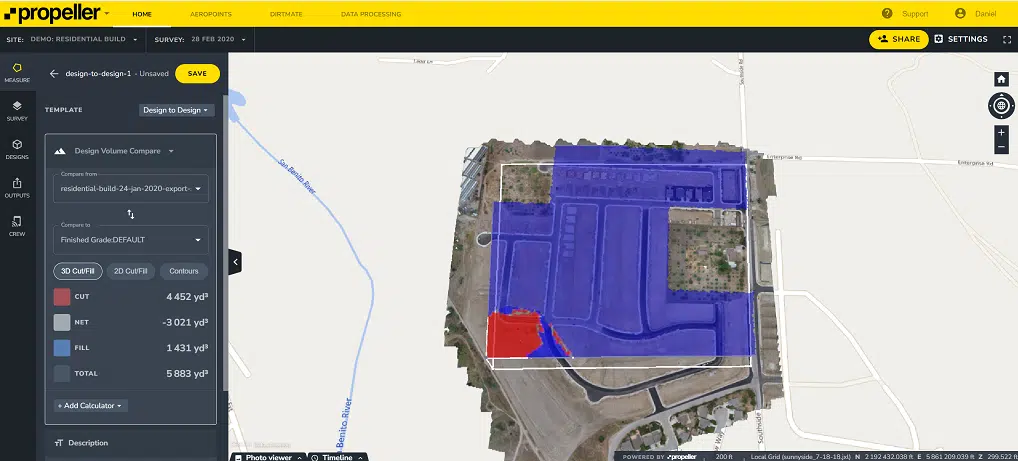
- Compare design to design – This tool allows you to accurately measure between designs with ease. It provides you with a quicker and more reliable process for planning your work and measuring progress, from pre-bid to the final grade completion.
Progress tracking and takeoff reports
Propeller’s progress tracking template allows you to combine two volume comparisons in one measurement. You can also visualize how your site has changed over a specific period and what material is left to move by using the cross section tool. This allows you to create a cross section directly through your worksite and observe how your current drone-surveyed surface interacts with different layers of the worksite. Check out this video to learn more.
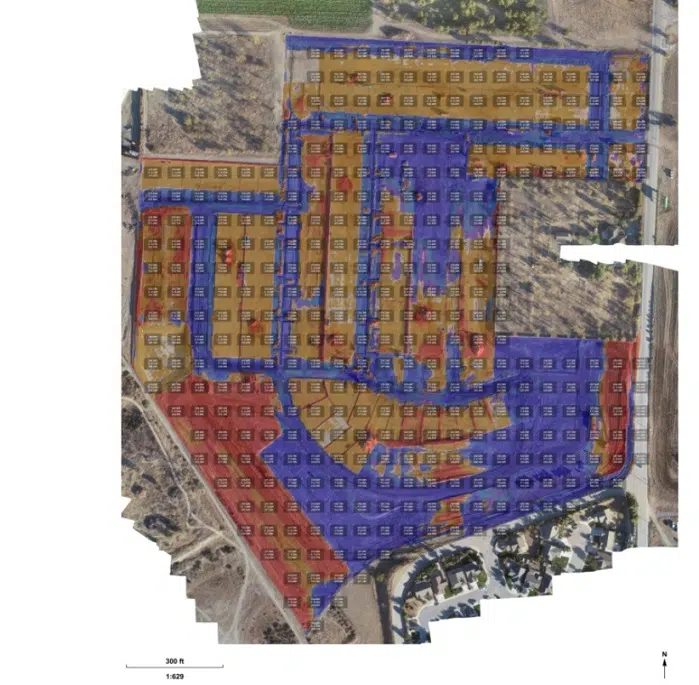
Takeoff reports in Propeller can also be helpful in visualizing and sharing how much material remains to be moved when compared to your original design.
Other exportable reports
Multiple reports are available to export data and measurements from Propeller to other workflows, giving project foreman and supervisors a better understanding of their site’s condition.
Exporting data and sharing it is easy in Propeller. Simply select the area of your site survey you want to export, choose the file type you need, and select Export to download the file. You can then integrate that information into other software platforms within your workflow or share the file with project stakeholders. For more detail on exporting data, visit our knowledge base.
Exportable reports include:
- Materials Stock Sheet & Aggregated Material Reports
- Inventory Report for Stockpiles
- How to Export Measurements as a PDF or CSV
- Fly-through and timelapse
- Visual Reports
- How to Export a PDF Map of Your Site
- Timeline Feature (see how your site has changed over time; this visual shows your crew’s site productivity)
Generate reports from the field with Propeller Mobile
The Propeller Mobile app brings Propeller to you and your team in the field. You can view your 3D maps directly from the worksite and measure distance, area, and elevation with cut/fill to a design surface. With this information in the palm of your hand, you’re able to generate reports from your mobile device right where the work’s happening.
Take the guesswork out of sitework
Being able to closely track site progress with Propeller’s reporting tools will help you operate more efficiently. You’ll have a better handle on exactly how much material you’re moving, which will allow you to submit accurate bills for your work, avoid rework, and keep your project team and external stakeholders up to date. With everyone reading the same data, work will progress smoothly and you won’t have to troubleshoot unexpected surprises.