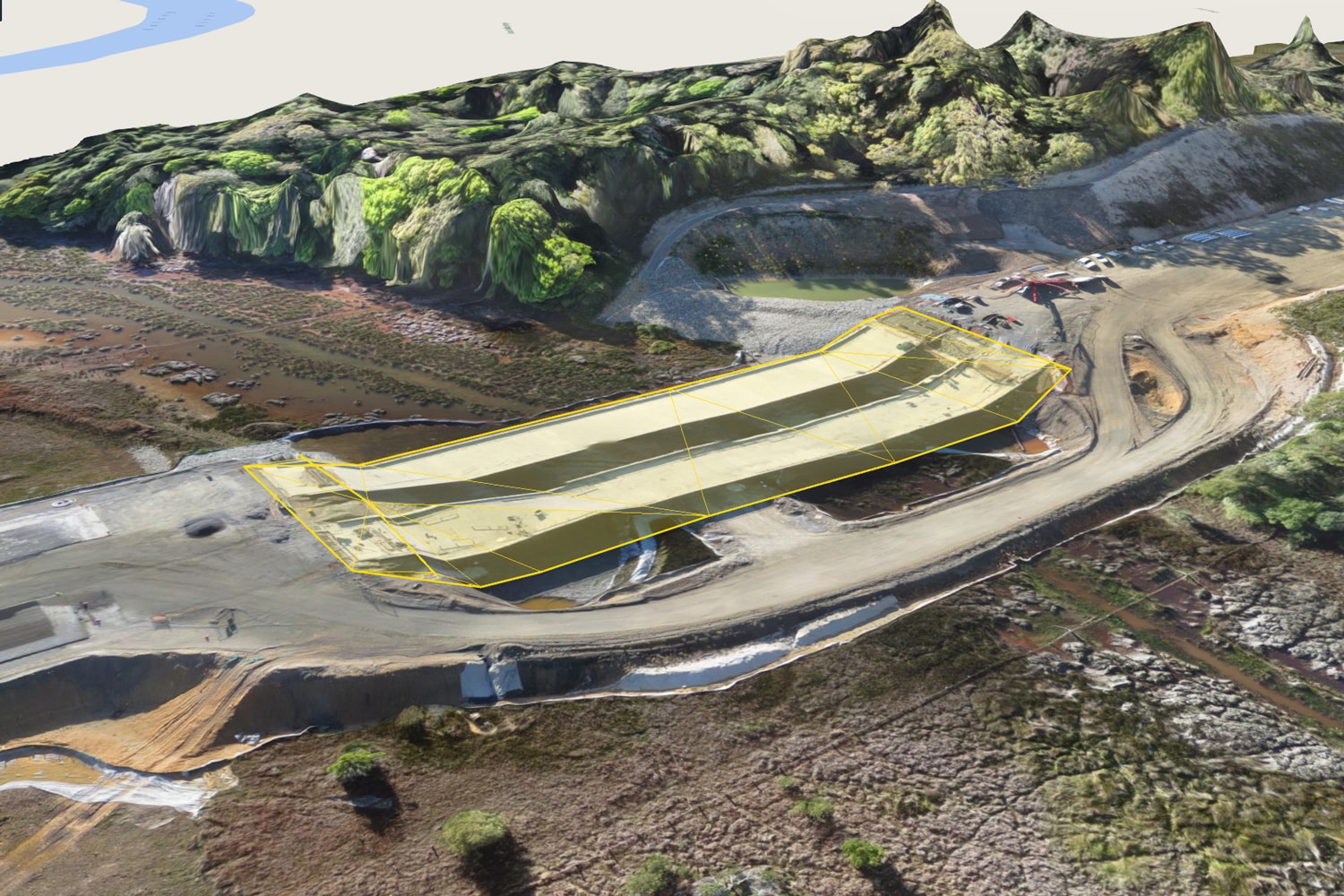
Making 3D site surveys as accurate as possible is a top priority for any surveyor. One way to do that is to invest in tools, like the Propeller Platform, that let you do terrain cleanups and remove obstructions that mess with your data’s accuracy.
In addition to improving accuracy, being able to remove objects means you can use surveys in more dynamic ways. For example, you can use the Propeller Platform’s suite of industry-optimized measurement tools to get accurate volumes of stockpiles, and then filter out the stockpiles and measure the bare-earth elevation.
Our Terrain Cleanup feature makes this incredibly easy. Removing an unwanted object from your survey in the Propeller Platform is as simple as drawing a boundary around it. To add back an individual object—like a stockpile—to your survey, all you have to do is disable that individual cleanup.
Below, Propeller Sales Engineer Kevin Smith explains how terrain cleanups can help you get more out of your drone surveys.
1. Use a combination of smart filtering and manual terrain cleanups
Cleaning up terrain means you can precisely refine your terrain models, as necessary. But that’s a manual process. Pairing it with one of the Propeller Platform’s terrain filters can help accelerate the process.
Propeller has a number of smart filtering options, including filters targeting vegetation and buildings. You can choose a lighter filter, such as the equipment filter, and then manually remove any objects left behind after it’s been applied.
“Propeller’s smart filtering does the heavy lifting when it comes to removing features like equipment, vegetation, and buildings,” Smith explains. “But if you choose to use the strongest filter it can remove things you don’t want it to.”
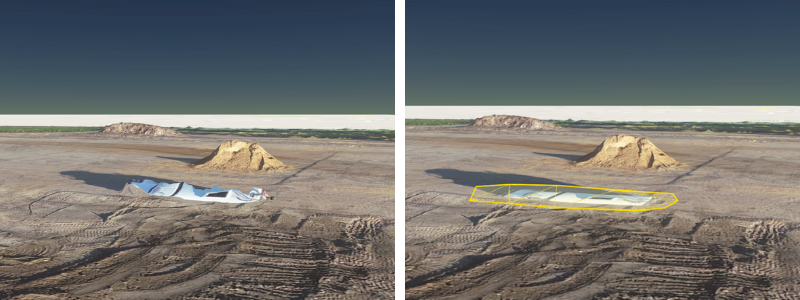
“For anyone doing earthwork, I recommend they still use the Equipment filter. It does a really good job of removing inaccuracies and features in a time-efficient way,” he explains. “Once you’ve done it, you can then go in and further refine your model.”
This two-part process gives both the confidence in and control of your data that you need. That’s especially important when sharing data with team members, project managers, and higher-ups at your company.
“You can be confident you’re sharing good, consistent data, while still maintaining control of its security,” Smith said.
2. Quickly remove stockpiles and features for more accurate volumes
No matter what kind of earthwork site you’re on, you probably have stockpiles at some point during the job. Sometimes it’s necessary to remove stockpiles from a surface to get more accurate calculations depending on what information you need.
Or consider this common issue tracking progress on landfills: Part of standard operating procedure for any landfill is to cover the cell each day with a layer of dirt. But that can make for inaccurate volumes later. “While every effort is made to push the layer of dirt off before work starts again the following day, the extra layers of material added to cells lead to inaccurate monthly progress reporting,” noted Smith
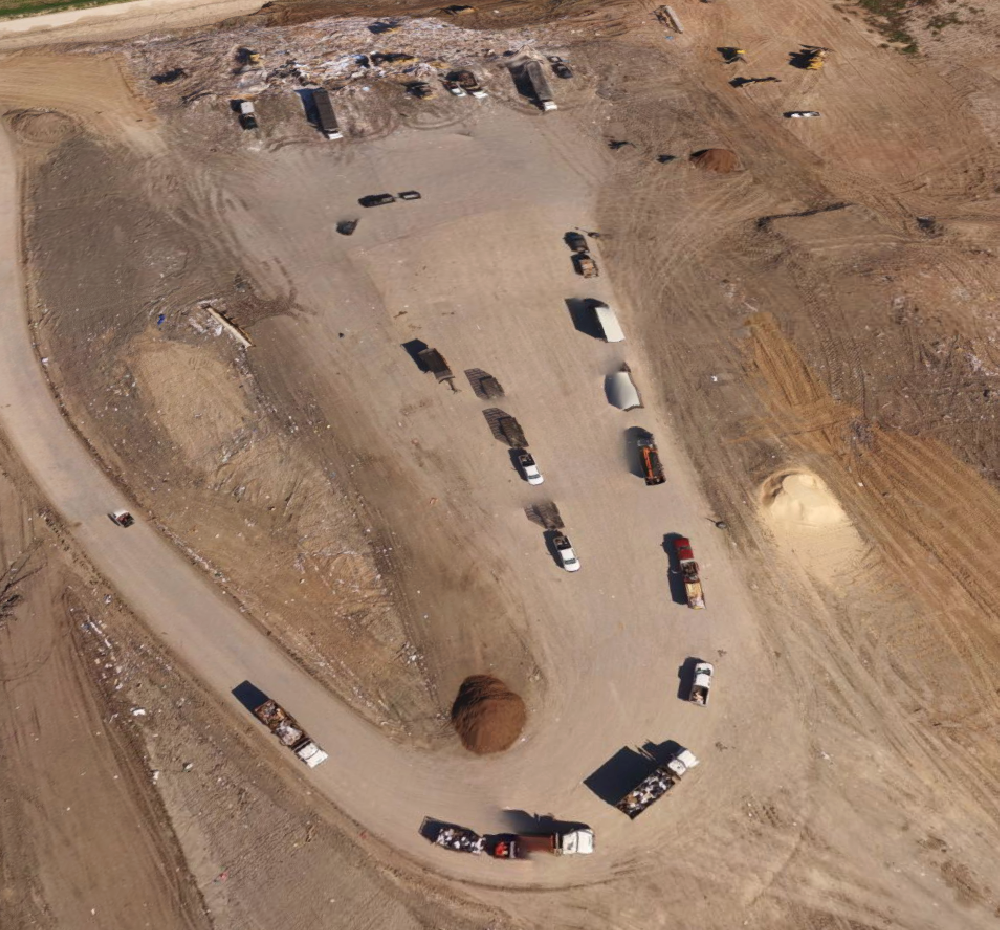
Typically, fixing this issue means measuring the volume of the stockpile used for cover dirt and manually subtracting it from the total end-of-month volume.
But this can be cumbersome. Being able to perform a quick terrain cleanup—to quickly draw around the stockpile and to filter it out of the model instantly—makes finding that final monthly number easier than ever. “This simple process saves time and leads to more accurate quantities, which means monthly reports you can trust,” noted Smith.
3. Use terrain cleanups on areas that don’t look quite right
One of the biggest advantages of the 3D site models we generate from photogrammetric surveys is their rich, visual nature. But this also means that any “weird-looking” parts of the model can stick out like a sore thumb, even when they don’t affect any measurements.
While these areas vary from site to site, one of the biggest sources of these blips are bodies of water. Water is notoriously hard to map by photogrammetry because of its constantly changing surface and how it reflects light.
These qualities cause big changes between individual photos in a dataset. Those differences result in unavoidable peaks and troughs in the surface. But by cleaning up this part of your terrain, you can flatten the feature to make it better match the actual surface. It’s as easy as drawing a polygon boundary with a couple of clicks.
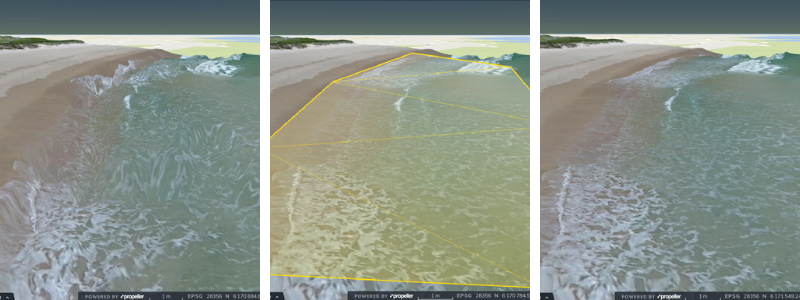
Such cleanups are purely for cosmetic purposes, but they do improve the perception of the overall model.
Especially when working with someone unfamiliar with photogrammetry, filtering out problem areas like bodies of water “help improve the perception of how trustworthy your survey data is,” said Smith. “Anyone who sees waves 10ft tall and deep troughs will often mistrust what they are looking at. It can raise questions around the accuracy of the data.”
4. Remove vegetation affecting volumes
Similarly to removing bodies of water for visual purposes, another great use of terrain cleanups is removing trees and other vegetation. But in this case, the vegetation is likely affecting volume measurements.
That’s just what happened to Smith during a test flight recently. He did one flight at 80m and again at 50m. “The flights were done straight after each other and processed separately,” Smith remembered. “The ground surface was really consistent across both surveys, but when I came to calculate the volume of the area, there was huge variation between the two.”
After investigating the cause, he found it was because of nearby trees. Why? “Trees move in the wind, and this change between the two surveys caused a large discrepancy in the calculated volume,” Smith explained. “You can clean up the terrain to completely flatten the area of trees on both surveys to generate a more accurate measurement.”
Smith shared one final tip for using terrain cleanups: “If you are removing something, and want to compare like for like, then you need to make changes to both surveys.”