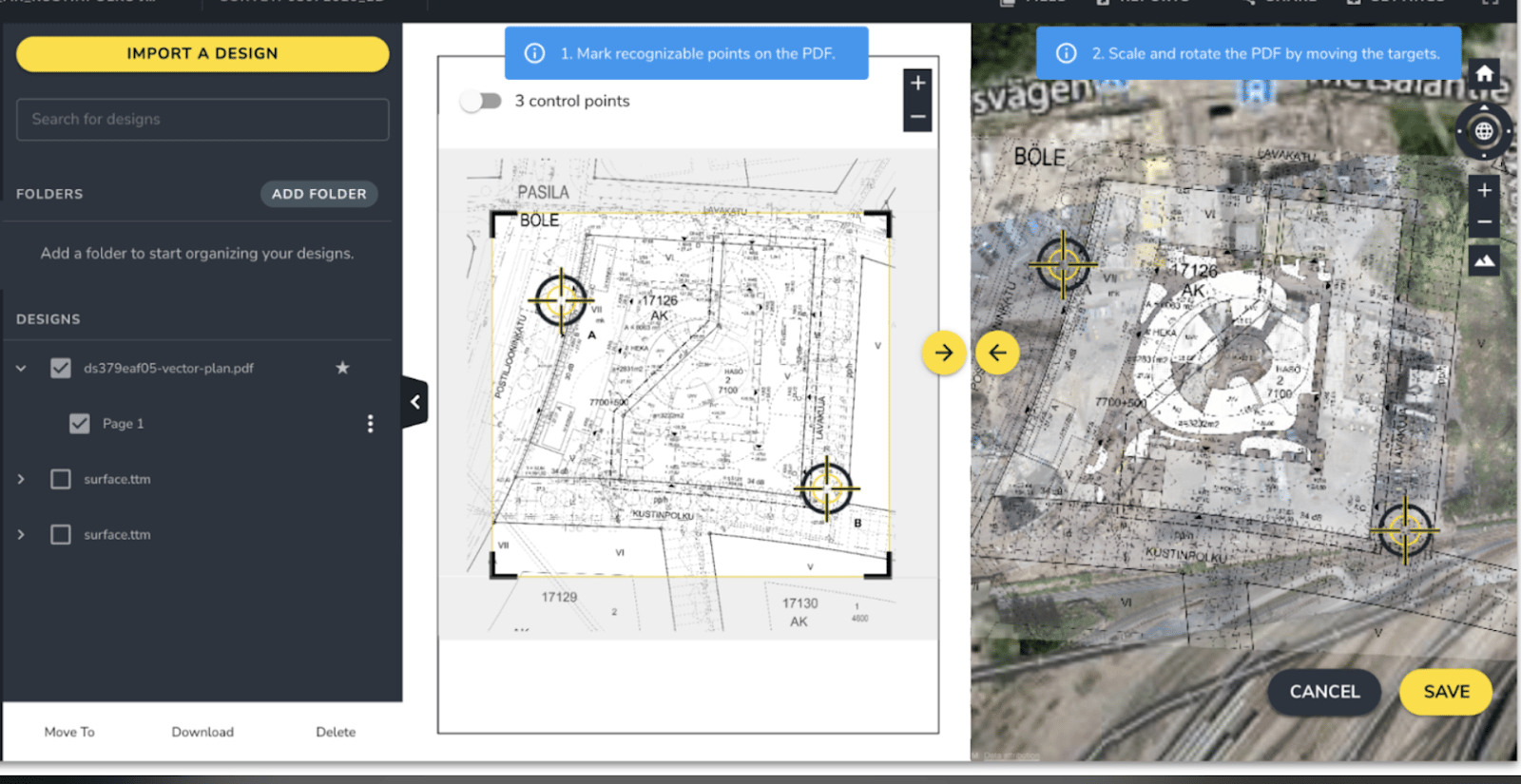
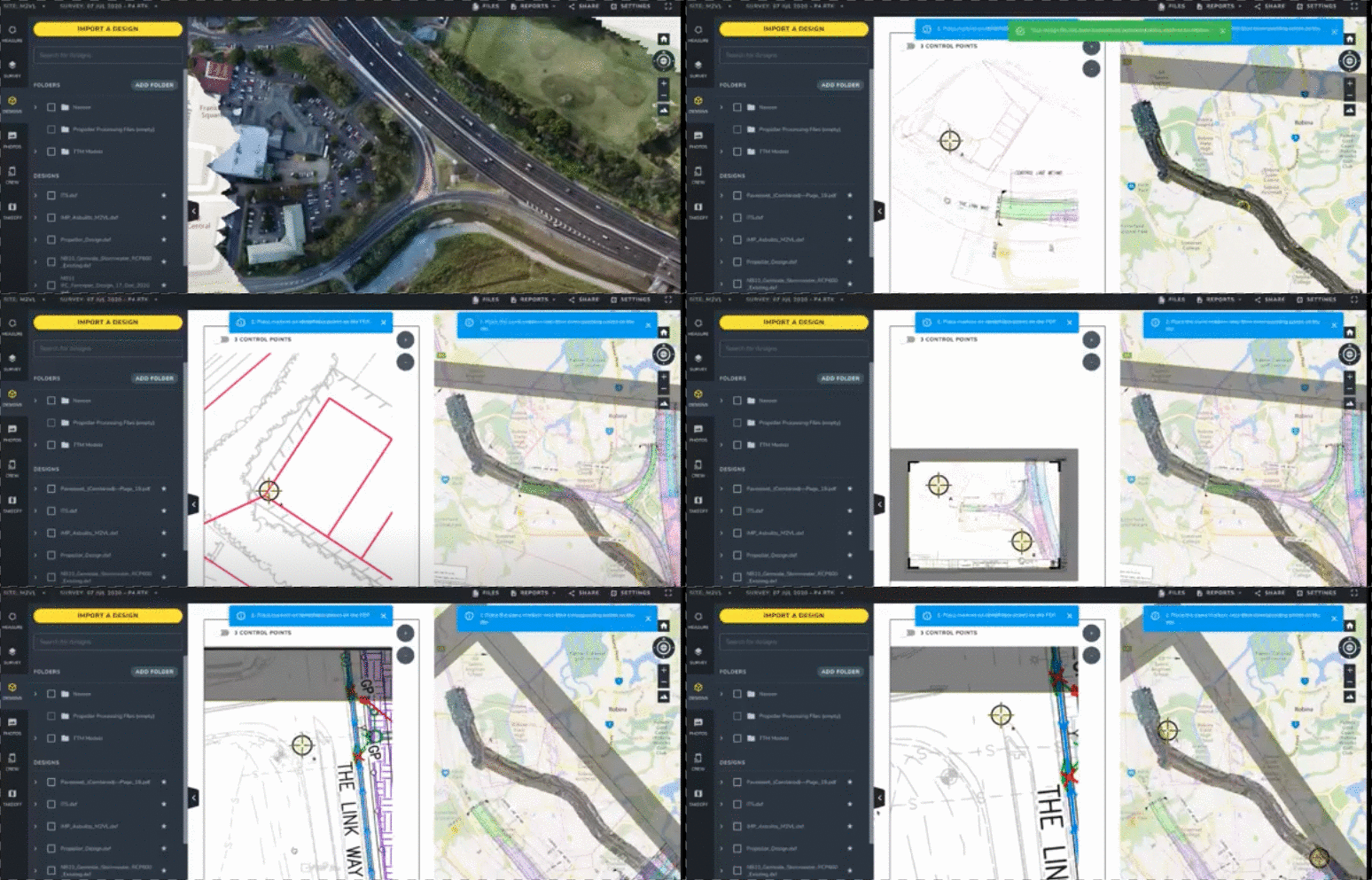
To help you easily visualize what jobs need to be done across your work site and track progress, Propeller now offers you the ability to overlay PDF design files on top of your drone surveys within the Platform. This allows you make better decisions, quicker and with fewer errors.
Consistent site monitoring is the best way you can determine whether work is progressing according to plan and within the budget. This feature is particularly helpful for project managers, superintendents, foremen, and engineers who regularly review PDF design files as construction projects progress. Often, these design files act as “the contractual source of truth” for a project and therefore are very valuable. The feature also helps you share the project status with larger teams and project stakeholders, providing them with confidence that work is on track.
This new Platform feature allows you to:
- Overlay PDF designs on top of your latest drone surveys so you can visualize build progress and the future state of the site against current conditions
- Quickly spot conflicts between what’s designed and what’s been constructed
- View drone surveys and PDF designs in one place to simplify project planning and communication
- Easily add up to three geo-reference points to ensure drone surveys and PDF designs are aligned
- Adjust the transparency of the PDF so you can easily compare the design against the drone surveyed terrain underneath. You can also crop the PDF to remove any unnecessary details and refine your map.
Propeller customer, Edgerton, had the opportunity to recently use the PDF Overlay feature on one of their projects and found it to be a valuable addition to the Propeller Platform.
“Edgerton recently won a project on a site impacted by previous industrial users,” shared Jeremy Craven, vice president at Edgerton Contractors. “While many of the previous buildings were demolished, much of the subsurface infrastructure remained, and we were constantly uncovering unknown pipes, etc. The property owner had historical maps only available in PDF format. Now, using the Propeller PDF Overlay tool, I can bring these files straight into the Platform and visually georeference the drawings with our aerial survey maps to better manage our work.”
Are you an existing customer who wants to learn more about Propeller’s new PDF Overlay feature? Find out how.
Or, are you new to drones and would like to learn how Propeller’s drone data technology can help streamline your business operations? Request a demo with us. We’d be happy to show you!