When you’re surveying a civil construction or earthworks jobsite with a drone, staying in the air as long as possible is an important step in gathering accurate data. However, a low battery charge for your drone can limit how much you can accomplish when flying your site. Basically, you don’t want your drone battery to expire while you’re in the middle of a survey, which could cost you valuable time. Here are some tips to maximize your drone’s battery life and your flight times.
Before you fly
By carving out a bit of time to plan your flight, you can avoid missteps commonly associated with running out of battery life. First, you’ll want to examine the area of your jobsite you plan to map and measure, and then estimate how large it is. Planning your mission in advance helps you make the most of your drone flight time, thereby maximizing your battery life.
If you’re only covering a few acres during each flight, the drone battery life may not be as great of a concern. Most commercial drones on the market will provide you enough time in the air with some battery life to spare. However, battery life is generally shorter for multirotor drones than for fixed wing models, as they rely on their rotors to generate both lift and propulsion. When you’re surveying larger sites, battery life is a more important consideration. Shorter battery life can lead to more downtime to swap drone batteries and an increased need to haul extra batteries with you to your site, possibly limiting your productivity.
Weather conditions can also play a considerable role in how long your battery will last during your survey flight. Windy conditions require the drone’s motor to work harder, using your battery power faster. Humidity can have a similar effect, increasing the weight of your drone. The heavier your drone, the more quickly your battery power will drain. Additionally, cold temperatures reduce chemical activity in lithium polymer (LiPo) batteries, commonly used in drones, causing your drone to lose power faster—50% faster in some cases. If possible, plan to fly on a clear, dry, calm day and remove any accessories you don’t need for the flight, such as lens filters or propeller guards.
During your flight
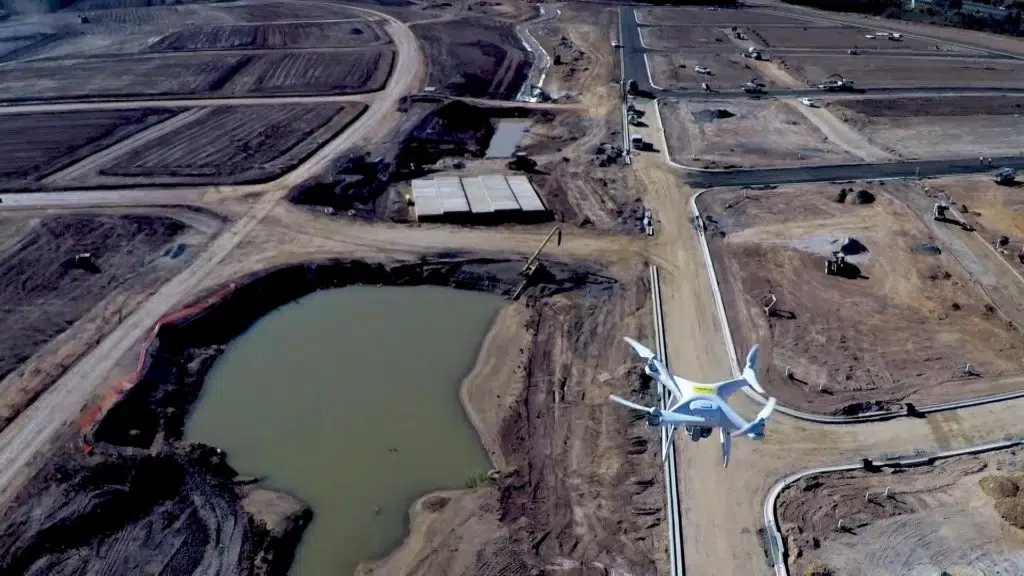
Once your drone is in the air, you can take some additional steps to ensure you get the most out of your battery life. After laying out your ground control points, like AeroPoints, you may want to consider taking a short test flight to ensure your ground control and camera sensor are working properly. You don’t want to land from your main mission only to find out that the photos and data you upload to your processing platform are unusable. Additionally, use a pre-planned mission for your flight so you don’t waste time in the air deciding where to fly or accidentally flying the same area twice. This will help you avoid unnecessary battery drainage.
Other best practices for maintaining your drone battery life
The tips above can help preserve your battery life in the short term, but to maximize your overall battery life, you need to take good care of your equipment. Here are a few steps that can help ensure you take off to survey with a full charge.
-
- Charge before you fly: Most drone batteries begin to drain automatically a few days after use. So, if you don’t fly your drone daily, avoid charging directly after a flight. Instead, wait until the day of or the day before your flight to charge them up.
- Avoid overcharging: Leaving your drone battery plugged in to your charger can seriously reduce its overall life, ultimately requiring a costly replacement. Overcharging damages LiPo batteries. Drone batteries are highly volatile, and can even cause chemical fires when overcharged.
- Properly store your batteries: Store your batteries in a place with low humidity and stable temperatures. Extreme heat or cold can cause significant damage.
- Never fully drain your batteries: You may have heard that draining batteries completely before recharging them is ideal. However, for LiPo batteries, this isn’t the case. Letting your batteries’ charge level fall below 3.0 volts per cell will cause damage that may ultimately require you to purchase new ones. A few minutes of extra flight time over your worksite is generally not worth that expense.
- Carry spares: You’re better off having too many batteries than not enough to complete a survey of your entire site.