How point cloud and drone data power 3D worksite models

Read Time: 4 mins
Quick links
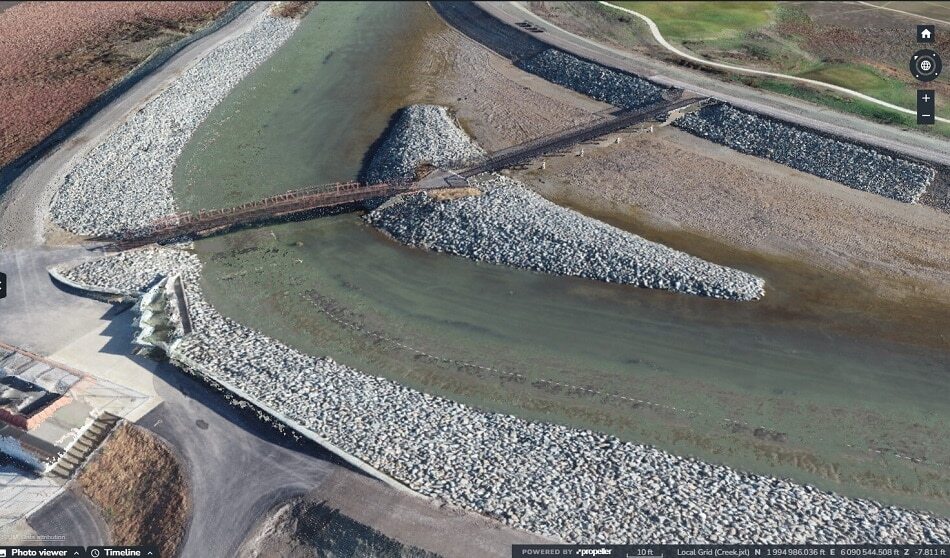
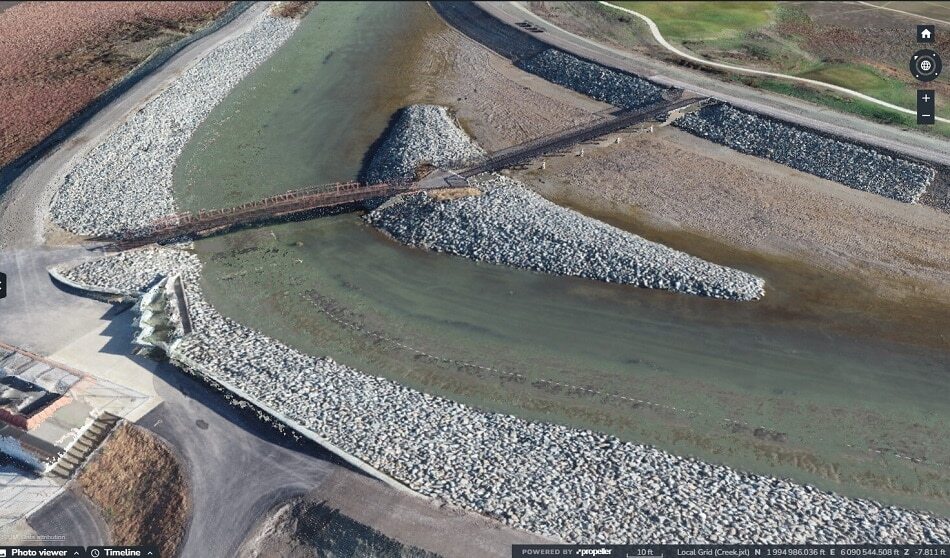
    Aerial photo of a canal section showing a bridge in the background.

    Learn what a point cloud actually is and then how drone data is integrated with a point cloud to build a 3D worksite model. 

    For a 3D model, the value comes from its georeferenced data. A georeferenced digital map is linked with a known coordinate system so users can determine where every point on the map is physically located. Without the coordinates, there’s no way to reference a particular point when visualizing against other information.

    When an entire project team references the same pool of georeferenced points on their digital worksite map or model, everyone’s working off the same location data. They’re better aligned and able to make sound decisions for the project.

    Point clouds are what make the georeferenced layer possible. Here, we’ll discuss what a point cloud actually is and then how drone data is integrated with a point cloud to build a 3D worksite model.

    What’s a point cloud?

    A point cloud is a set of data points (they can range anywhere from a thousand to a million actual points) within a 3D coordinate system. Each point represents a specific position in space. The higher the density of points, the higher the accuracy of the representation. Typically, with survey-grade point clouds, the distance between any two points is 2–3mm, and they’re generated by using technologies like lidar or photogrammetry.

    point cloud gif

    Of the two primary methods for creating point clouds, lidar scanning and photogrammetry, photogrammetry is more cost effective. Hardware and software are considerably lower priced than the lidar equivalent. Also, photogrammetry creates a point cloud with enough accuracy for 99% of sitework and mining applications, and requires minimal training to become proficient in capturing drone data.

    Point clouds and the worksite

    From a point cloud, you can make observations and measurements about a worksite’s depth, elevation, and location. Point clouds can be used to convey an as-built design or the existing site conditions. They represent the base data source to overlay aerial imagery produced by a drone survey. With a set of data points matched to a coordinate reference system, you can document site conditions at key moments in the project timeline to track how much material you’ve moved and how much more you have to go.

    Project teams may use just the raw point cloud data when they want to view the unfiltered terrain data or to share the entire 3D site condition with an external stakeholder. It’s also easier to work with point cloud data rather than 3D surfaces in CAD/GIS programs due to a more reasonable file size. Full resolution 3D surfaces are quite large.

    How drone survey data and point clouds combine to form 3D models

    While point clouds are the raw output, the final output—an interactive 3D model with real-world imagery—is a combination of an orthophoto (many images overlapped and stitched together) and a digital terrain model (DTM). From the images produced during a drone survey, distinct features are identified that can be seen in more than one image. Using the location of the camera sensor, the location of each distinct feature in an image can easily be measured.

    In order to establish a coordinate for a distinct point from drone imagery, the point has to be captured in two images with known positions. If each known point describes a particular feature, the more points, the closer your point cloud will get to reflecting your real-world topography.

    Processing point cloud data to generate the 3D model

    In order to produce the 3D model the drone data must be processed with a solution like Propeller. It’s rather straightforward. Simply upload your drone survey and ground control data and through photogrammetry, Propeller processes the data into a digital 3D model of the worksite that everyone on the project team can easily visualize and make measurements. You can also store your surveys on the platform.

    Propeller can also process and correct a lidar point cloud. The point cloud data is classified into ground and non-ground (vegetation, such as trees) groups. This comes in handy during project bidding. With this classified data, you’re able to review precise, existing ground conditions on vegetated sites to understand how much material is actually there. This results in more accurate pre-construction estimates and helps avoid change orders or rework.

    Today, worksites around the world are using 3D, geospatially accurate models based on point clouds as a single source of truth. This up-to-date 3D model can be the point of reference for your entire team–that source of truth for material movement, volume calculations, and overall project progress.

    Quick links

      Related articles

      Better Blast Planning, Monitoring and Quarry Reporting Using Drone Data

      Making decisions with the most up-to-date and reliable information is critical for any site manager,…
      Six smart ways to use drones in mines and quarries

      The use of drones in mines and quarries is common, but these sites are highly…

      Cross Section Survey in a Matter of Minutes Using Drone Data

      With the power of drone-captured data and the Propeller Platform, surveying cross sections becomes as…

      Ready to learn how Propeller can power up your worksite?

      We’re happy to show you how Propeller can power your worksite, and boost productivity.

      Related articles

      Drone pilot in hi-vis flying a drone next to a crane, with an AeroPoint on the floor.

      Things To Know About Ground Control in Drone Surveying

      Ground control is the go-to option for turning drone data into highly accurate, survey-grade models.…
      DJI M4E flying in the sky

      Propeller’s Drone Guide: DJI Solutions for Commercial Operations

      At Propeller we love testing new drone hardware and we are processing hundreds of drone…

      Telecom Tower Inspection using DJI Phantom 4 Pro: Step-by-Step Guide

      A few weeks ago a new DJI Phantom 4 Pro was delivered to our office.…