Technology for the construction, aggregates, and waste management industries has been expanding faster than ever, thanks, in part, to the availability of commercial-grade drones.
New innovations can improve efficiency, tracking, and safety.
Here we’ll explore one basic change in site modeling software that serves all industries: the jump from 2D to 3D models.
What are the benefits and downfalls of each? Are there some projects better suited to 2D than 3D? How do each help worksites work better?
We’ll cover performance in the field, two instances when you might prefer 2D, and three when 3D might serve you better or 3D.
When would you want to use 2D?
1. 2D is great for simplified measurements and overhead views
The first big use of 2D maps are bird’s-eye views of your site. If you need to do high-level site inspections or compare changes on site over time, 2D maps and images provide all the information you need. Zoomable and high-res, let you pick out features and see big earthwork changes at a glance.
The second benefit is simplified measurements. For example, if all you need is a cut/fill number for a location on site, 2D site maps can give you instant cut/fills for any surveyed area.
We’ve found this to be particularly useful when you’re in the field, and need a quick, accurate value to make decisions.

2. 2D performance in the field
When comparing the benefits of 2D and 3D modeling, many point to the performance advantages of 2D programs.
This depends heavily on the devices and connectivity you have on your worksite. Most sites and computers have the connectivity and processing power to make 3D a viable on-site option.
With that said, 2D software usually has better performance on handheld devices, like those you’d want to take in the field. Many customers we’ve spoken to take 2D models out into the field to do work there, and use 3D back in the office.
It is important, however, to note that some site modeling programs have download capabilities that allow you to use some or all of the software offline, even in 3D.
When would you want to use 3D modeling software?
1. 3D allows for easy understanding with real-world visuals
When it comes down to it, viewing your site in 3D means instantly understanding what you’re seeing. There’s no confusion—as can often be the case with specialist software—because what you see is what you get.
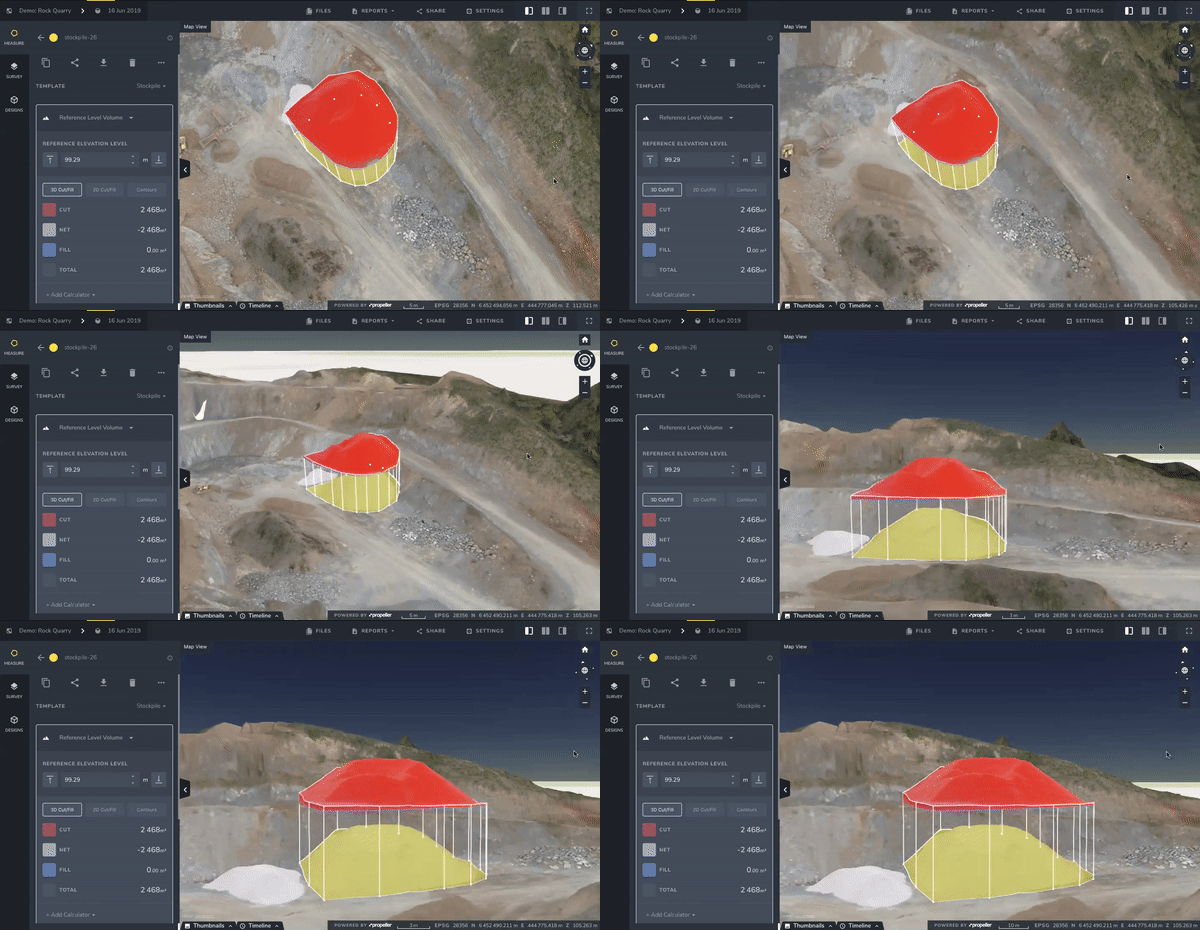
It’s much easier to picture a site feature when you have the image in front of you, rather than a number or spreadsheet.
This is especially true with designs and linework. When you can overlay a design or linework on a realistic model of the actual site, both engineers and owners can understand the plan almost immediately.

2. Virtual inspections and walkthroughs are only possible in 3D
If you rely on doing virtual inspections or walkthroughs with your team or client, then 3D is the best choice.
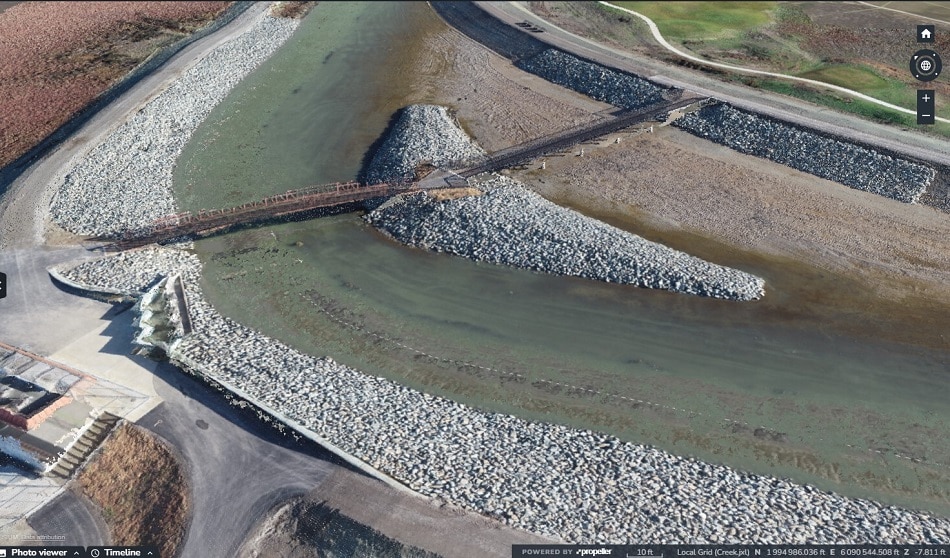
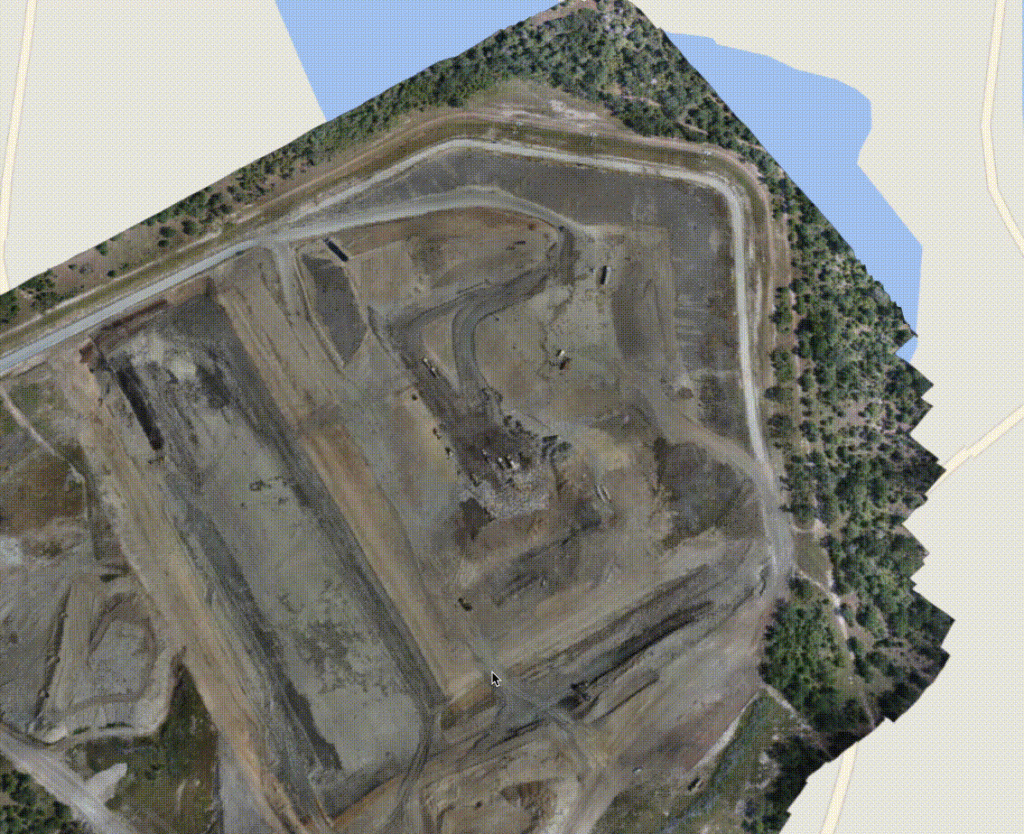
With a fully 3D model of your worksite, you don’t need to be physically present to inspect or show your site to others. The 3D map is a faithful rendering of your site. Both navigable and measurable, it gives you that virtual reality look at your site from any device.
And in a platform like Propeller, you can also see how your worksite has changed over time with a timeline slider of all your drone flyovers.
3. More precise measurements in 3D space
Lastly, things like stockpiles, berms, pits, and other features are easier to measure when you can navigate around them in 3D.
Take a stockpile, for instance. It’s much easier to see the toe of your pile in 3D, when you can spin the model around and make sure you’re measuring what you want to be measuring. This control means your volume measurement will be more precise because you’re including only that material you want to be counting.

It can be difficult to do this in 2D programs, because distinguishing where stockpile boundaries are can be hard. You might even have to switch between two maps just to make sure you’re measuring the right thing.
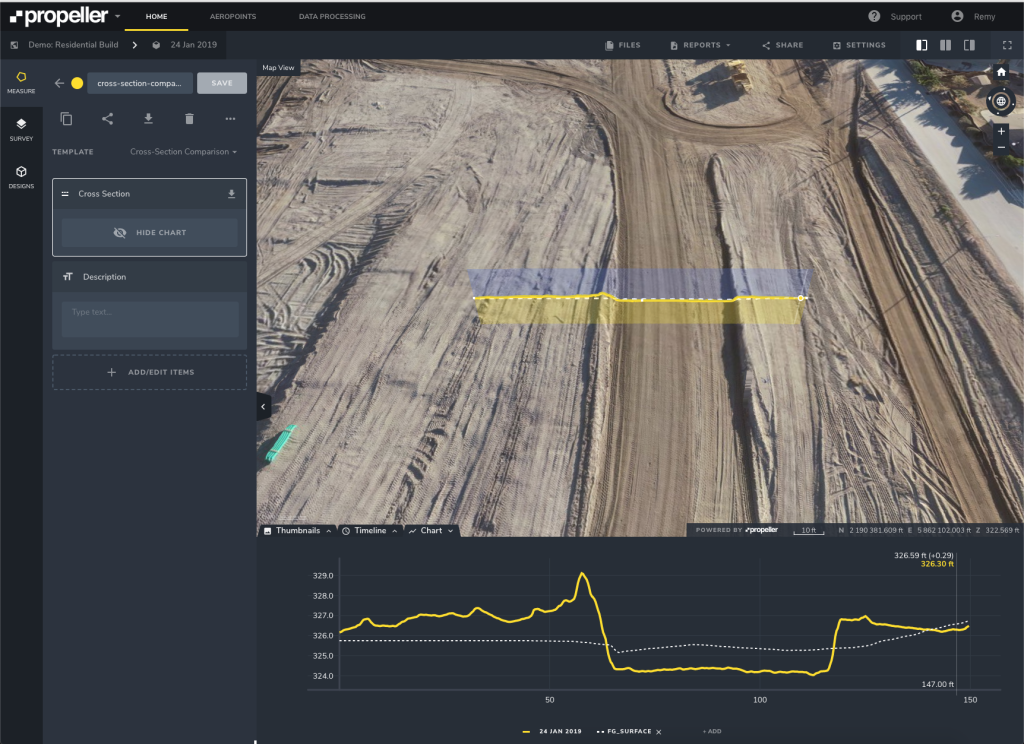
3D site maps also improve ease of use when it comes to taking 2D measurements. Cross-sections are 2D measurements, but they’re easier to understand when overlaid in a 3D environment.
3D modeling software lets you do more than 2D alone
There are advantages to both 3D and 2D site modeling software. However, having your site data in 3D means you can do more with one program. Not only can your own team understand the models without an expert to translate, but so can your clients.