Propeller AeroPoints™ are smart ground control points with built-in GNSS that make accurate drone survey data incredibly easy and quick to capture. But there’s one question we hear all the time: “Can I just buy a set of five AeroPoints?”
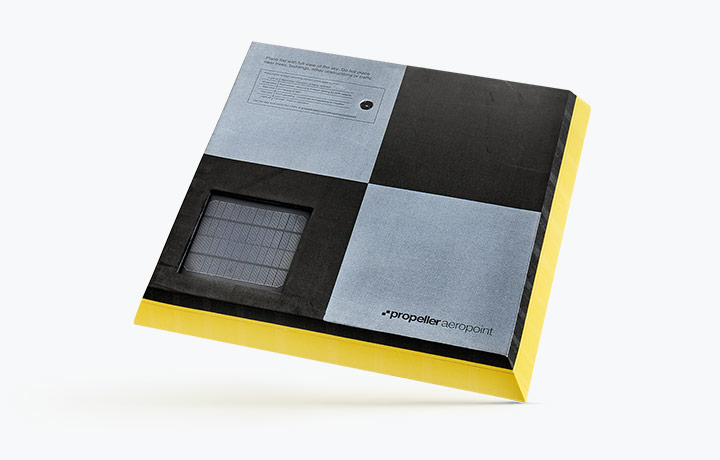
Propeller only sells sets of 10 AeroPoints, and we encourage AeroPoints users around the world to use all 10 every time they head out to the field.
We thought we should explain why:
Reason 1: You need 10 for accuracy
Fact check: True, but not the whole story
When you lay out ground control, you’re setting up the ground truth data used to make your drone survey vastly more accurate compared with the GNSS data your drone captures while it flies.
Five ground control points can actually get great results in ideal conditions, and the rumors are absolutely right: five points is an important minimum for accuracy. But if you want more accuracy, 10 ground control points is better than five.
Five to Stay Alive . . .
The mathematical details about how drone surveys get processed accurately are pretty complicated, but the basic reason why five control points is important is this:
- You can pick any four points in space, and there will be a perfect sphere that will fit exactly with all four. A tiny change in any of the four points will bulge or shrink the “perfect fit” sphere in a different direction.
- If you pick five points in space, there is almost never a sphere that perfectly fits all five; instead, you have to find a “best fit” sphere. A tiny change in one point won’t change the sphere nearly as much.
Theoretically, if your site is tiny, flat, and square, you can have just five ground control points—four on the corners, one in center—and you’re probably good.
. . . But Definitely Use 10
Unfortunately, drone surveys do not usually occur in these theoretical, perfect universes. More ground control means better, more accurate results. Areas far away from control points have lower accuracy.
Our own testing has shown that there’s significant accuracy benefits to using more than five points, but the same testing also shows that the fifth control point is the one that has the most impact on accuracy.
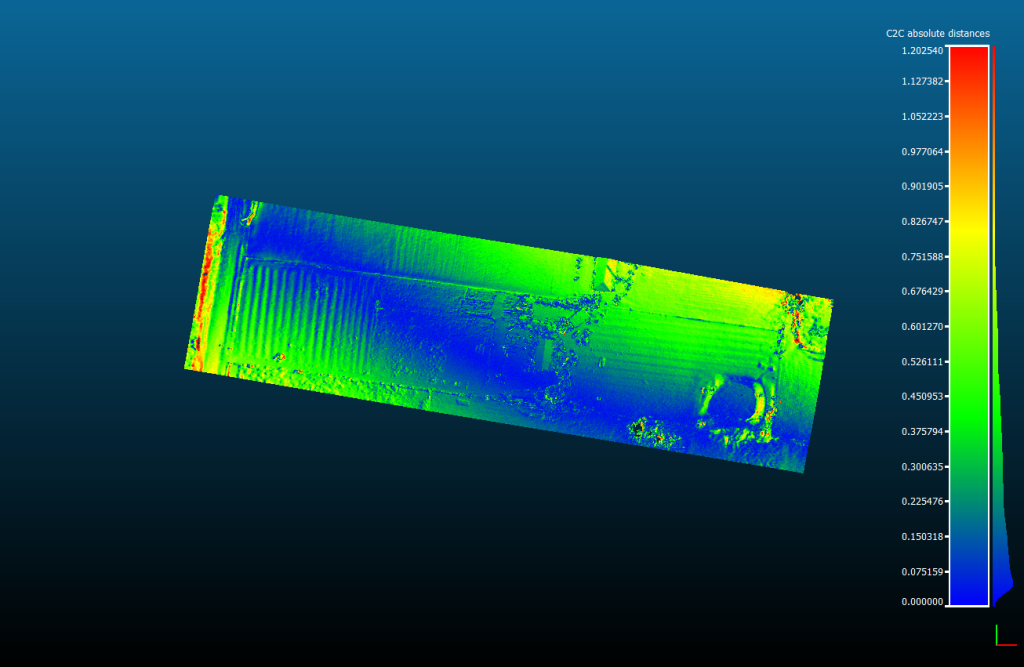
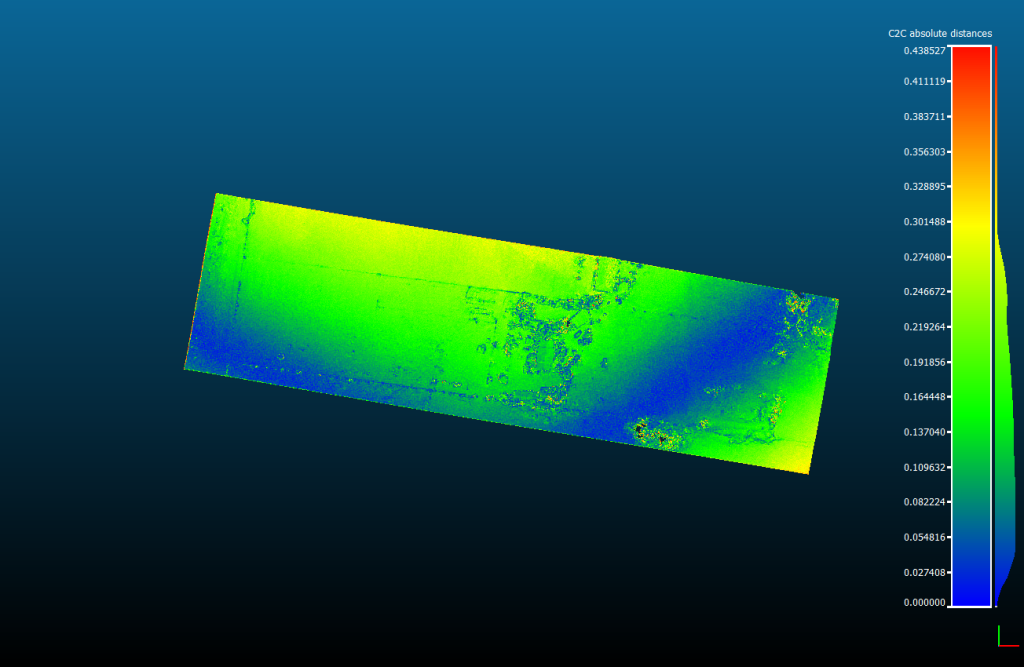
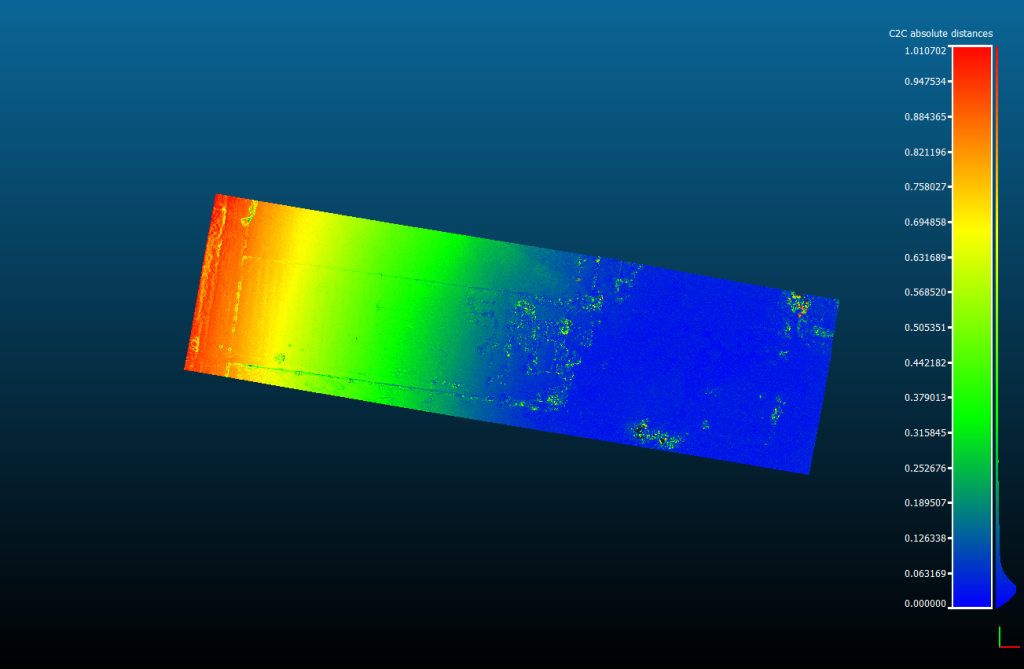
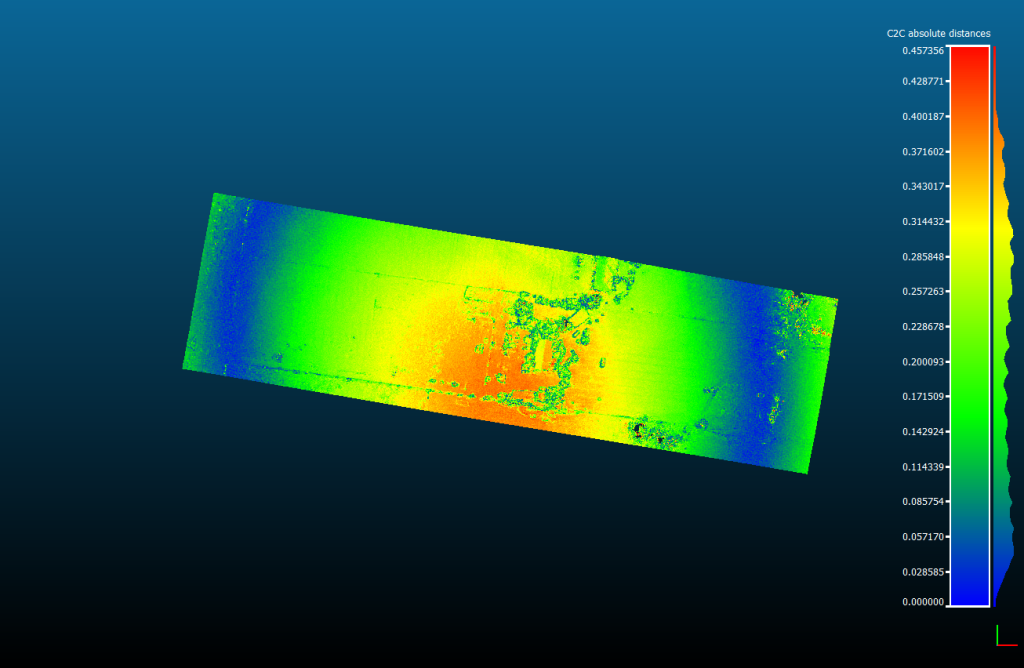
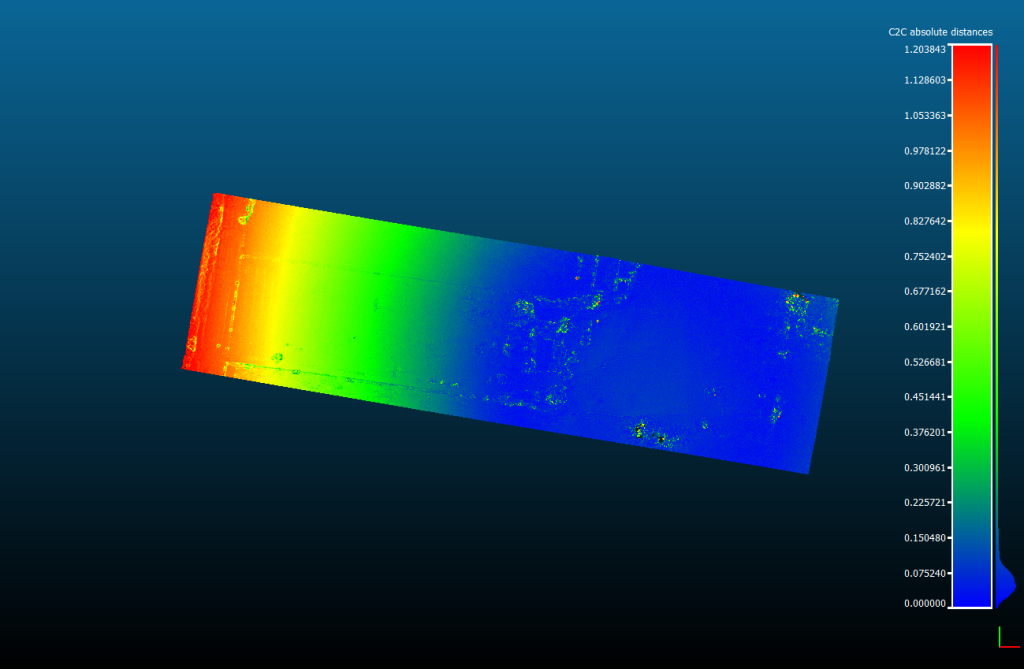
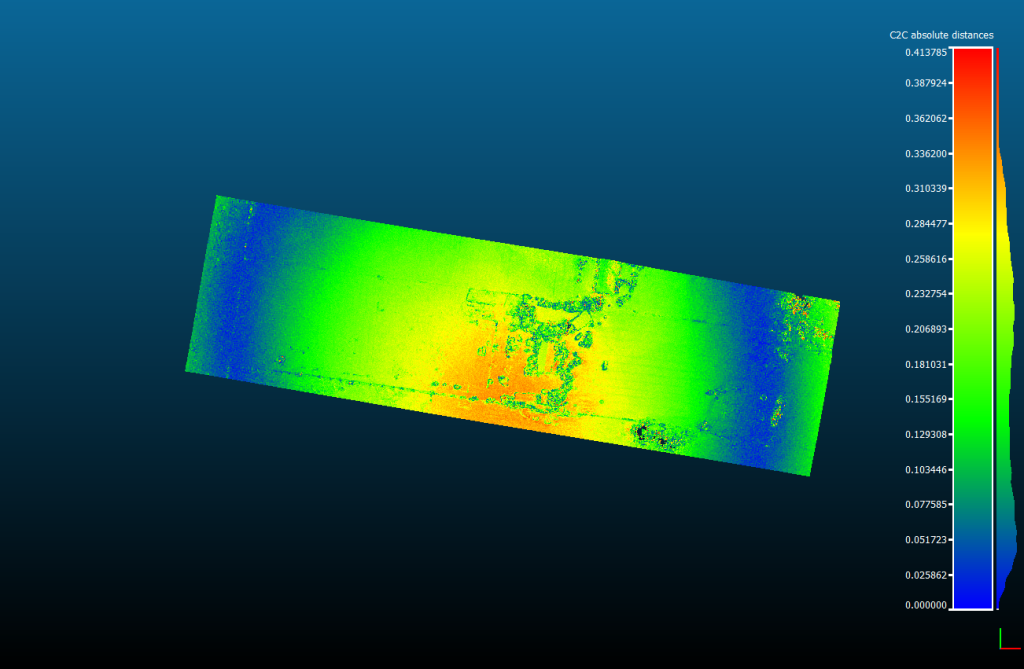
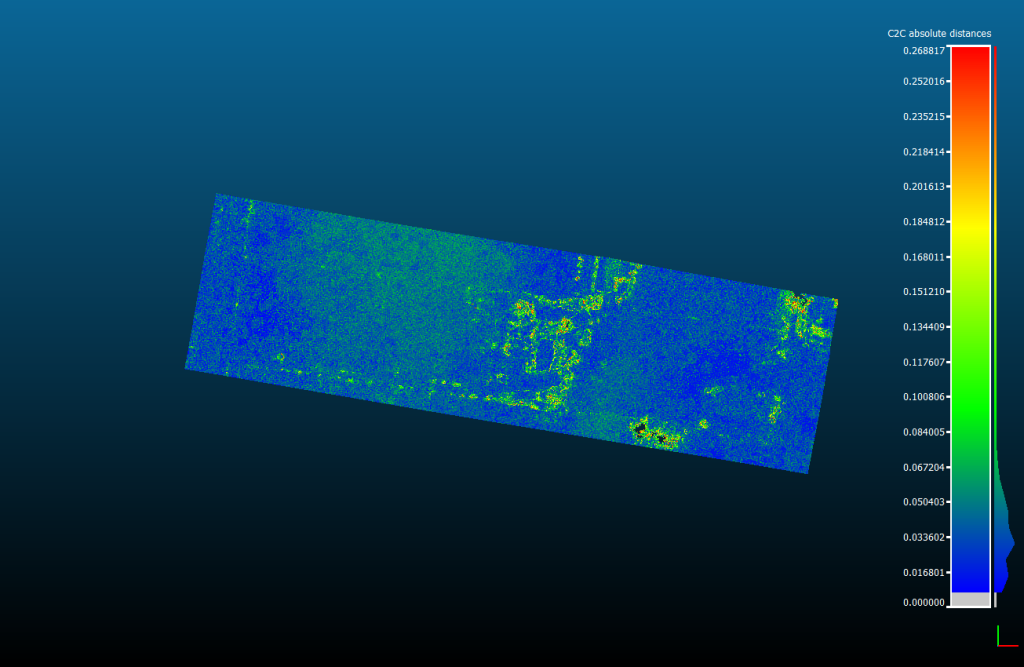
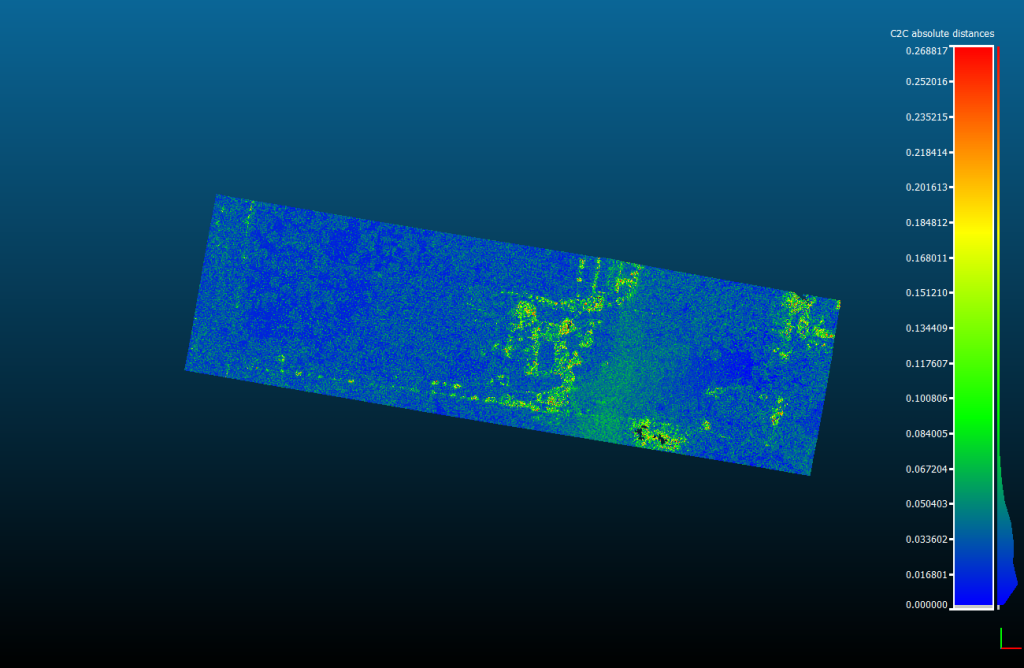
These images show the accuracy of a small (five acre) site survey with different numbers of GCPs used to process them. The improvement from four to five is huge—and the difference after that is small.
Blue are the most accurate areas, and areas that aren’t blue are well outside accuracy tolerances:
Reason 2: Making them more expensive for no reason
Fact check: False
When you buy AeroPoints, you’re not just buying the hardware. You’re buying an incredibly advanced and streamlined ground control solution that includes access to:
- Propeller’s unique GNSS corrections network that covers a large part of the populated globe.
- Our unique mesh processing algorithms that take advantage of multiple simultaneous signals in a small location to provide unprecedented accuracy from GNSS technology.
- Propeller’s incredible team of specialists who support you to get great results around the clock.
If five AeroPoints was enough, we would absolutely sell in that quantity, but we want to make tools that work in real life. We know that five isn’t enough, which brings us to the real reason.
Reason 3: Saving time on drone surveys
Fact check: True
Many first-time drone mappers hear about how easy drone technology can be and turn up with one battery, a flight control app they haven’t tried before, and some GPS hardware they haven’t read the manual for.
They’ll probably be flying the exact same site again tomorrow.
We sell 10 AeroPoints to avoid the Flight of Shame
Professional builders measure twice and cut once. Professional drone teams control a lot and fly once.
If you lay out five AeroPoints and anything happens that means one of them didn’t capture a point, you’ll find yourself doing the Flight Of Shame—returning to the site to repeat the entire process. We sell AeroPoints in minimum sets of ten so that you don’t have to.
AeroPoints have to work in the real world
Weird things happen in the real world.
Trucks run over them.
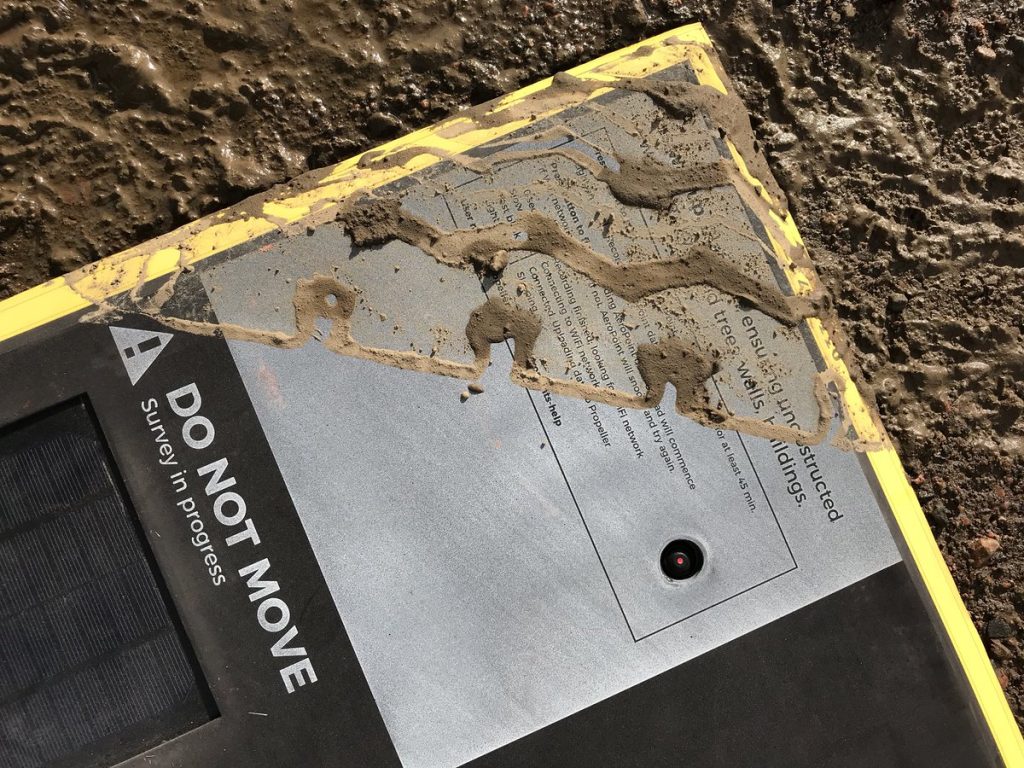
Bears chew on them.
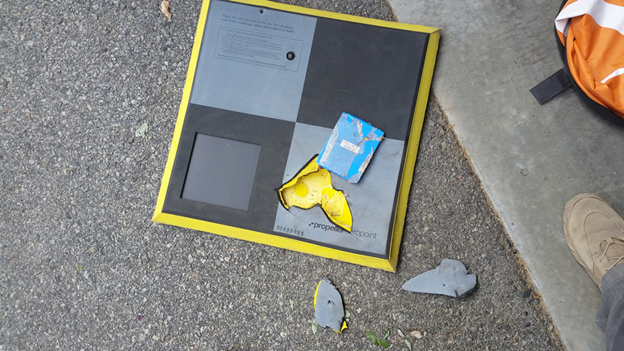
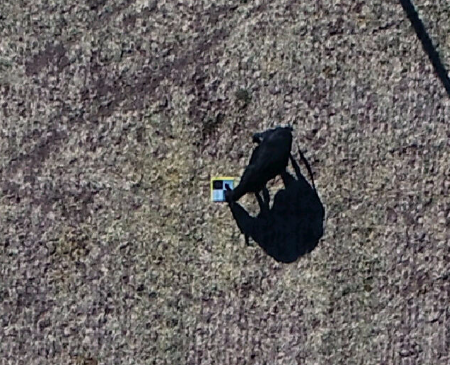
Cows kick them.
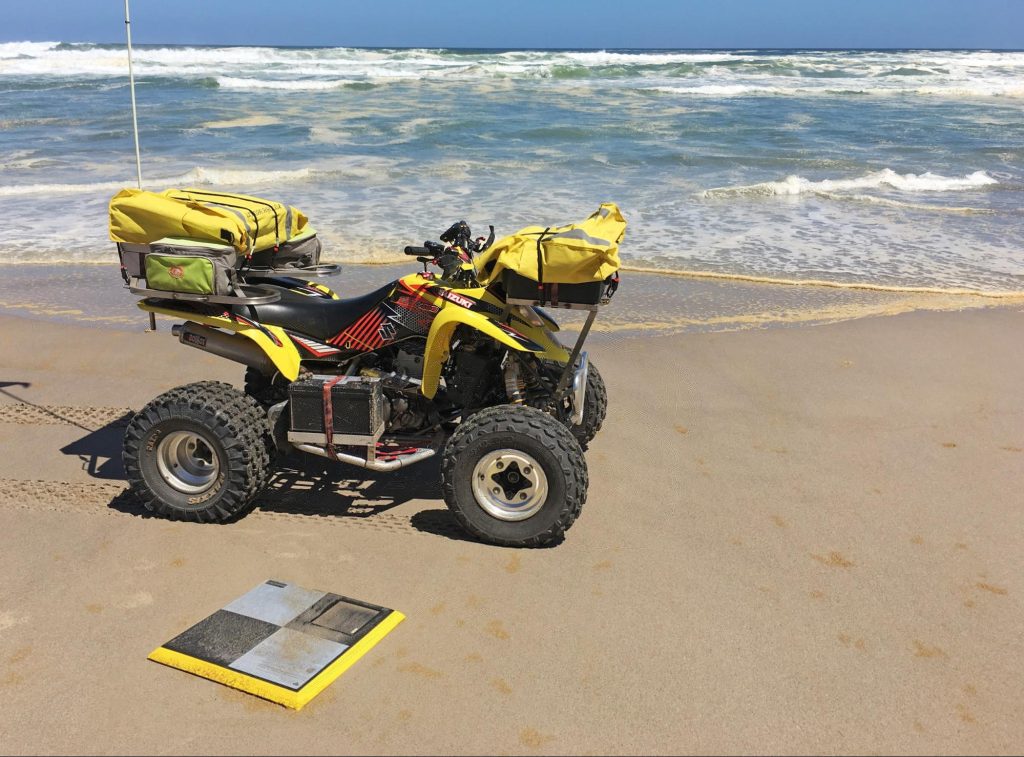
Neptune takes them.
People move them.

If AeroPoints get moved, our systems will detect it and warn you about the point, but unfortunately you might not have enough data to get a reliable ground control point. And as we saw above—if you’ve only got four good control points, you’ve got big accuracy problems.
AeroPoints work better in groups
AeroPoints are better when there are more of them. Propeller’s in-house GNSS processing engine takes advantage of the fact that you’re capturing multiple GNSS signals at the same time in a very small area—allowing us to “mesh process” the points for incredibly high-accuracy positions relative to each other. The more points captured, the better it works.
Sometimes the conditions mean AeroPoints can’t capture an accurate point
We work hard to make precision GNSS look and feel easy—but, believe us, it’s not. Unfortunately sometimes AeroPoints will capture a “bad fix” and have only a low-confidence result for their precise location. Some of the most common things that can lead to a bad AeroPoint fix include:
- Multipath errors—usually when the AeroPoint is placed near a wall or building and receives multiple reflected signals from the same satellite.
- Obscured view of the sky—trees, terrain, building, and vegetation can all stop AeroPoints from getting enough satellite signals for a reliable fix.
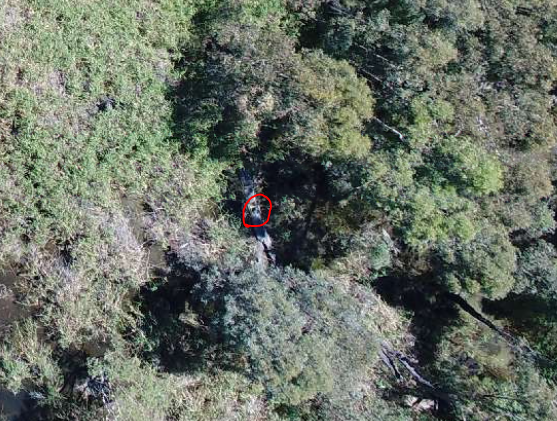
- High ionospheric activity (solar storms)—occasionally solar activity can interfere with the accuracy of GNSS systems around the world and reduce the probability of an accurate fix.
Small sites often mean GNSS challenges
We’ve found that the small sites where five accurate control points would be enough also tend to be sites with buildings, trees, and built up areas, and so we see multipath and obstruction issues far more often.
Using more AeroPoints on small sites means it’s far more likely you’ll have enough data for accurate results more often even in challenging conditions for GNSS technology.
Very rarely, an AeroPoint can have a hardware issue
This doesn’t happen often, but unfortunately in the tens of thousands of times AeroPoints have already been used around the world, there have been a handful of hardware failures. If you have any problems with an AeroPoint we’ll ship you a replacement unit as fast as possible—but it won’t stop us feeling incredibly bad if it means you have to fly a site again.
Anytime you do a flight, use all your points so you’ve got as much redundancy as possible.
We sell sets of 10 so the world can rely on accurate drone data
We make AeroPoints so that you can always get accurate data. We are proud of how accurate our AeroPoints are and proud of great results our customers achieve using them hundreds of times every day.
So we want to guarantee that you always get what you paid for—accuracy. Using all your AeroPoints every time you fly will help you get accurate data.
Remember that placing a minimum of 10 AeroPoints will:
- Offer redundancy if one point gets a poor fix for any reason
- Give you enough coverage on most medium-size sites while still having enough redundancy to fix any issues without having to redo the survey
- Save your time and reputation. Laying out AeroPoints is quick and easy, so why not use enough control points to ensure accurate data and avoid repeating your flights?
- Improve the overall accuracy of your models. The results are generally better the more AeroPoints are used at the same time because of the processing we do between all of them.