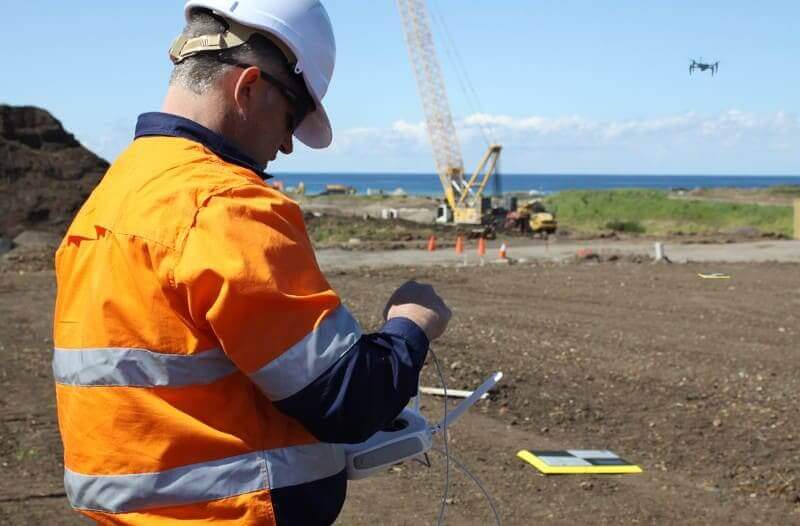
Many worksites around the globe have started to adopt drones to improve their productivity and safety.
The most common use case is regularly collecting accurate volumetric measurements of stockpiles, but only a small portion of these businesses have harnessed the full potential of their existing data and tools.
Sure, it’s amazingly quick and easy to get your end-of-month stocks picked up using drones and Propeller, but that’s just the beginning. Did you know you can measure and visualize changes in your tailings dam, measure erosion, compare against your design and calculate density, all using Propeller’s set of volumetric tools?
All of these workflows (and more) are possible using just one of Propeller’s tools, so let’s walk through some of these use cases and have a think about how they could make your life easier and better.
Different types of volumetric tools on Propeller
When you’re using the Polygon tool ( ), you can set the volume(s) to one of three different modes:
Smart Volume—The default volume measurement mode. Generally used for stockpiles and ramps.
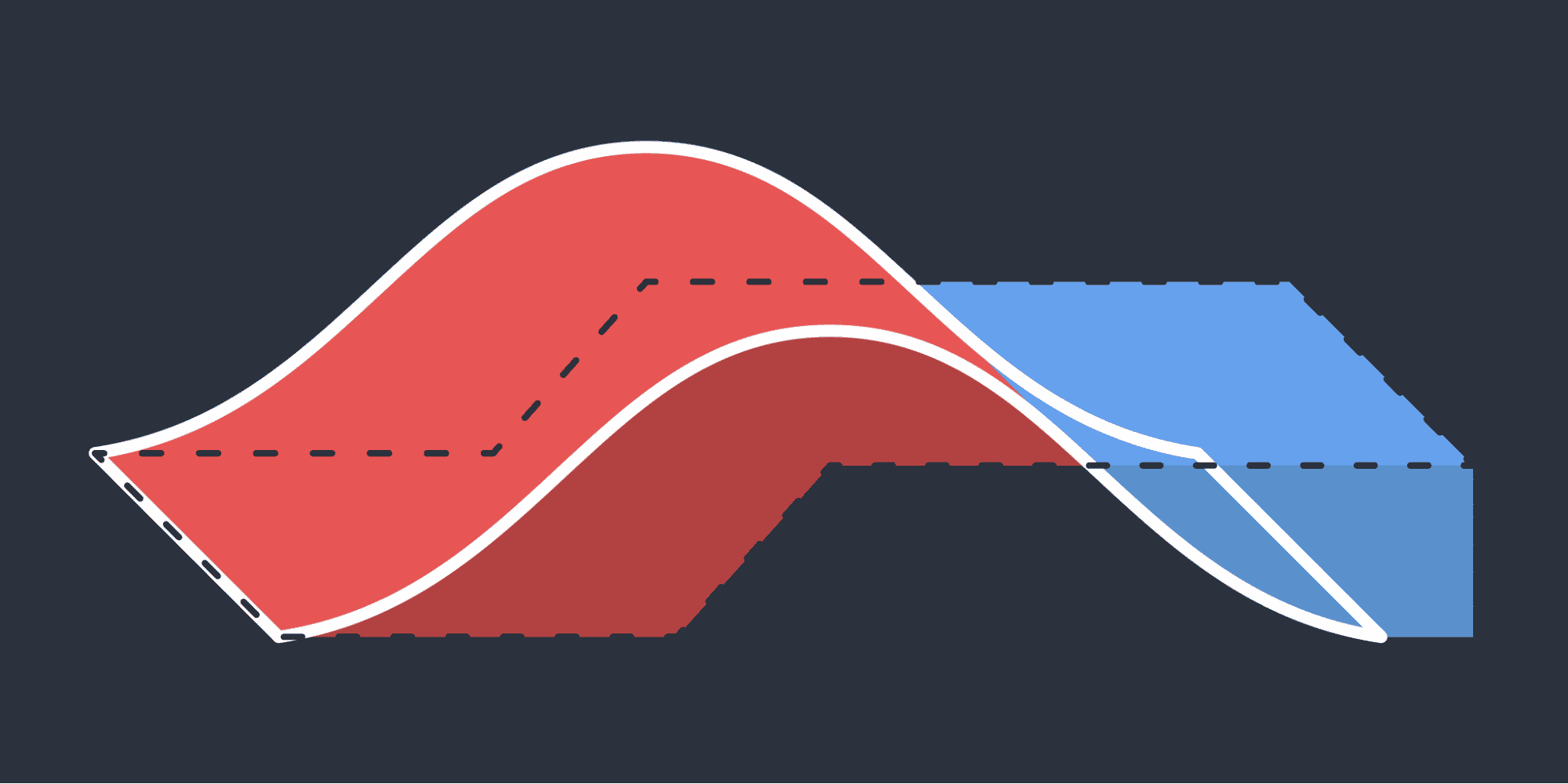
Volume Compare—Used to track changes between flights, or compare your current terrain against the design.
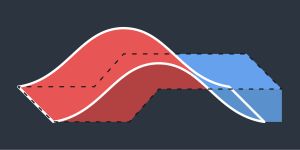
Reference Level Volume—Used to compare the terrain against a reference level.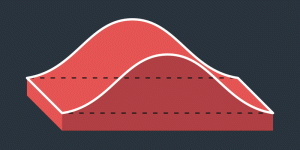
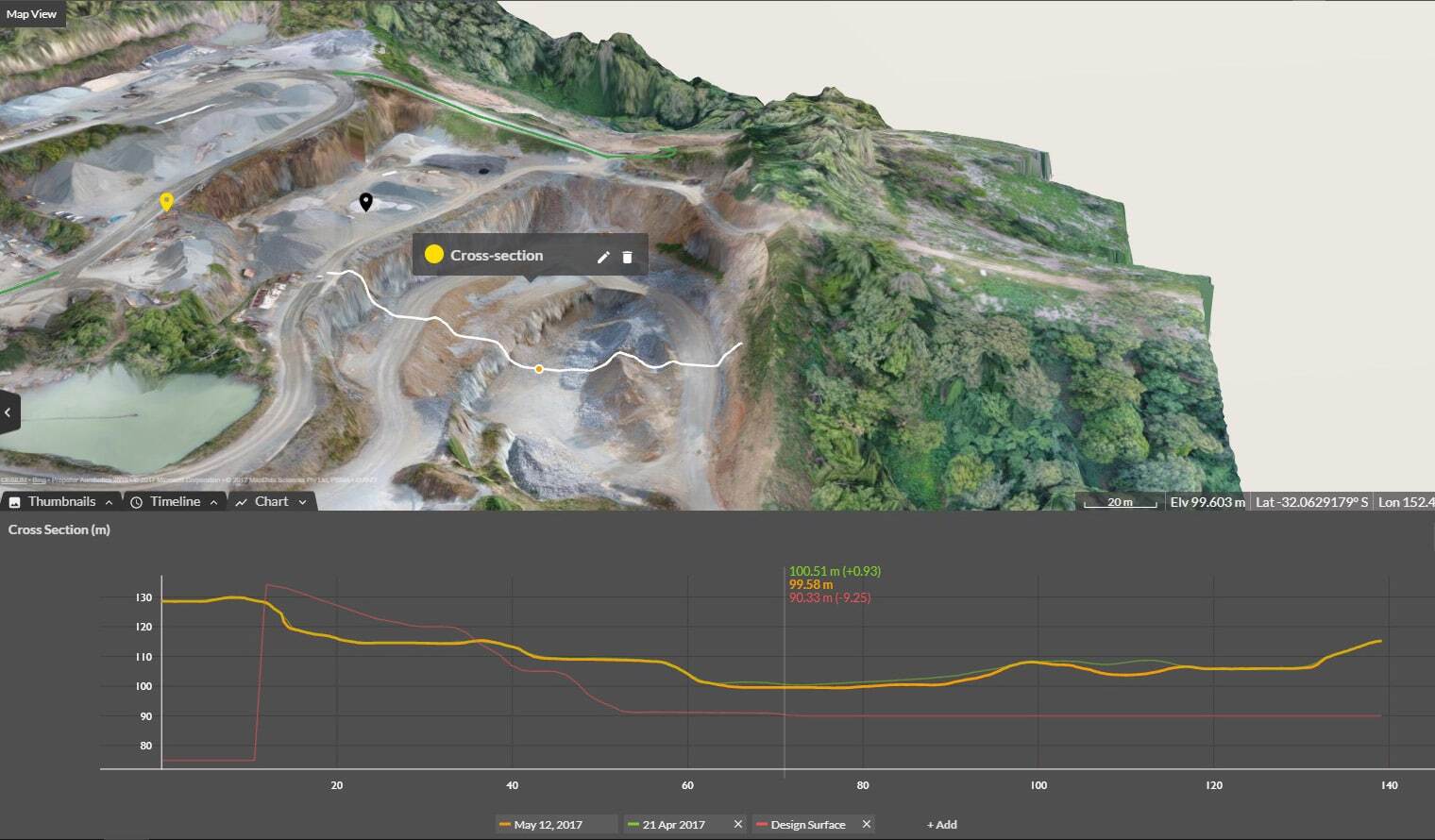
Once you’ve done any of the calculations above, they’re more than just numbers on a page. On the Propeller Platform all volume measurements are instantly visualized in 3D, so anyone can understand what’s been measured and visually track volume changes.
Use cases: Smart Volume
Measuring stockpile volumes from drone data
Click around the base of any stockpile and Propeller will tell you the volume of it.
Note that very few stockpiles get the privilege of sitting on perfectly flat earth. When you click around the toe of the pile, you are educating the tool on what it should consider to be the “ground” to be, and the Smart Volume will take this into consideration when performing its calculations.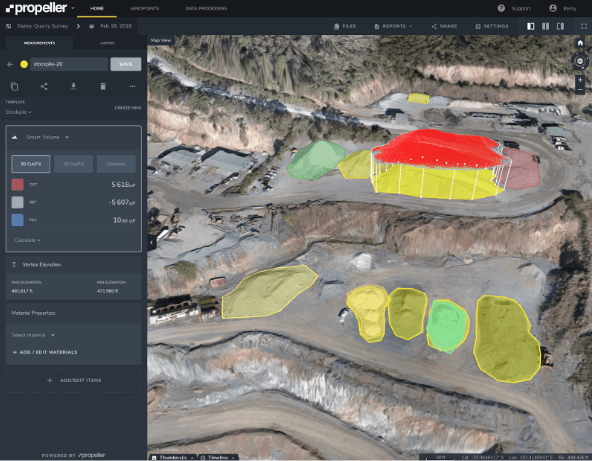
Volume calculations for ramp designs
Let’s say you want to build a 40ft wide, one in 10 ramp out of a trench and you want to know roughly how much material you’re going to need/end up with.
Firstly, we can calculate the height with the Line tool set to Vertex Elevation.
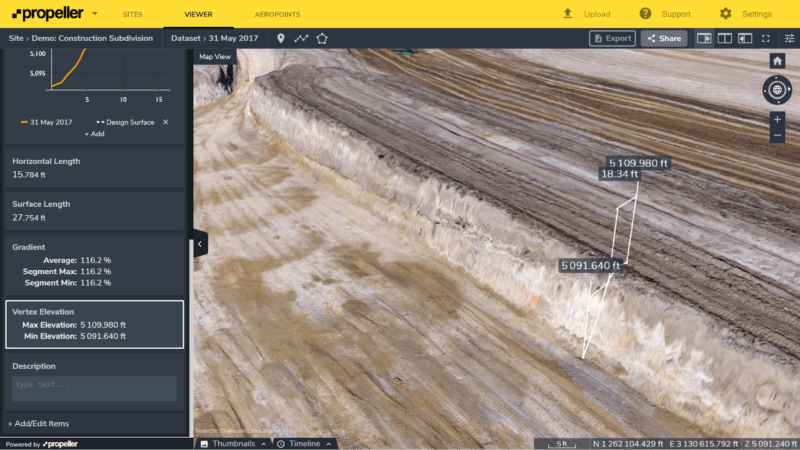
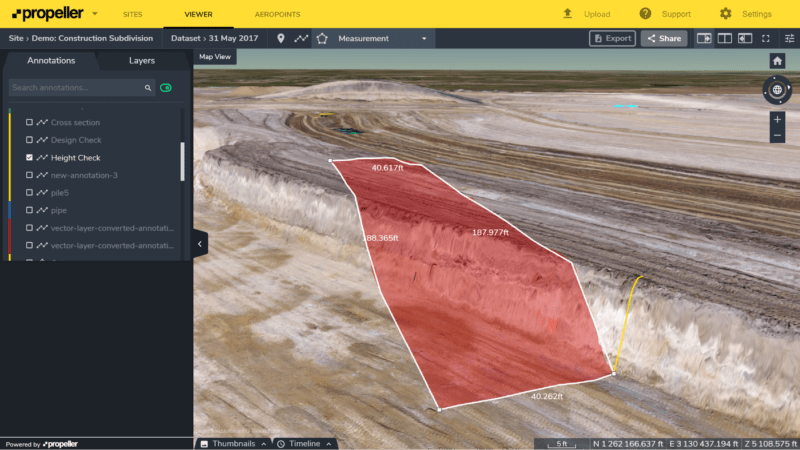
Now that we know that the difference in height is around 18ft, we can select the Polygon tool and draw out our ramp from that point, using the live readout of the lengths to guide us.
Now the volumes will be visualized and calculated automatically. We can see where we will need to fill (blue) and cut (red) to build the ramp, and these are calculated in the left panel.
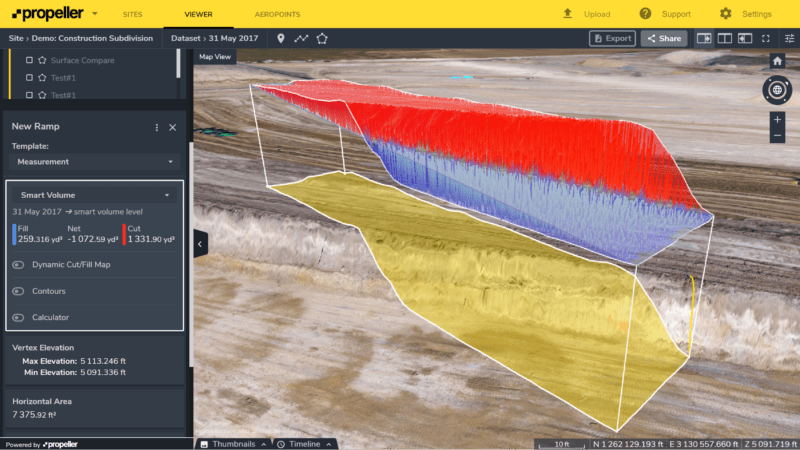
Once we’ve built the ramp, we will have more than 1,000yd3 of leftover material that we need to use elsewhere or get rid of (Net). Free fill anyone?
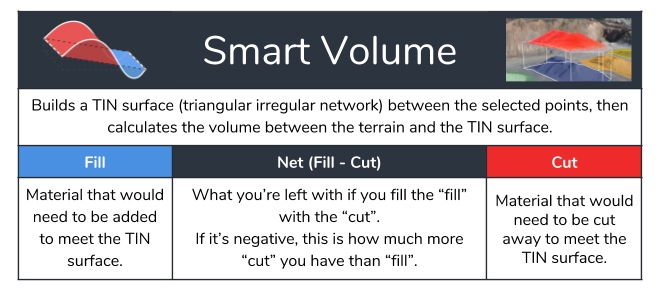
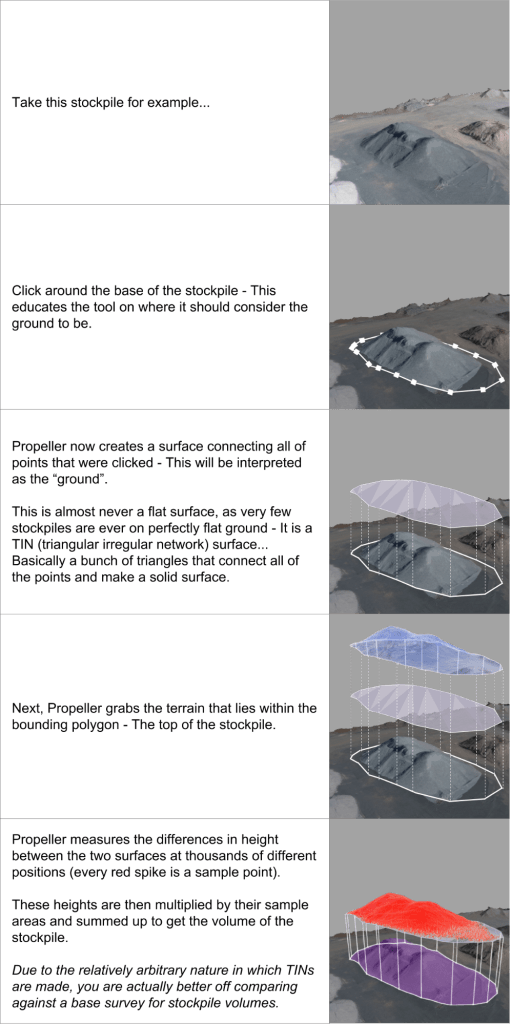
But how does Propeller actually calculate Smart Volume?
Use cases: Volume Compare
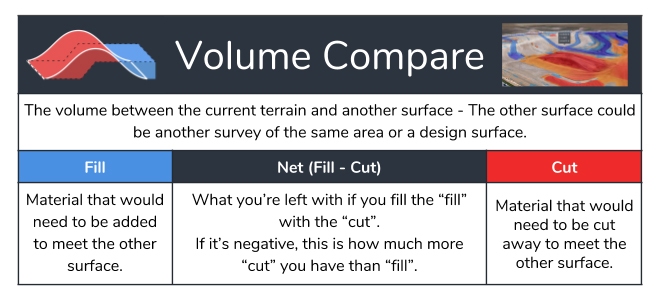
Performing complex volume comparisons against other surveys and design files is incredibly quick and easy with Propeller.
We believe that we’ve only just started scratching the surface on applications of this tool, so if you come up with anything we haven’t seen before, please let us know!
Here are some of the use cases we’ve came across so far.
Volume calculations for progress claims
Know exactly how much dirt you and your contractor has moved and exchange money accordingly. No more miscounting nor underfilling trucks!
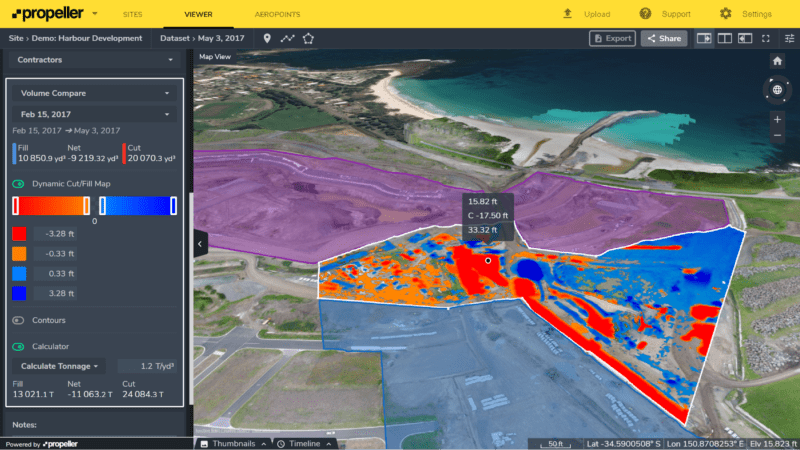
In the image below we are doing a volume comparison against a previous survey of the same job, and we have the Dynamic Cut/Fill Map switched on.
The red sections are where the contractors have cut away 20,000yd3 of material and the blue is where they’re filled in 11,000yd3. We’ve also entered in a density figure to calculate the tonnage.
Propeller provides a clear picture of where dirt is coming from and going to, and sums it all up in the left panel, ready to export for reporting (complete with gridded cut/fill maps).
Measuring stockpiles volume against the base
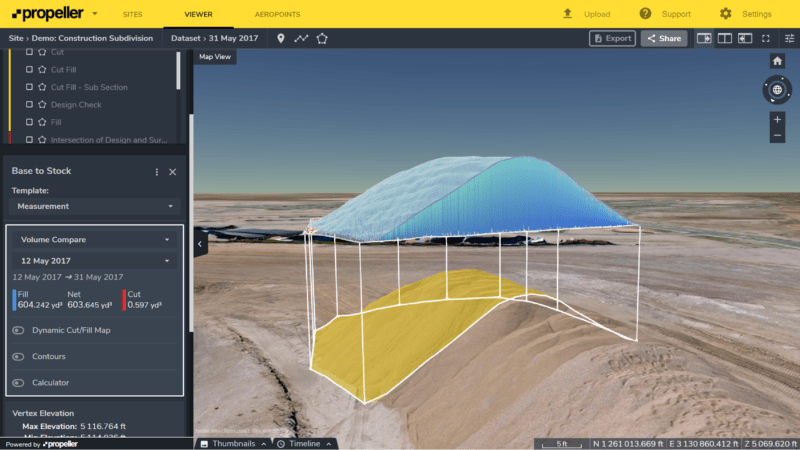
The most accurate way to measure a stockpile is actually a volume comparison between the current stockpile and a survey of the base of that stockpile. The example below shows a portion of this stockpile that had been filled between aerial surveys. This is a very accurate measurement of how much is in the selected section.
Quickly tracking change in stocks
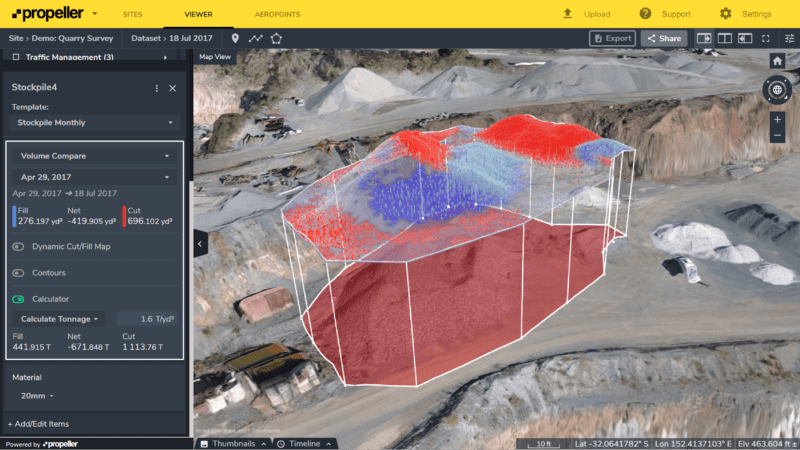
If you have highly active stockpiles that are getting filled and cut simultaneously, you can visualize and measure this change using Propeller.
Here we have a stockpile that was being dumped on and dug off between the two surveys that were conducted.
Using Propeller we can see where each was occurring and see exactly how much at a glance.
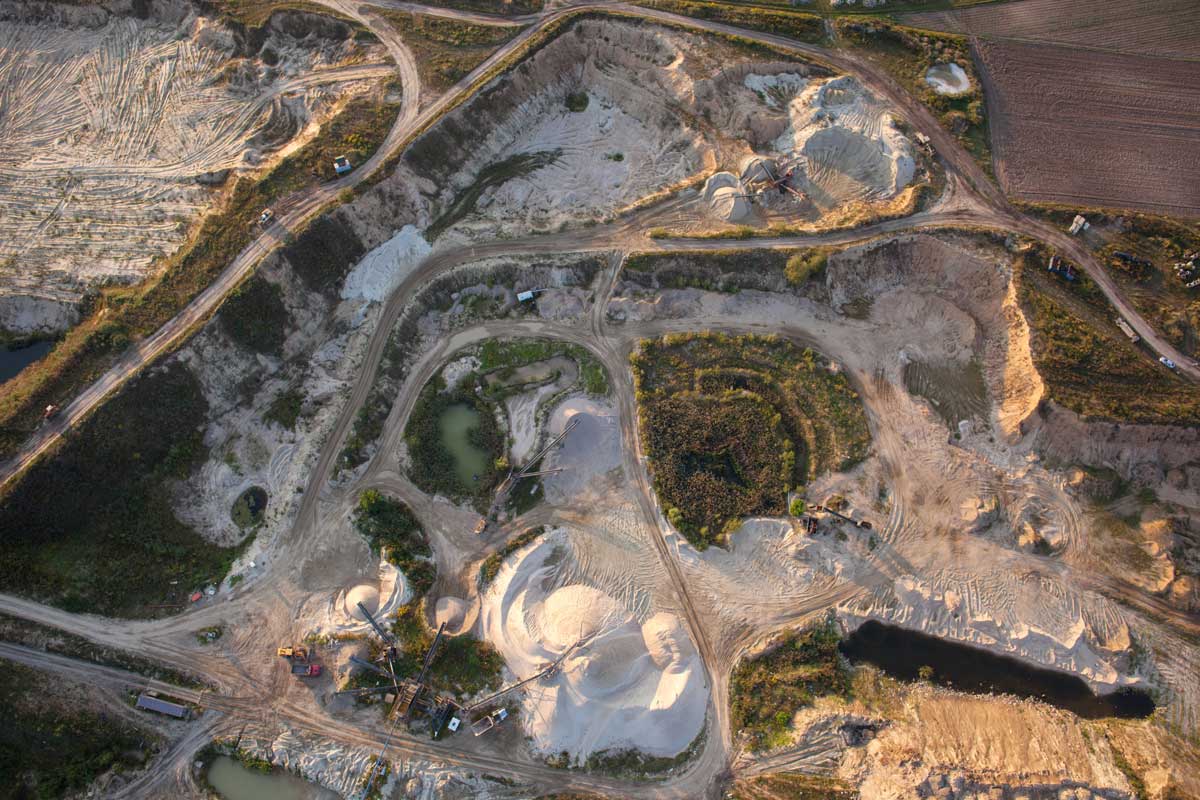
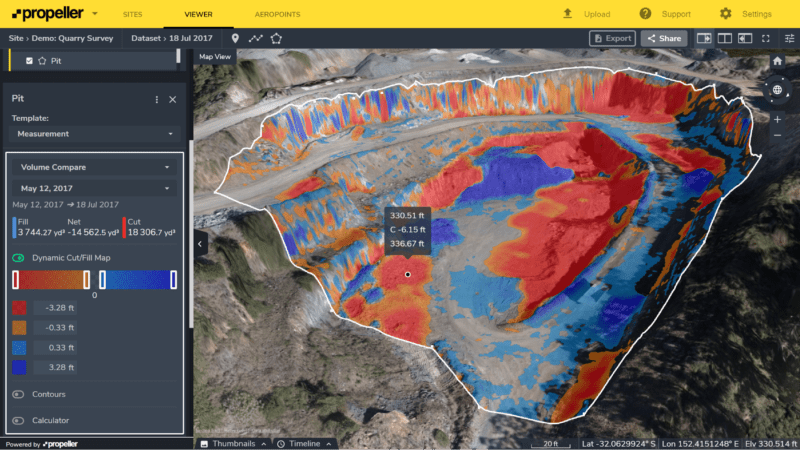
Calculating the total volume of material removed from pit
You would never really survey in a whole pit and all of its features, especially on a regular basis traditionally. It would take so long that the pit would’ve changed before finishing!
Now you can, and it is just as easy as measuring a stockpile on Propeller (very).
Below we have traced around the perimeter of a pit and turned on the Dynamic Cut/Fill Map to see where material has been moving in the pit. Overall, around 14,500yd3 has been removed from the pit, and if we hover over any point within the pit, it will tell us the change in height at that point.
Measuring coastline erosion over time
Erosion can be difficult and expensive to measure over time. While the view might be great, having to pay surveyors to walk lines along a beach every few months isn’t a particularly good use of funds when you can get higher resolution, easier to understand, 3D data more regularly with drones and Propeller.
Here we have a beach within the bounds of a new harbor development that has been surveyed multiple times using drones and Propeller.
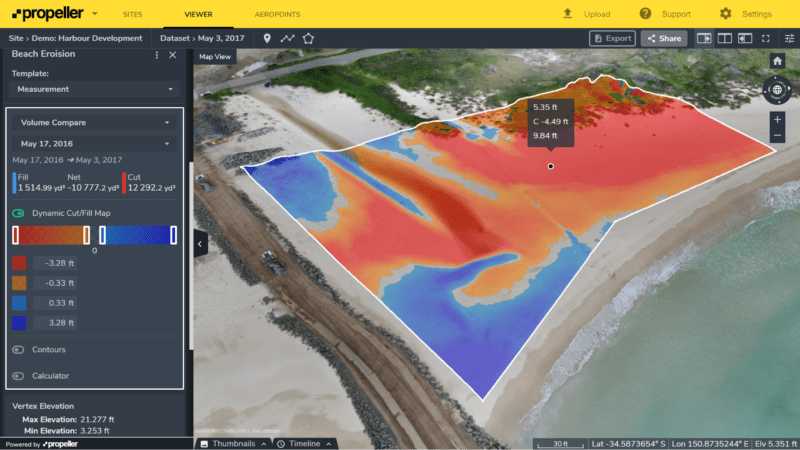
By switching on the Dynamic Cut/Fill Map, we get a clear picture of where the erosion is (red) and where they have been filling sand into the beach (blue). Complement this with the cross section tool, and you have an in-depth view of what’s going on with this coastline.
If you want to know more about measuring erosion with Propeller, feel free to check out this article.
Checking landfill compaction rate and available airspace
Getting as much waste as possible is the key to any high performing landfill—calculate you compaction rates and remaining airspace as often as you like with Propeller, without having to walk over a single piece of trash.
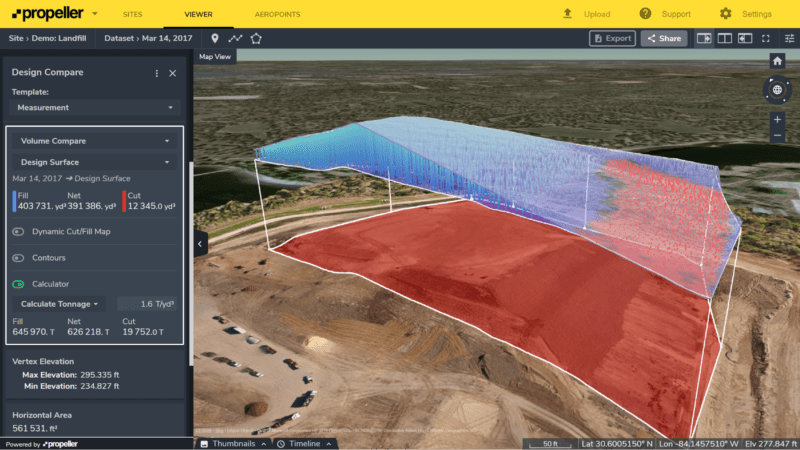
If you want to know more about improving your landfill performance with Propeller, feel free to check out this article.
Comparing volume to design
Estimating the cut and fill at the start of a job while no one is operating machines on site is one thing. But being able to easily, quickly, and inexpensively get reliably accurate progress reports is a core reason why so many earthwork companies are choosing Propeller.
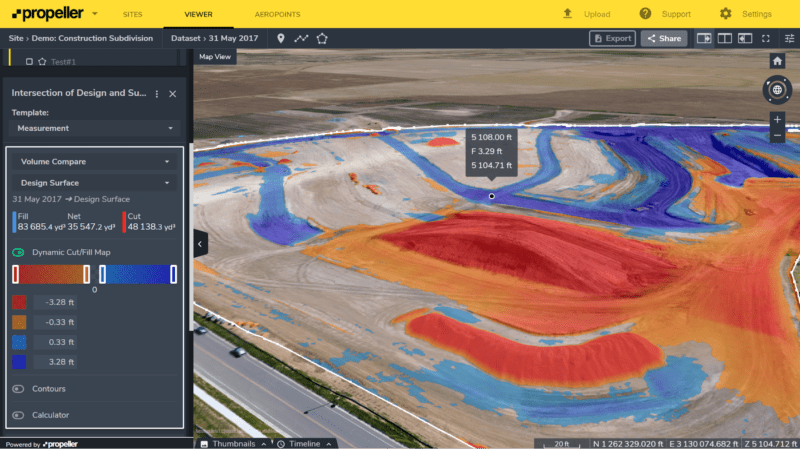
Here you can see a subdivision job comparing the current terrain to the design, and on the left panel, again you can see these values summed up.
We’ve also switch on the Dynamic Cut/Fill Map to show exactly where the dirt needs to come from and to.
If you want to know more about keeping your construction site close to the design, check this article.
Safely measuring tailings dams
Tailings dams are a nightmare to measure with a high level of accuracy and precision while keeping your surveyors safe. Provided that there isn’t too much water in there, this is easy using drones and Propeller.
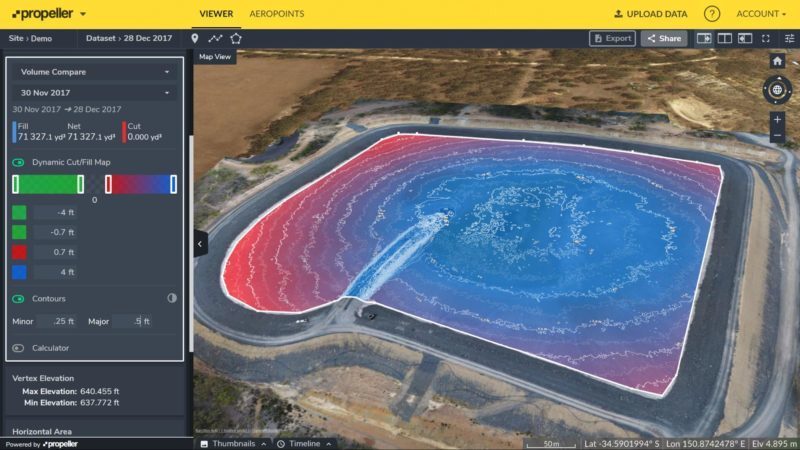
Here you can see a comparison between two points in time at a tailings dam. Blue is the most filled and red is the least. We’ve also turned on the contours to make it clearer. You can see where they’ve been filling it from.
Use cases: Reference Level Volume
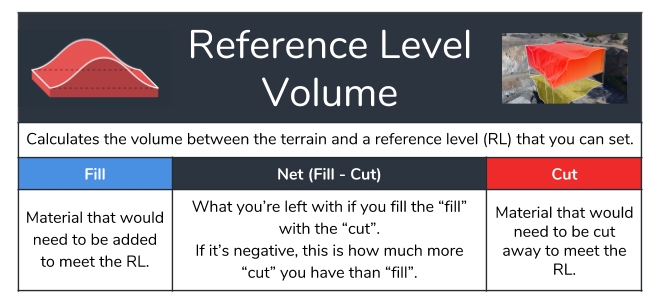
There are some pretty amazing things you can do with reference level volume calculations, but here are some of the main winners.
Blast volume estimating
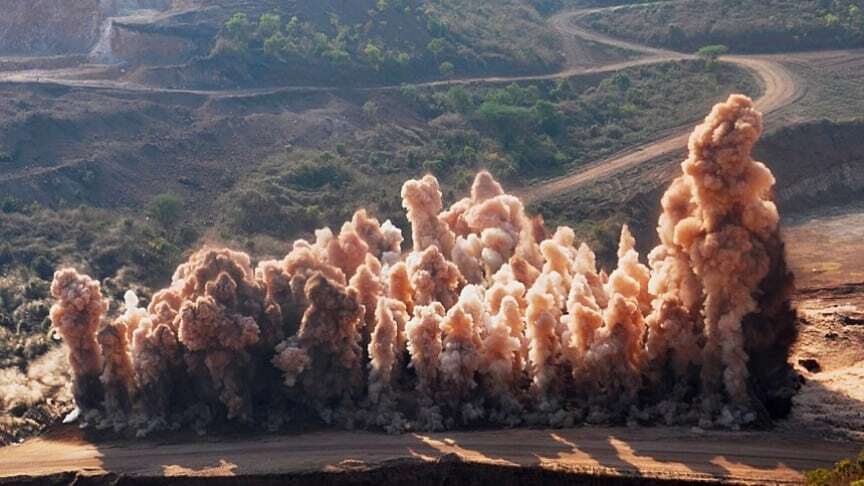
Both pre- and post-blast volume calculations can be done using Propeller. Just outline the drill pattern or blasted dirt and set the tool to an appropriate reference level, and you’re good to go!
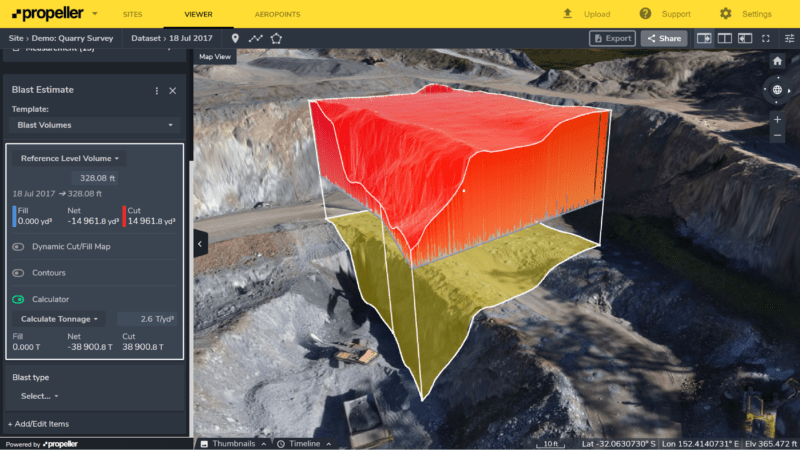
If you want to know more about how you can use Propeller to do better blast planning and monitoring, feel free to check out this article.
Forecasting pit flooding and backfill
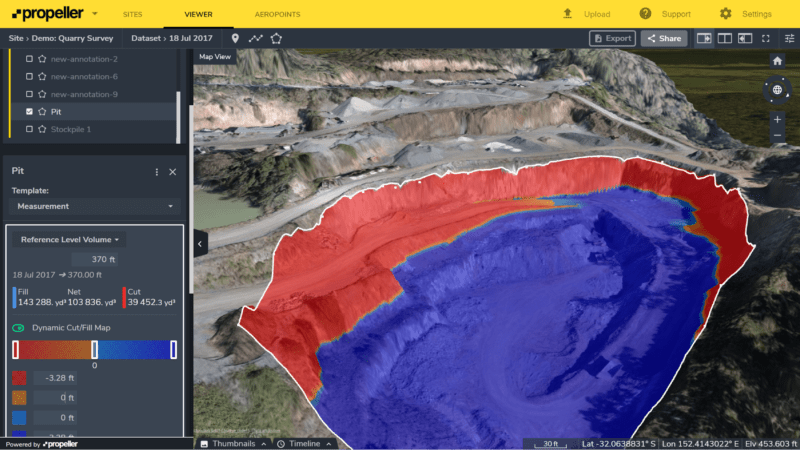
Need to find out how much water or backfill you can fit in your pit? Roughly trace around the pit and set the reference level to the desired height and it’ll calculate the fill volume between the pit floor and the selected RL. This is visualized in blue in the image below.
Leveling-off
To build on an area, you often need to build on hard ground, which means you need to cut down to the lowest point.
This is what the reference level volume tool calculates by default. Just trace around the area and it’ll cut down to the lowest selected point and give you an accurate estimate of the amount of dirt that needs to be removed.
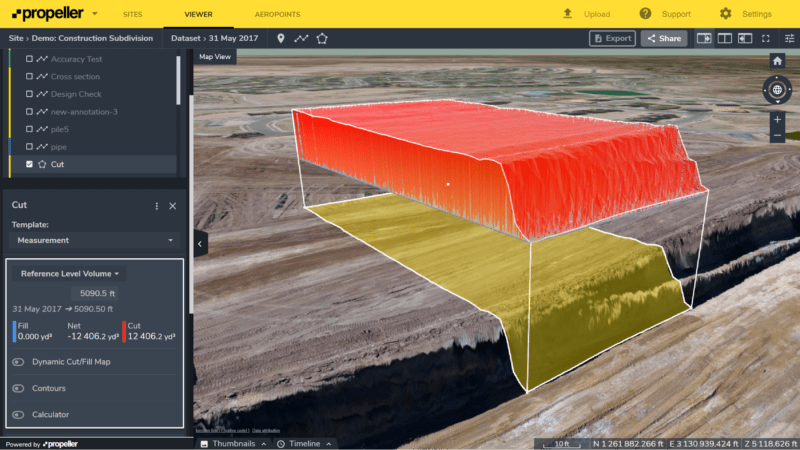
The list goes on and on with applications, but hopefully this has got you thinking about some more the things you can use Propeller for, beyond stockpile volumes.
Our general recommendation stays the same: if you want to measure volume fast, accurate and easy, do it with Propeller.