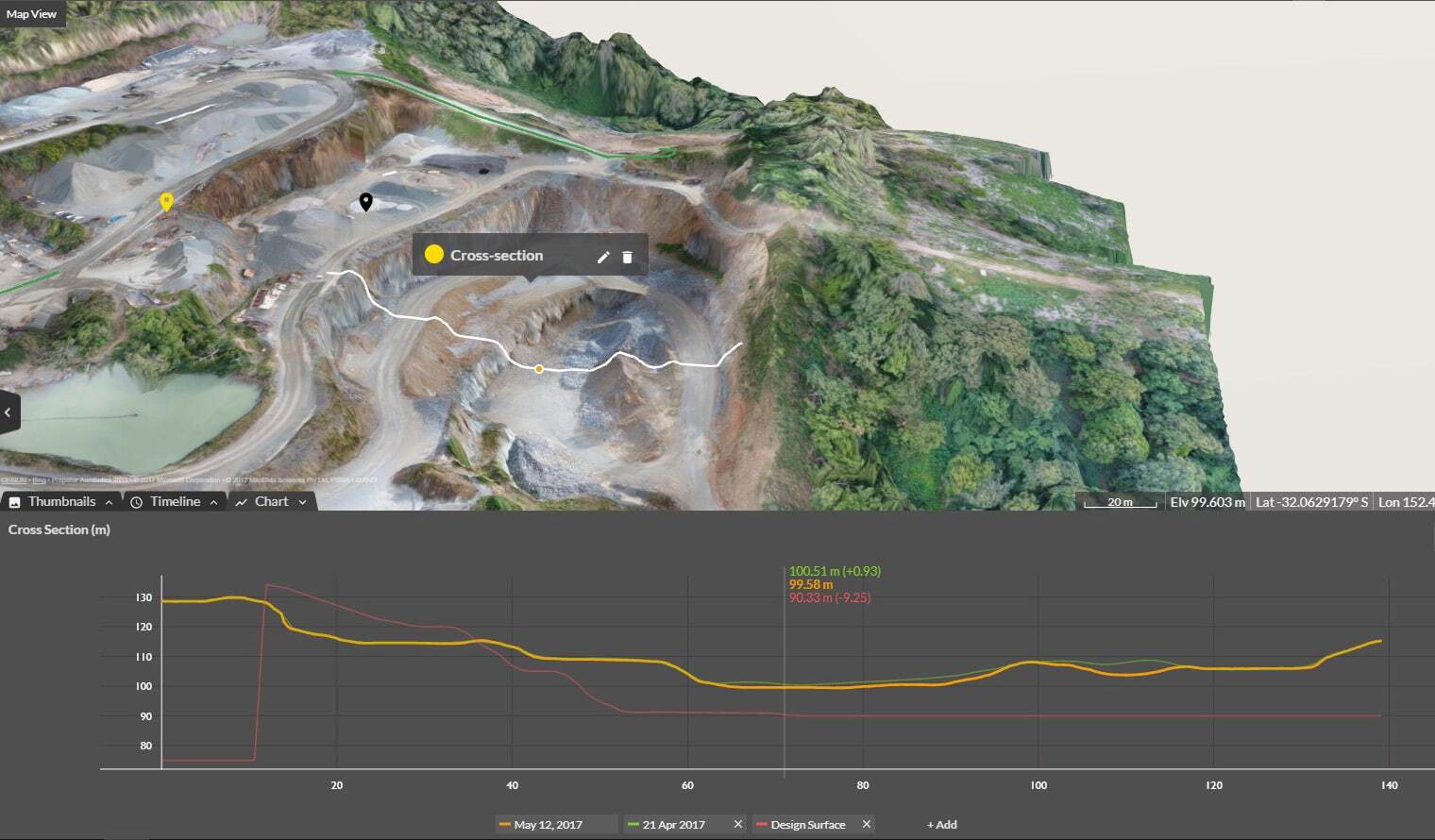
Cross Section Survey in a Matter of Minutes Using Drone Data
With the power of drone-captured data and the Propeller Platform, surveying cross sections becomes as…
Propeller gives your whole team a live view of site conditions — so you can catch design deviations, safety risks, and progress gaps before they turn into costly delays.

Jump into your interactive 3D site map for quick, comprehensive construction site checks. As your data command center, Propeller is the perfect place to verify progress, check design conformance, and flag safety hazards—powering smarter site monitoring.
Measure site progress, spot design deviations, and check for safety hazards—before they cause delays through real-time site monitoring.

Use your 3D site map as a living digital twin of your worksite. Compare past and present conditions to show proof of work and prevent disputes.

Identify safety risks by checking road grades, berm heights, and other critical measurements, giving you time to fix problems before they escalate.

Track progress over time, assess design conformance, and measure key site metrics from a single platform.


“Using Propeller means that I don’t have to go out on site which has been very useful during COVID. A lot of our planning team and project managers are also using Propeller because they can get a view of a site without having to leave the office.”
– Pawel Szumski, Engineering Survey Manager at Wills Bros

Conduct remote site checks with up-to-date aerial data. Reduce unnecessary site visits while keeping teams informed.
With Propeller, your drone captures aerial data that’s processed into a high-accuracy 3D site map. From there, project managers and site supervisors can check progress, measure earthwork volumes, and compare current conditions against design plans — all without a site visit. Scheduled reports can also deliver daily updates directly to your inbox.
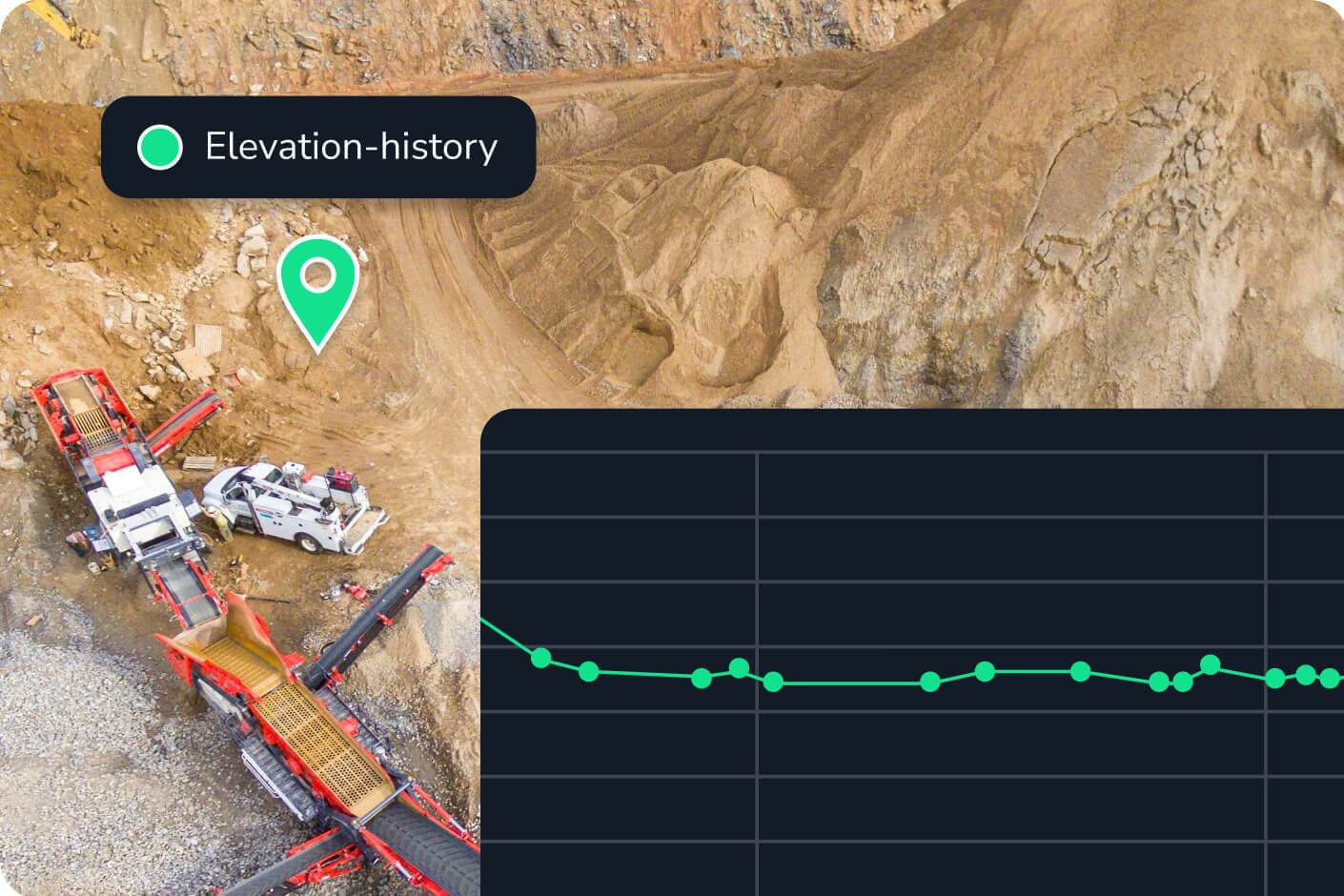
Propeller uses drone survey data to generate accurate surface models, which are then used to calculate cut and fill volumes across the site. You can compare any two survey dates to see exactly how much material has moved, verify progress against your project schedule, and catch discrepancies before they compound into costly rework.
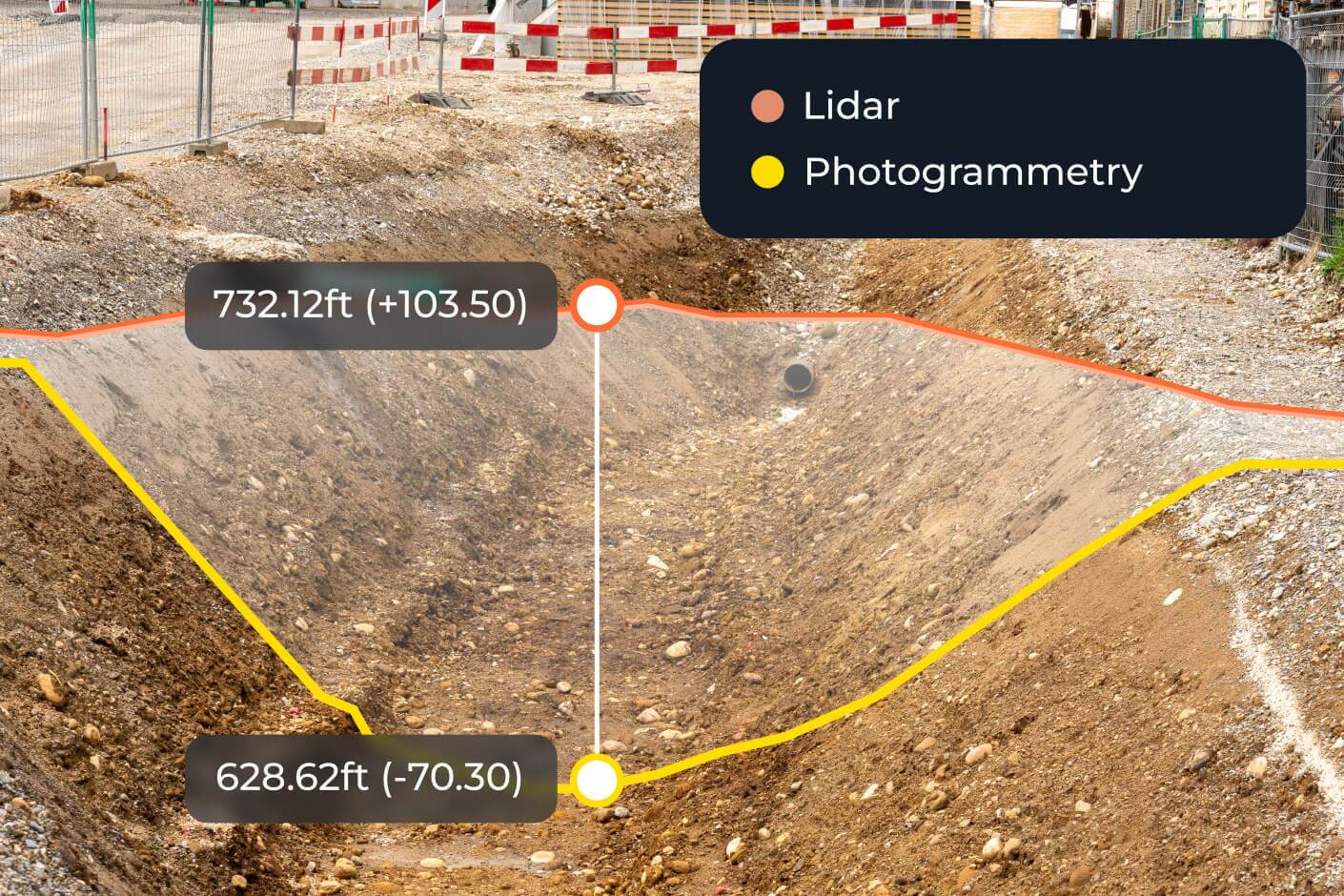
Propeller’s surface comparison tool overlays your current as-built survey against the original design file, highlighting deviations in elevation, grade, or drainage. You can check elevations, cross-sections, and surface area in one view — and attach photos or annotations to any flagged issue for the record.
Propeller is a cloud-based construction site monitoring platform that turns drone survey data into interactive 3D site maps. It supports design conformance checks, safety hazard flagging, stockpile volume tracking, machine activity monitoring via DirtMate, and automated daily reporting — all from a single platform your whole team can access.
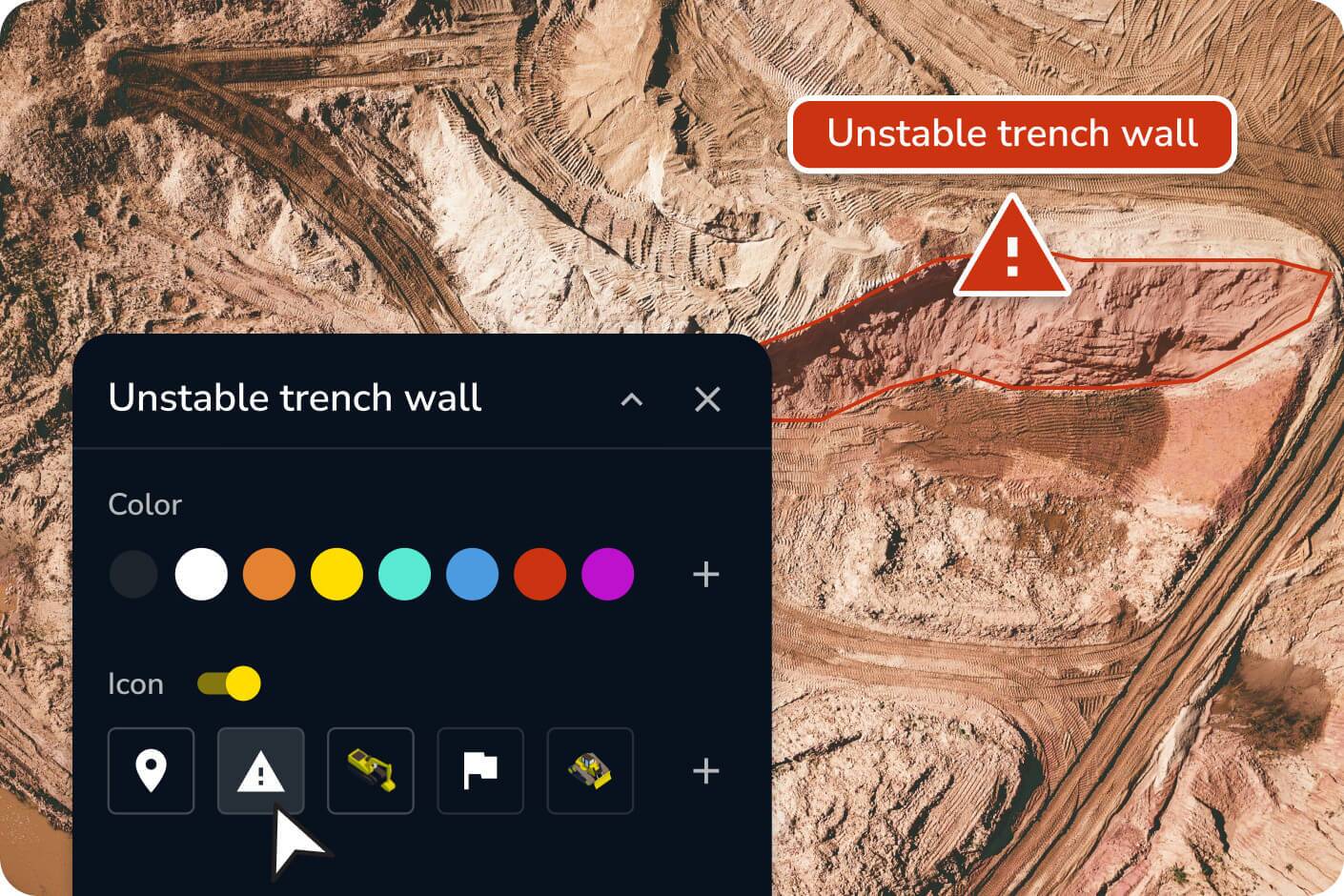
Propeller’s grade check and markup tools let you identify unsafe road grades, berm heights, and other critical measurements directly on your 3D site map. You can flag hazards, attach photos, and share annotated maps with your team — giving you time to act before conditions on the ground become an incident.