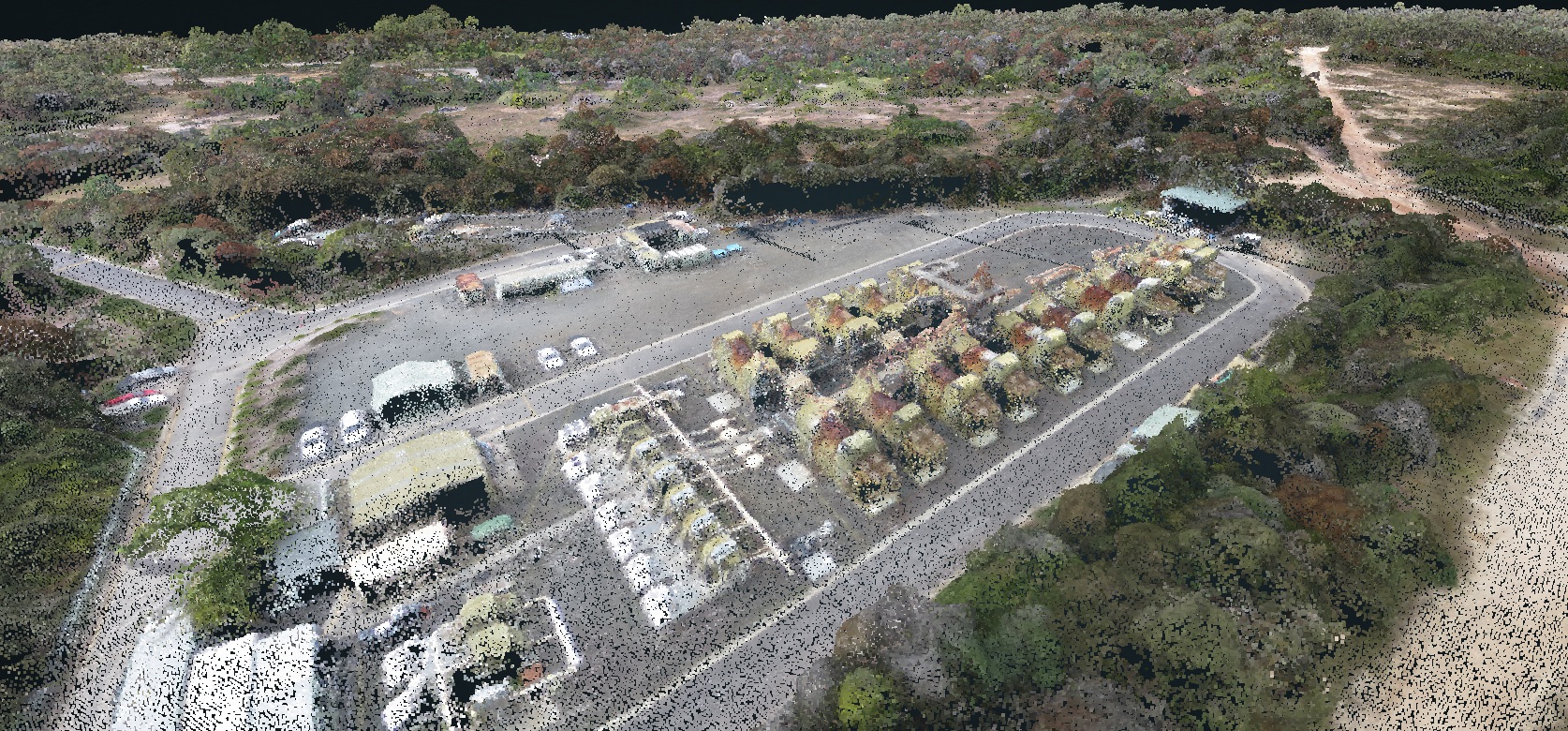
What Is a Drone Survey Output?
Initiating a drone survey program opens the door to a diverse set of data outputs and use cases that naturally fit into your existing workflow.
From a single drone flight, you’ll have all the data you need to use an orthophoto as a visual reference of current progress on site, perform measurements with a 3D model, or export an elevation model or point cloud to use with third-party software
Below, we’ll define each of these deliverables, explain what file types they can be exported in, and how surveying and technology professionals generally use them.
Textured 3D models
Hyper-realistic 3D models of your site are the culmination of all the data collected during a drone flight. They combine realistic visuals with accurate positional data to provide an immersive tool for inspecting, measuring, and planning earthwork.
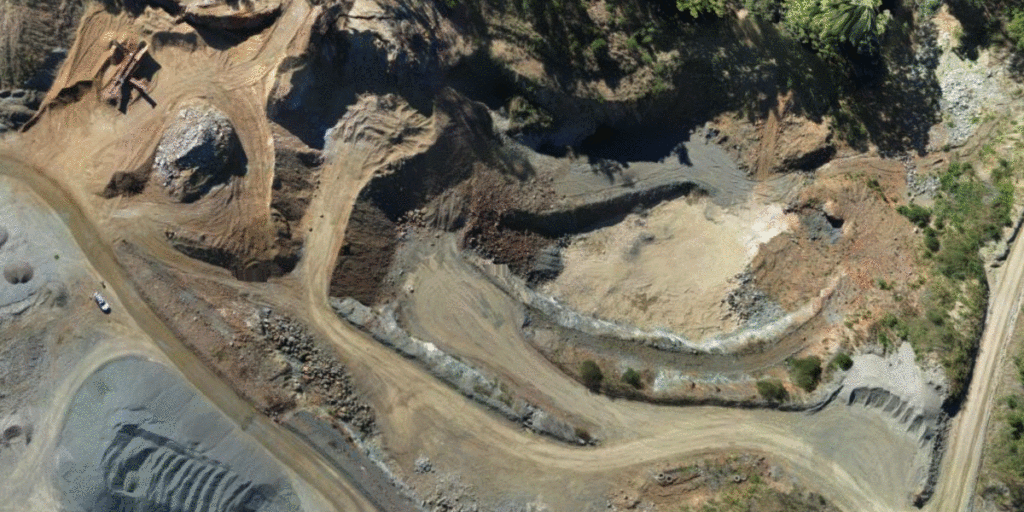
3D models are made up of both surfaces (or what your terrain is shaped like) and textures (what your terrain visually looks like). To be more exact, these models are made up of a 3D “mesh” made up of hundreds of thousands of triangular polygons, or “faces”. When combined, these faces form an approximation of your site’s surface. Add on texture files, and you get a 3D model that mirrors what you see in real life.
Every point in a Propeller-generated 3D model is georeferenced, meaning they’re fully measurable. Within the platform, can use your model to perform:
- Volume measurements of stockpiles
- Haul road analysis
- Cut/fill calculations against a final or subgrade surface
- A host of other volumetrics
- And much more
In addition, having an up-to-date 3D model of your site is also useful for those in the office who’d like a visual reference of the state on the ground without needing to visit the site themselves or depend on reports from coworkers.
They can also be used to give clients and other stakeholders and more a thorough walkthrough of your site, entirely remotely, reducing time-exhausting—and potentially hazardous—site visits.
3D model file types in Propeller
Propeller primarily allows users to export the surfaces of our 3D models in a DXF file, while textures can be downloaded in an orthophoto format (more on that below). DXFs are interoperable with nearly all CAD or GIS software, like AutoCAD, ArcGIS or GlobalMapper.
Depending on resolution needs and processing limitations, DXF files can be downloaded with 100,000, 250,000, or 500,000 faces. The thing to remember is that the more faces, the more realistic the model—and the larger the file size.
Digital Elevation Models (DEM)
A digital elevation model (DEM) is a raster-based representation of elevation data across a site. Each grid cell contains a vertical elevation value tied to a specific coordinate. They are visual representations of elevation data for every point captured on your site. They are surfaces, with no texture files.
DEMs are raster datasets, or grids that list the highest vertical point (z) recorded for every horizontal coordinate (x,y). When visualized, these raster files depict the shape of your site’s terrain, which can be used as a reference for the topography you’re working on.
Unlike 3D mesh models, elevation models do not contain color or texture data. Instead of depicting how your site actually appears in person, DEMs can use color to indicate differences in elevation.
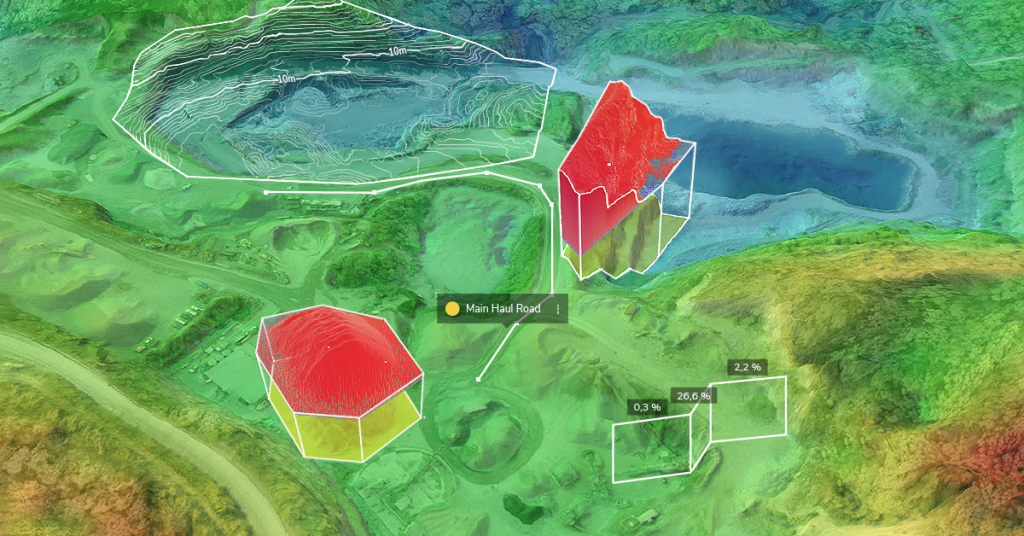
DEM and DTM Surveys
Unedited DEMs are also referred to as digital surface models (DSM). They depict elevation data for features, both natural and artificial, that were captured during a drone flight. When things like trees, vehicles, machinery, people, and other objects are filtered out, a digital terrain model (DTM) can be produced.
In addition to being used to create 3D models, DEMs are used for analysis of a host of things, such as water flow for drainage planning, viewshed (or line-of-sight) of a given point, foundational soundness, and more.
DEM file types in Propeller
In Propeller, you can export both DSMs and DTMs as GeoTIFF files. GeoTIFFs contain both the raster datasets, as well as georeferencing information, such as coordinate systems, map projection parameters, datums, and other data necessary to supply spatial reference for your model.
3D Point Clouds
Point clouds serve as the georeferenced foundation of 3D survey models. Each point describes a distinct feature on your site and contains the geospatial coordinates, as well as color information, of that feature. When translated to pixels and combined into a “cloud,” these points depict a rough interpolation of your site, although visual inspections are not the purpose of point clouds.
Point clouds make it possible to measure and make observations from a feature’s depth, elevation, geometry, and location in space.
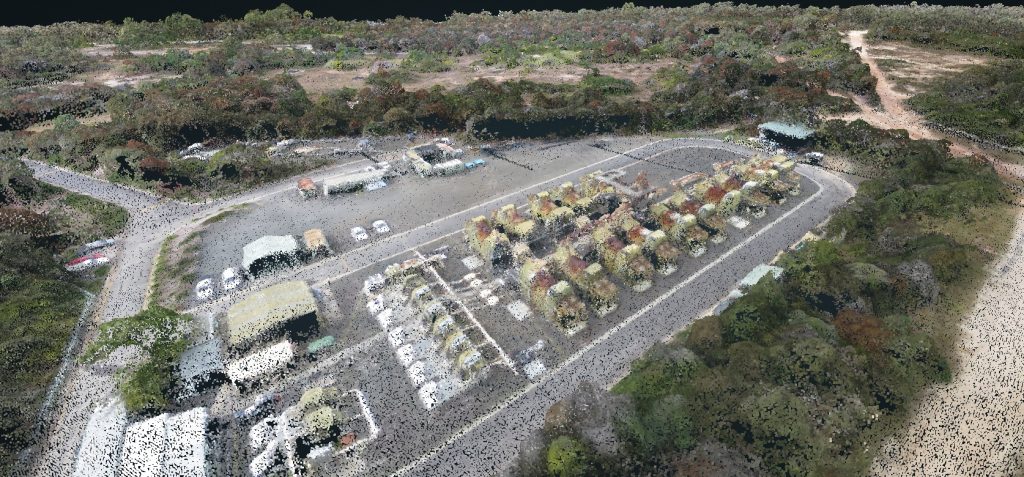
The process of aligning these points into a distinguishable recreation of the area surveyed is called “registration.” Thanks to improved algorithms, cloud processing, and advances in machine learning, the speed and accuracy of point cloud registration has greatly improved over the last few years.
Like with faces and 3D models, the more points in a point cloud, the more crisp and detailed the visualization of the area captured. And the larger the area being surveyed, the more points that need to be captured in order to produce a usable model. Typically, point clouds generated by photogrammetric surveys have points that are about 3cm apart.
You may have previously heard “point clouds” used in reference to LiDAR only. In recent years, photogrammetry has distinguished itself as a far less expensive method of generating a point cloud. And because photogrammetry captures color and texture better than LiDAR, 3D models created from photogrammetric point clouds tend to be more photo-realistic.
Depending on the use case and the third-party software that you use to create models outside the Propeller Platform, you may want to export the raw point cloud rather than the entire 3D model.
Point cloud file types in Propeller
Propeller exports point clouds in an .LAZ file format, which are just zipped .LAS files. .LASs can be easily uploaded to other GIS or CAD platforms. Like with 3D models and DEMs, Propeller users have the choice of exporting point cloud data in their site’s coordinate reference system or the universal WGS 84 CRS.
Orthophotos and Orthomosaics
An orthophoto is a geometrically corrected aerial image that contains accurate horizontal geospatial information. What separates an orthophoto from an unedited drone-captured image is that it’s been corrected for, among other things, perspective, topographic relief, lens distortion, and camera tilt.
This process is also referred to as “ortho-rectification.” It means that every pixel on an orthophoto is depicted as if the camera was exactly perpendicular to the surface when the image was captured.
When stitched together, individual orthophotos form a single composite orthomosaic of the site.
Because they’ve been geometrically corrected so that the scale and perspective is uniform throughout the orthomosaic, it can be used the same as a 2D map to measure horizontal distances between points. Orthomosaics are also often overlaid with other layers of data, such as linework or design surfaces.
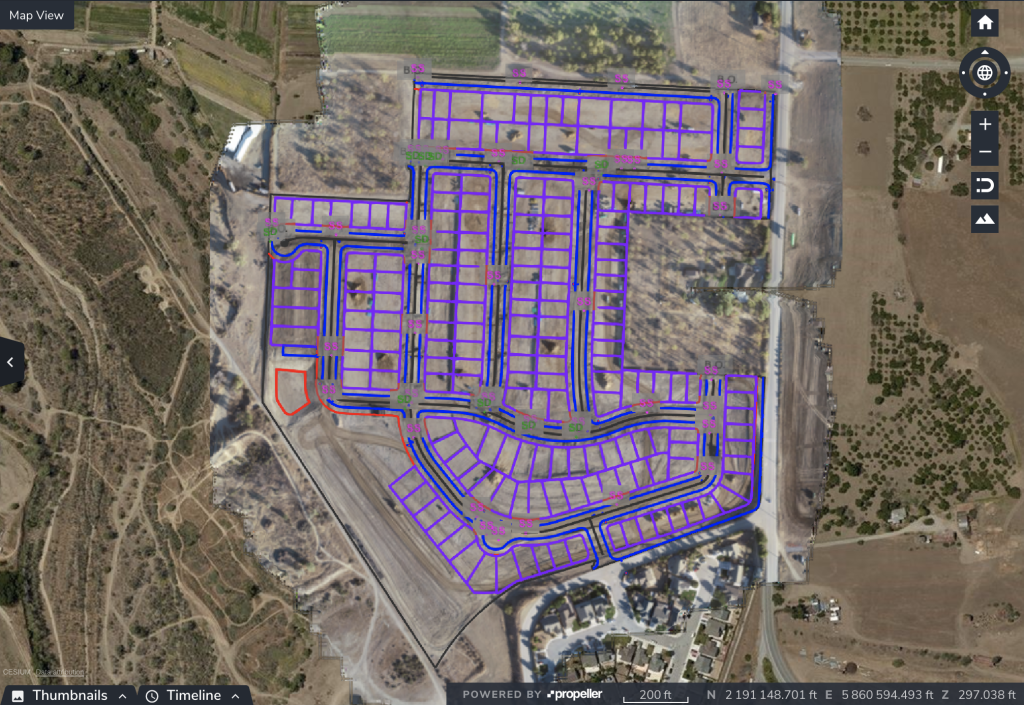
Orthomosaics, with design or linework overlays included, can also be used to create mobile-optimized maps and sent to members of your field team with the Propeller add-on Crew.
Orthophoto file types in Propeller
Your survey orthomosaics can be exported in either a full-resolution geoTIFF format, which includes geospatial data and can be easily uploaded to any GIS software; or as a smaller JPEG image, which can be displayed by any image viewer. If users wish to georeference the JPEG, they can also download the included .JGW or .WLD file
Choosing the Right Drone Survey Output
Different project requirements call for different survey outputs. Orthophotos provide clear visual references, point clouds enable advanced spatial analysis, and DEM or DTM surveys support grading and earthworks planning. Understanding how each output functions allows teams to select the right data format for their workflow.
See Drone Survey Data in Action
Propeller helps construction and surveying teams generate accurate DTM surveys, point clouds, and orthophotos from a single drone flight. Request a demo to see how the platform streamlines data processing and delivers survey-ready outputs.
Frequently Asked Questions
What is included in a drone survey output package?
A typical drone survey output package may include a 3D textured model, a point cloud, an orthomosaic, and either a digital elevation model (DEM) or digital terrain model (DTM). The exact outputs depend on project requirements and processing selections.
What is the difference between a DEM and a DTM survey?
A DEM represents elevation values for all captured surfaces, including buildings and vegetation. A DTM survey removes non-ground features to isolate bare-earth terrain data used for grading and construction planning.
When should I export a point cloud instead of a 3D model?
Point clouds are typically exported when advanced analysis or third-party modeling is required. They contain raw spatial coordinates and can be imported directly into CAD or GIS platforms for custom workflows.
What file formats are used for drone survey outputs?
Common file formats include DXF for 3D surfaces, GeoTIFF for elevation models and orthophotos, and LAZ or LAS for point clouds. These formats are compatible with most engineering, CAD, and GIS software.
How are DTM surveys conducted using drone data?
DTM surveys are conducted by processing aerial imagery into elevation models and applying classification filters to remove vegetation, vehicles, and other non-ground features. The resulting bare-earth dataset can then be used for earthworks calculations and design comparisons.