The DirtMate that never moves (your base station)

Read Time: 3 mins
Quick links
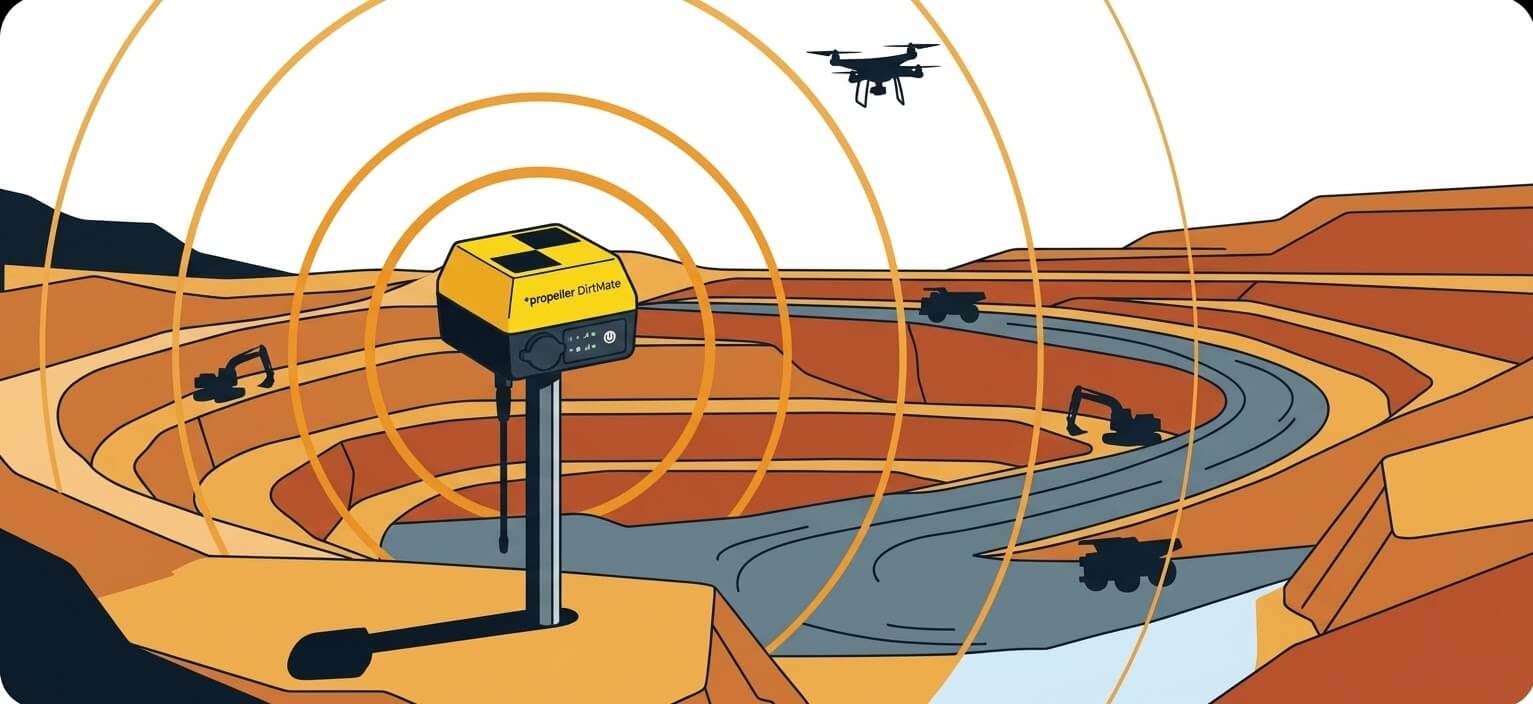
    Illustrated aerial view of a DirtMate Base Station mounted on a fixed post at an open-cut quarry, with precision signal coverage arcs radiating outward across terraced earth and earthmoving equipment

    DirtMate Base Station is a permanently mounted DirtMate unit that automatically provides the correction data every drone survey on your site needs: mount it once with continuous power and a data connection, and every dataset from that site processes against the same high-precision reference point automatically, with no pre-flight ground control setup required.
    If you fly drone surveys on the same site week after week, you know the drill. Before the flight, ground control goes out. After the flight, it comes back in. The data uploads. You wait for processing. Repeat next week.

    It works. But it adds a task every single time you fly. And every time you place ground control in slightly different spots, you introduce a little variation into a workflow where consistency is the whole ballgame.

    DirtMate Base Station is a different approach. One setup. Every survey after that is covered.

    What it actually is

    A DirtMate Base Station is a DirtMate unit that doesn’t move. You mount it on something fixed, give it power and a data connection, set the coordinates once, and it runs continuously as your site’s own correction source.

    When you fly a drone survey and upload it to Propeller, instead of selecting AeroPoints or Propeller’s correction network as your reference, you select DirtMate Base Station. The correction is already there. Your dataset processes against it automatically.

    No pre-flight ground control setup. No post-flight collection. The base is already running.

    Setting it up (this is a one-time thing)

    Four steps. Then it runs itself.

    1
    Mount it
    Any fixed, stable structure with a clear sky view. The site office trailer is the usual spot. A post with a solar panel works too.
    2
    Connect it
    Cell SIM, site WiFi, or ethernet. Whatever you have running on site.
    3
    Power it
    Wall outlet or solar panel. Runs continuously either way.
    4
    Configure it once
    Set the base coordinates in Propeller. After that, it uploads data continuously and is ready for every flight that follows.

    Why consistency matters more than people think

    When you use a different correction source between surveys, or place ground control in slightly different spots each time, you can introduce small differences in your results. Usually small. But over time, or when you’re comparing datasets from different weeks or months, those differences accumulate.

    A permanently mounted DirtMate Base Station doesn’t move. The antenna doesn’t shift. The correction source is identical for every survey on that site. That consistency matters when you’re tracking progress, comparing surfaces, or supporting a payment claim with data that needs to line up cleanly.

    There’s also a distance factor. Propeller’s correction network is solid, but the nearest reference point could be a long way from your site. A base DirtMate mounted on your site office is right there. Shorter distance, more reliable results.

    Is DirtMate Base Station right for your site?

    It’s the stronger choice when any of these are true.

    You’re flying the same site regularly and want every dataset corrected from the same reference point, every time
    You’d rather set something up once than repeat a pre-flight task before every mission
    You’re working somewhere where Propeller’s correction network reference point is a long baseline from your site
    You already have DirtMate on site. Same hardware, just in a permanent role instead of a moving one.

    AeroPoints are still a great option for sites where you’re flying occasionally or a permanent setup doesn’t make sense. They’re flexible and portable. DirtMate Base Station is for the site you keep coming back to.

    One thing worth knowing

    DirtMate Base Station corrections work within a 20km radius. If you’re running surveys across sites spread further apart than that, you’d need a separate base for each. For most quarry, mine, or civil project contexts, that’s not a constraint you’d run into.

    The bottom line
    Set it up once. Every survey after that runs from the same point, automatically.

    Same correction source. Same reference point. No pre-flight setup required.

    It’s the DirtMate that earns its keep without anyone touching it again.

    Quick links

      Related articles

      Drone photogrammetry measurements are shown on the top of a mine site.

      Drone Aerial Photogrammetry: How Drone Photos Turn Into 3D Surveys

      Photogrammetry is the science of collecting physical information from 2D photos, often aerial images captured…
      Aerial photo looking down on a construction site.

      What are geoTIFF files and how are they used

      GeoTIFFs files are raster image file types that are commonly used to store satellite and…
      Ground-level view of a graded construction earthwork surface showing two soil textures meeting along a clean line, evoking stitched orthomosaic map tiles

      What is orthomosaic mapping? Orthomosaics, orthophotos, and mapping software explained

      Orthomosaic mapping stitches hundreds of overlapping drone images into one geometrically corrected map with consistent…

      Ready to learn how Propeller can power up your worksite?

      We’re happy to show you how Propeller can power your worksite, and boost productivity.

      Related articles

      Things to know about ground control in drone surveying

      Getting ground control points right comes down to three things: choosing markers with high contrast…
      Survey drone flying over an active earthwork site with an illustrated flight path, capture points, and ground control markers

      Propeller’s Drone Guide: DJI Solutions for Commercial Operations

      Propeller’s verified DJI lineup covers five platforms: from the compact Mavic 3 Enterprise and purpose-built…

      Telecom Tower inspection using DJI Phantom 4 Pro: Step-by-step guide

      This guide walks through a telecom tower inspection using the DJI Phantom 4 Pro and…