| 1. Existing-ground baseline |
Every quantity, design comparison, progress update, and dispute conversation depends on the starting point. |
“We can’t prove what changed.” |
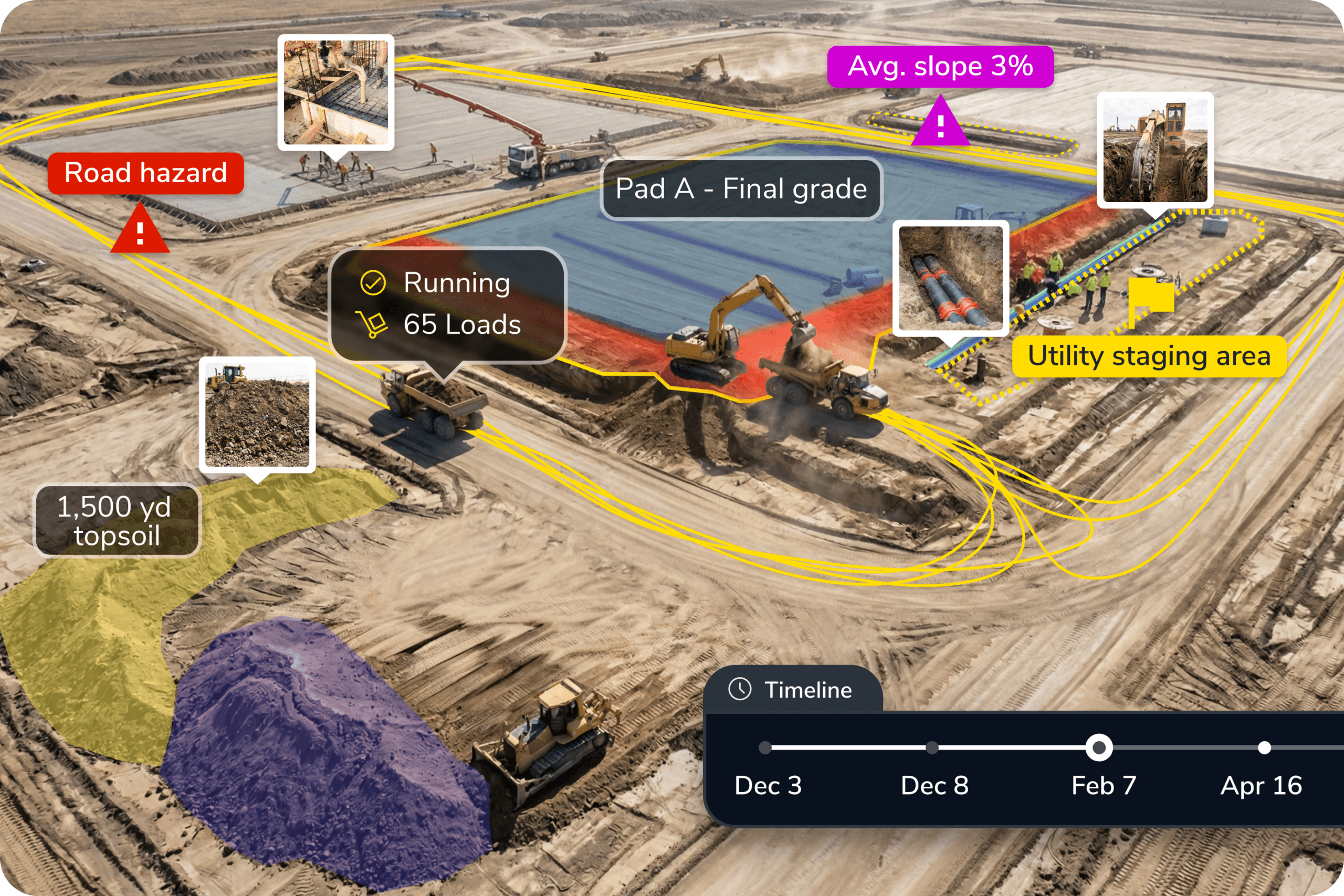
Create a dated baseline with drone survey data and site analysis, then use it as the reference point for future progress, quantity, and design comparisons. |
| 2. Pad readiness before handoff |
Vertical, utility, equipment, and commissioning work can be delayed if pads are not actually ready. |
“The pad looked ready, but it wasn’t.” |
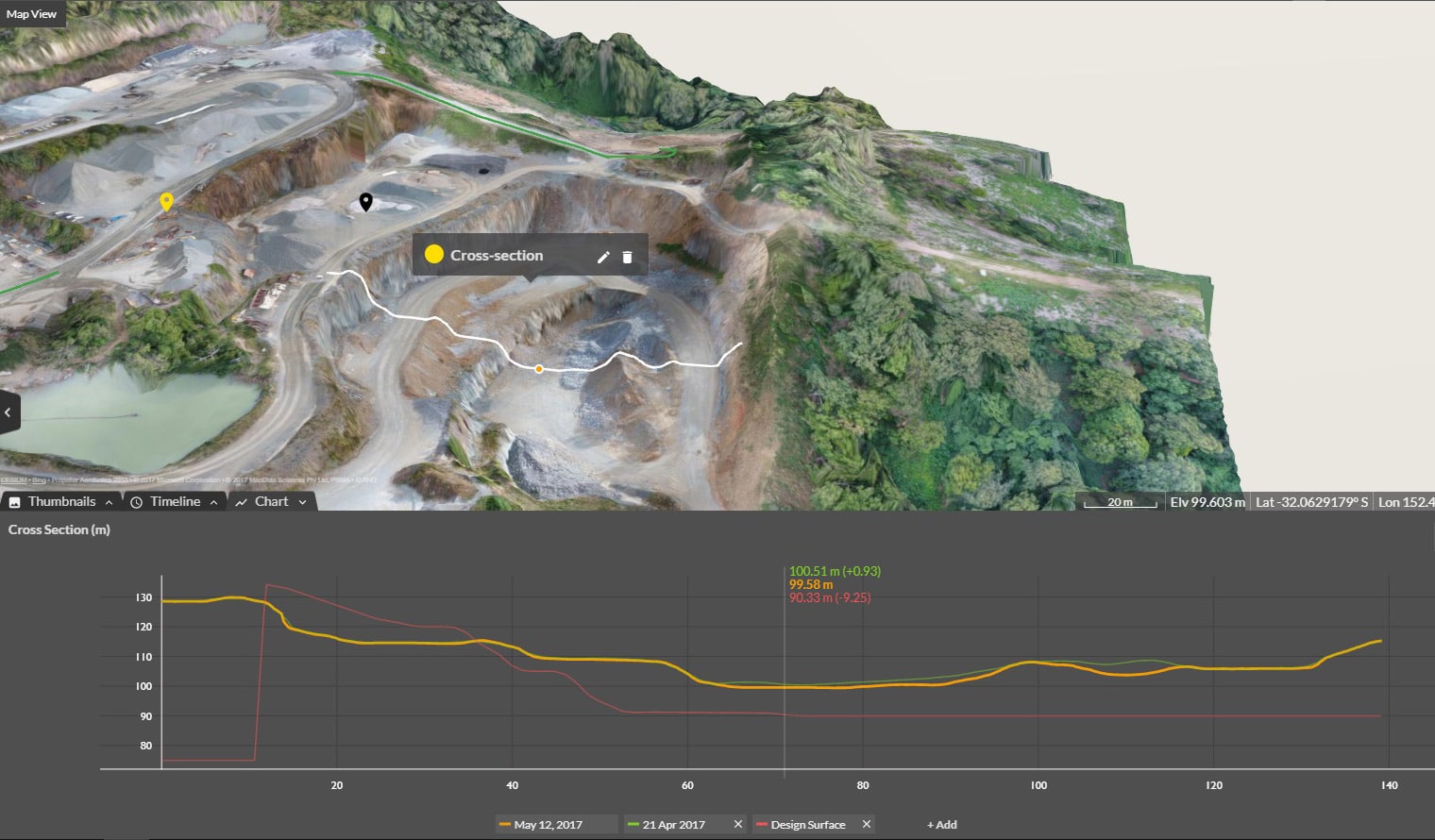
Compare the finished surface against design or readiness criteria, then use DirtMate RTK for field checks where teams need faster grade validation before handoff. |
| 3. Laydown, access, and haul routes |
Data center sites depend on constant material movement, crew access, haul roads, and temporary logistics. |
“The plan doesn’t match how the site is actually moving.” |
Use current site maps, CAD context, and machine tracking to document access routes, haul roads, laydown areas, and constraints as logistics change. |
| 4. Utility corridors before backfill |
Power, fiber, cooling, grounding, drainage, and duct bank work become harder to verify once covered. |
“We don’t know exactly what was installed or where.” |
Capture trenches, duct banks, corridors, and surrounding conditions with aerial records, 360 Walkthroughs, and Handheld Scans before the work is covered. |
| 5. Work-package progress record |
Owners, JV partners, GCs, and project teams need to know what changed by area, scope, crew, or milestone. |
“Progress updates are subjective or inconsistent.” |
Build a repeatable progress record from survey history, site visuals, reports, and machine tracking so teams can show what changed by area, scope, or milestone. |
| 6. Quantity backup for payment claims |
Cut-fill, stockpiles, pads, and work-in-place need dated support to keep commercial conversations moving. |
“We’re stuck arguing over quantities.” |
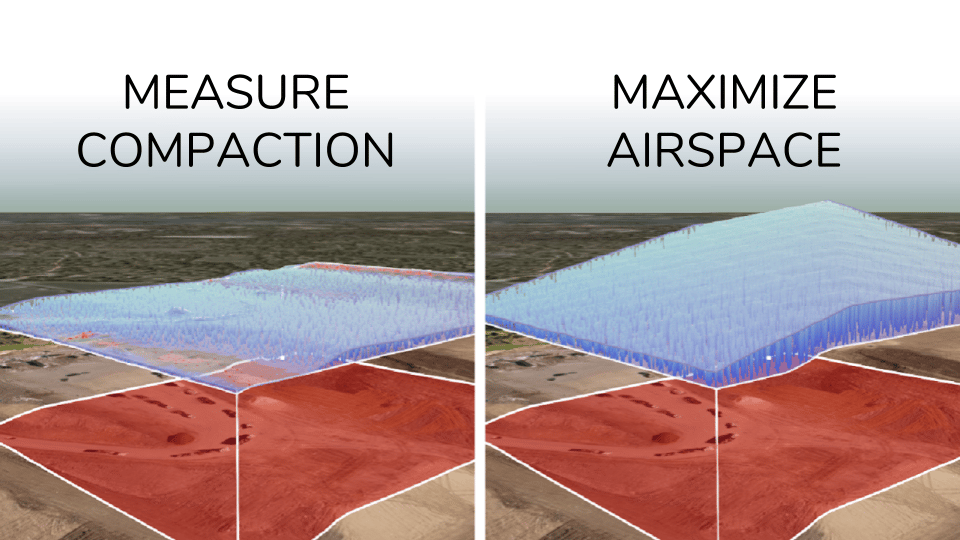
Create dated quantity backup from drone survey data, surfaces, measurements, field checks, and reports so teams can support payment claims with current site evidence. |
| 7. Design changes and field decisions |
Fast-moving projects need fast decisions, but those decisions still need a record. |
“No one knows why this changed.” |
Use CAD context, design comparison, current site conditions, and timeline history to connect field decisions to the reason a change was made. |
| 8. Drainage and disturbance documentation |
Data center projects face growing scrutiny around land, water, drainage, and community impact. |
“We can’t show what we controlled on site.” |
Use repeatable capture, 360 Walkthroughs, and site history to document clearing, disturbance limits, drainage conditions, temporary controls, and before/after conditions over time. |
| 9. Dispute-ready site history |
The best dispute record is built before there is a dispute. |
“We need proof, but it’s too late to recreate it.” |
Keep survey history, measurements, reports, ground-level records, and timeline history organized so teams can support change, backcharge, rework, or dispute conversations later. |
| 10. Owner-ready updates |
Owners and hyperscaler teams need clear, frequent answers without waiting for another site walk. |
“Remote stakeholders don’t trust the update.” |
Turn current site conditions, visuals, measurements, 360 Walkthroughs, and reports into a clear update that shows what is ready, blocked, changed, or at risk. |
| 11. Current design-to-field comparison |
Civil work changes as pads, utilities, roads, laydowns, and vertical work overlap. |
“The field moved faster than the plan.” |
Compare current site conditions against CAD and design context, then validate key areas in the field where teams need practical confirmation. |
| 12. Civil-to-vertical handoff record |
Civil and vertical teams may use different tools, schedules, and success criteria. |
“The next team inherited a problem with no record.” |
Package maps, reports, visuals, measurements, 360 Walkthroughs, and timeline history into a handoff record that shows what was completed and what the next team needs to know. |