Site Drainage Series (6/6)
Adverse weather delays 45% of construction projects worldwide, and most of those delays are due to water. Water routinely wreaks havoc on the best-laid plans, turns perfectly graded terrain into a liability, and forces engineering teams back to the drawing board.
That’s why we dedicated an entire blog series to site drainage. Specifically, the art of turning your most recent site surface into operational answers with Propeller’s Hydrology Toolkit.
The story so far
In case you’re just joining us, here’s the entire Site Drainage Series at a glance:
- Rainfall simulation: Model storms before they hit
- Watershed analysis: Understand how water moves across a site
- Surface runoff: Spot runoff issues early
- Flood-to-level: See how high floodwater could rise
- Snowmelt analysis: Prepare for the thaw
Who this is for: Survey managers, engineers, project managers, and superintendents who rely on accurate surface data to keep work moving.
When you use it: Use Propeller’s Hydrology tools every time you survey (or when there’s a storm in the forecast).
What is construction site hydrology planning, anyway?
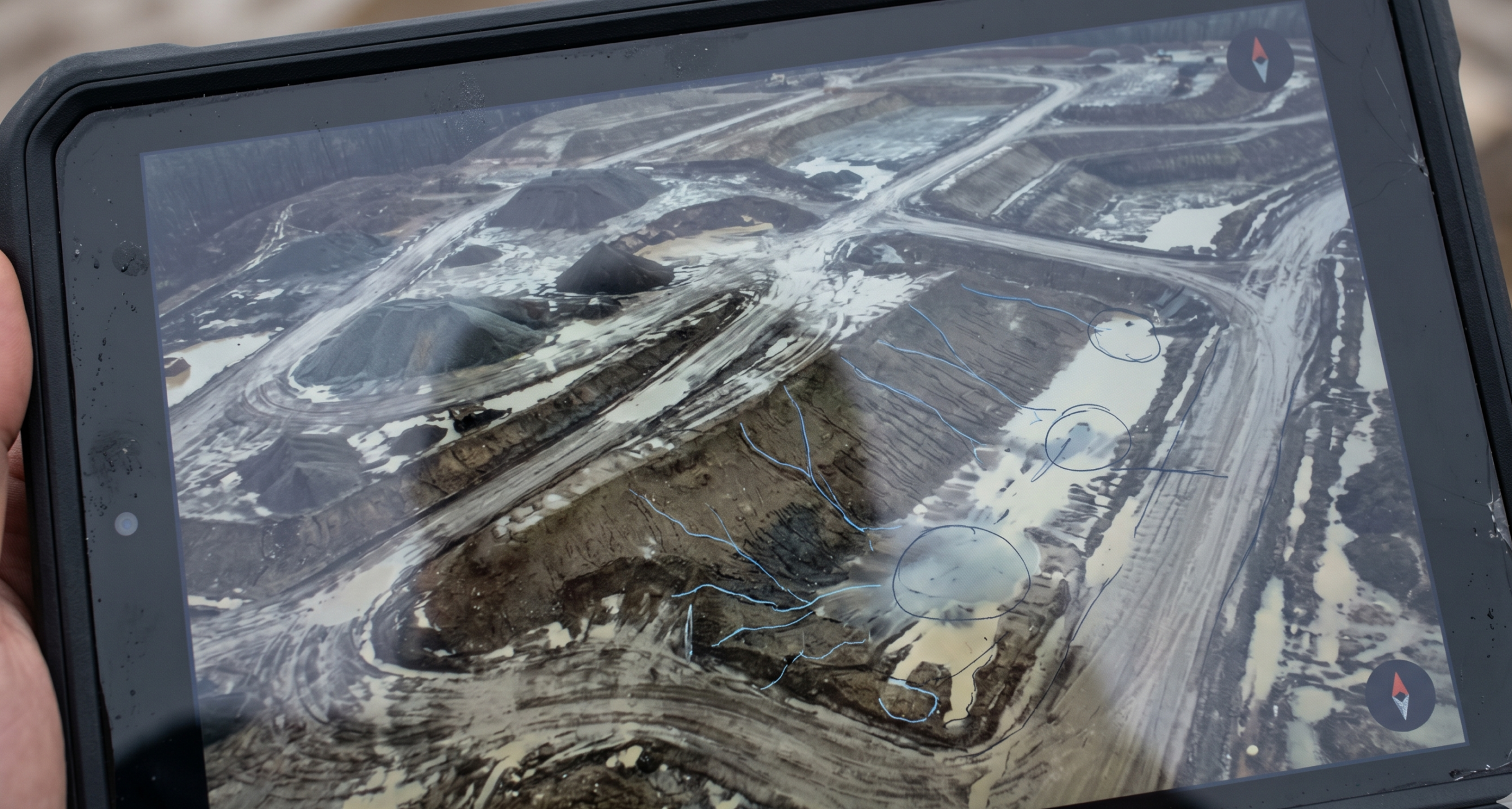
Construction site hydrology planning uses your most recent surface (drone survey, ground topo, or LiDAR) to predict where water will flow and concentrate on your worksite, so you can prevent downtime before it starts.
Hydrology planning helps you protect:
- Access: haul roads, staging areas, working faces, etc.
- Schedules: fewer false starts and rework cycles
- Compliance: fewer erosion-control surprises at the boundary
4 site drainage questions Propeller helps you answer
Every time you run a hydrology analysis in Propeller, you’re answering the same four questions:
- Where will water start moving first?
- Where will it get stuck?
- What will it touch on the way (roads, benches, controls, boundaries)?
- What can we do to prevent downtime?
If your hydrology workflow can answer those four questions on your current site surface, suddenly you’re staying a step ahead of the weather.
What does Propeller Hydrology include?
Here’s the full toolkit, mapped to real-life use cases on an actual jobsite.
| Tool | What it shows | Best time to run it | Decisions it unlocks |
| Rainfall Simulation | How a storm event would move across your current surface | Before forecast storms / before major grading | Temporary drainage paths, erosion controls, sequencing changes |
| Watershed Analysis | Catchments + contributing flow paths (where water comes from) | Early planning + after major grade changes | Outlet sizing, diversion planning, clarity on upstream causes to fix |
| Surface Runoff | Where water is likely to accumulate and persist | Any time the surface changes / before fieldwork ramps up | Access planning, where conditions will stay wet, problem-spot monitoring |
| Flood-to-Level | What areas become impacted as water rises | When low areas threaten access or production | Move laydown, protect routes, pump planning |
| Snowmelt Analysis | How thaw runoff flows/pools over time | Two to four weeks pre-thaw / spring restart | Early-season grading priorities, temporary drainage, control resets |
Operational planning vs fully calibrated hydraulic modeling
If you need a fully calibrated hydraulic model that includes granular detail like soil types, infiltration rates, absorption, etc., you’ll want specialized hydraulic modeling software.
Propeller is different on purpose.
Propeller’s Hydrology tools are built for fast operational planning using the site map your team already relies on, so you can make grading, drainage, and control decisions before you allocate equipment and crew (and before water forces emergency decisions on you).
What makes Propeller different than other site mapping tools for hydrology?
Other tools tend to fit teams who…
- Primarily need a platform for reality capture, visualization, and general site documentation
Propeller is built for survey-led operations where…
- Surface data should lead seamlessly to integrated field decisions
- You need hydrology outputs inside the same mapping environment your team already uses to plan work
- You’re running a repeating cadence (biweekly or as-needed) and using change over time to prevent downtime
In a nutshell: Propeller helps survey teams turn hydrology into action faster, with fewer handoffs.
Top 10 use cases for Propeller Hydrology
- Pre-storm planning: See what tomorrow’s forecast will do to today’s site surface.
- Spring work in cold climates: Spot terrain that will be unstable due to snowmelt, and make informed decisions about where to start work.
- Haul road protection: Identify where routes will rut or soften first and plan temporary drainage.
- Staging and laydown siting: Choose the areas least likely to pond or stay saturated.
- Pit and low-point planning: Predict ponding zones and plan dewatering before water accumulates.
- Erosion control prioritization: Reinforce the few spots where runoff concentrates, rather than sprinkling controls everywhere.
- Boundary risk checks: Spot flow paths heading toward sensitive edges before inspections do.
- Sequencing decisions: Use watershed and runoff insights to decide where to grade first.
- Change-order defense: Create clearer documentation around why conditions changed (e.g., surface changed, drainage changed, runoff changed).
- Fewer rework cycles: Prevent rework that can wreak havoc on your project schedule.
Frequently asked questions
What is hydrology in construction?
Construction site hydrology planning uses your current site surface to predict where water will flow and pool so you can plan grading, drainage, and erosion controls before water impacts ongoing work or creates a compliance breach.
How often should a project team run hydrology analysis?
Most teams run hydrology on the same rhythm as their site surveys—often biweekly, and anytime major grading changes or weather risk increases. The key is that outputs must reflect the surface you’re working on today as closely as possible.
What’s the difference between watershed analysis and surface runoff?
Watershed analysis shows where water comes from (for example, catchments and contributing flow paths). Surface runoff highlights where water accumulates and persists on the current surface.
What makes Propeller Hydrology different?
Propeller’s Hydrology tools are not a fully calibrated hydraulic modeling suite with soil infiltration and absorption rates or engineered validation. They’re built for operational teams to make quick planning decisions on active surfaces, so field teams can get to work without delay.